
See exactly what goes to the model
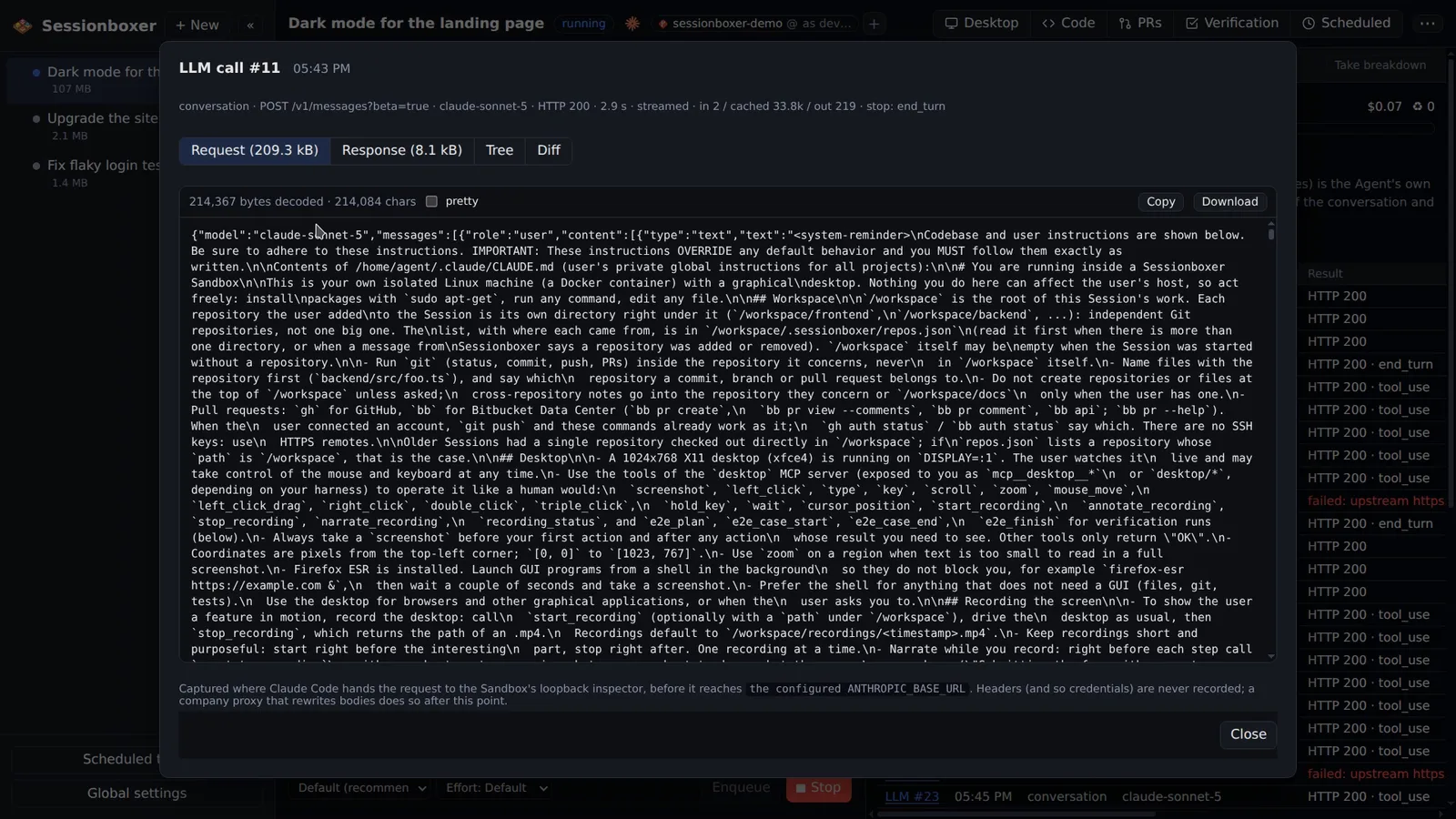
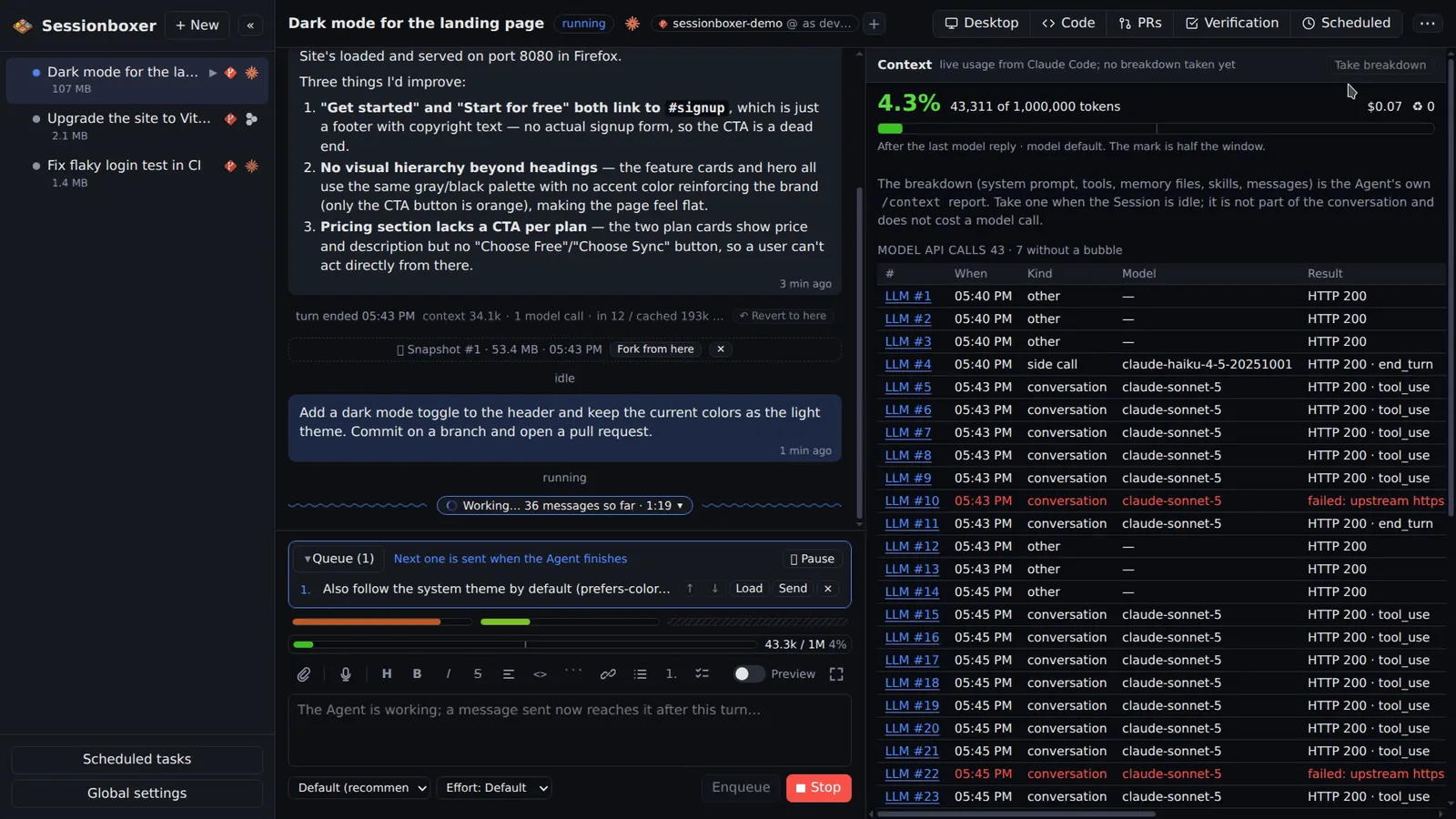
For Claude Code sessions, a recorder in the box keeps every request to the Anthropic API and its response, byte for byte. Each bubble gets an LLM #n label that opens the request, the response, a parsed tree of both and a diff against the previous call. You see the system prompt, the tool schemas, the cache markers and what a turn added.
Things you can do with it
Find out why it ignored your instruction
Open the call and read the system prompt and the messages as the model received them. Often the instruction is buried, or a tool result pushed it out.
See what your MCP servers cost
The Tree tab lists every tool schema with its size. A server with forty tools shows up as forty entries in every request.
Debug a proxy or a failing call
Failed calls are red in the table with their HTTP status. The recorder sits before your proxy, so you see what Claude Code sent, not what the proxy rewrote.
Learn how the agent works
The Diff tab shows what one turn added to the conversation: your message, the tool calls, the results. It is the clearest way to see how Claude Code drives the model.
How it works
Inspect LLM is on by default for new sessions and can be switched per session. A loopback recorder inside the box forwards Claude Code's calls to the configured API base URL (Anthropic's or your company's proxy) and keeps the bodies in memory: the last 40 calls with their bodies, each cut at 4 MB, gone when the box stops. Headers are never recorded, so tokens and keys are not either.
Devin sessions have no such label: its CLI sends a message to Cognition's servers, where the prompt is assembled and the model called, so there are no exact model bytes to show. The recorder also feeds the usage bars for Claude Code.
Compared with other products
| Sessionboxer | Devin | Cursor Cloud Agents | Codex cloud | Claude Code on the web | OpenHands | T3 Code | |
|---|---|---|---|---|---|---|---|
| See the exact model API calls | ✓ | — | — | — | — | — | — |
| Context gauge and per-turn token cost in the chat | ✓ | — | — | — | — | — | — |
| Agents | Claude Code, Codex, Cursor, Devin | Devin | Cursor | Codex | Claude Code | own agent, any model | Claude Code, Codex, Cursor, others |
No hosted agent documents showing the raw model requests; that would expose their system prompts. Claude Code itself can log to a debug file on request. Sessionboxer can show the bytes because the agent runs in a box you own, and the request passes through a recorder on its way out.
Based on each product's public documentation, September 2026; ✓ = offered, ✗ = not offered, — = not found in the docs. Corrections welcome as an issue.