
MCP servers, registered once
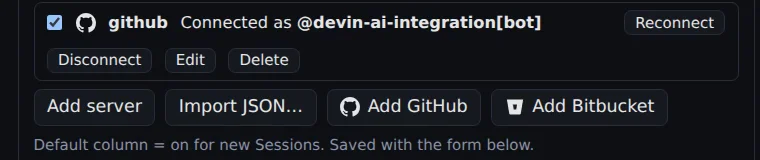
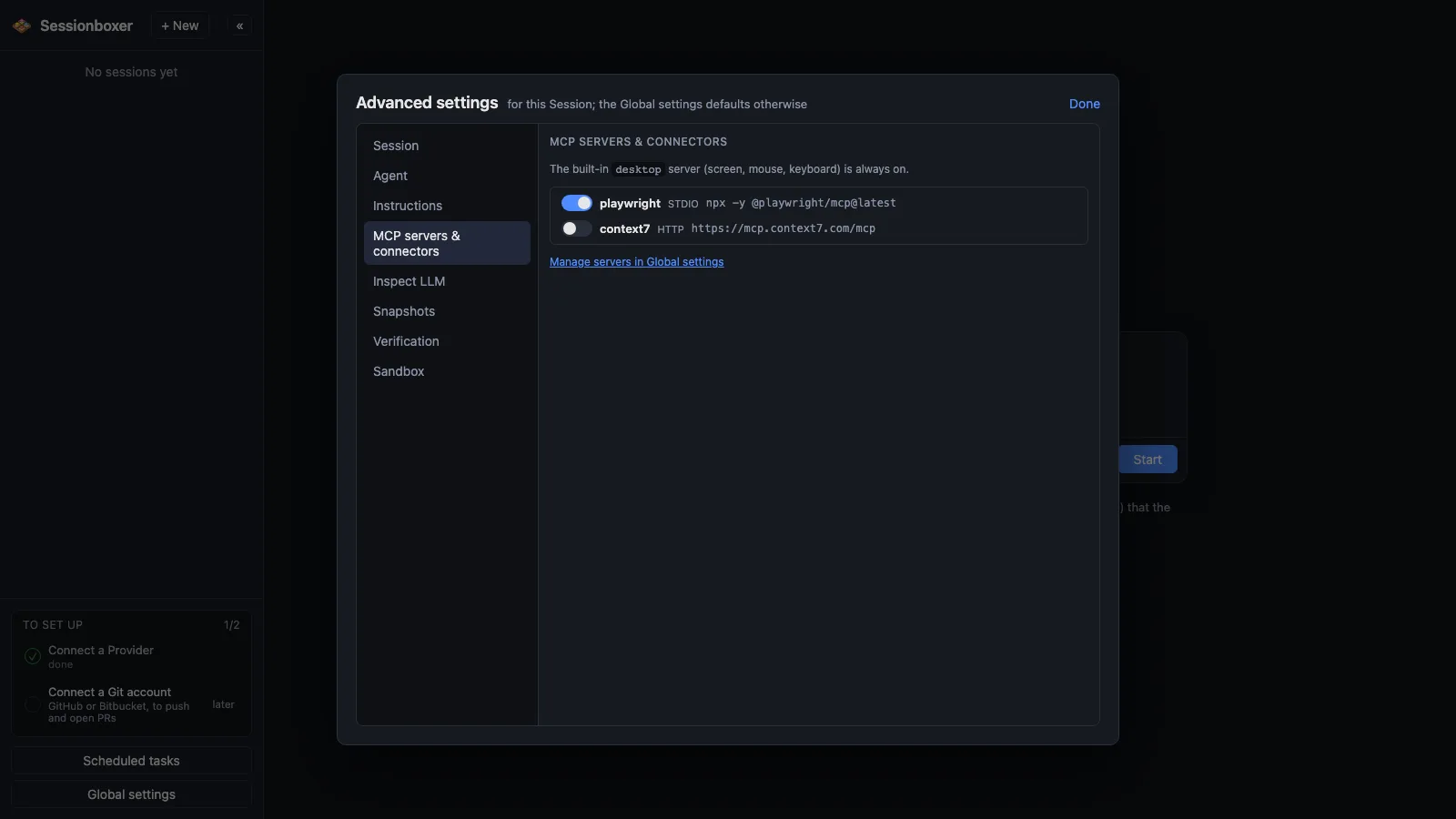
Register MCP servers once in Global settings, as a command to run inside the box or the URL of an HTTP server, with secrets stored write-only. Then pick per session which ones are on, and toggle them mid-conversation. GitHub's own MCP server connects with one click through the GitHub CLI's login, and the box is logged in as that account too.
Things you can do with it
Give the agent GitHub without pasting a token
Add GitHub and log in with the GitHub CLI's device flow. The agent gets issues, pull requests and code search, and gh pr create works in the box.
Use two GitHub accounts
Add the entry twice, github-work and github-personal. Each repository in a session can be bound to one of them.
Paste the config a server documents
Most servers publish a {"mcpServers": {...}} block for Claude Desktop or Cursor. Import JSON… takes it as is.
Reach a server on your machine
A localhost URL in a server's config means your machine; the box reaches it as host.docker.internal.
How it works
The agent always has the built-in desktop server (screen, mouse, keyboard). Command-based servers run inside the box, where node, npx, python3, uvx and docker are available. Values marked secret are stored in ~/.sessionboxer/config.json, never shown again and never in snapshots.
Toggling a server while the agent is idle restarts it in place and keeps the conversation; while it works, the change waits for the turn to end. The GitHub login goes through gh on purpose: organizations that restrict third-party OAuth apps still allow GitHub's own CLI. Bitbucket Data Center gets a similar one-paste entry that logs the box in for git and the bb CLI.
Compared with other products
| Sessionboxer | Devin | Cursor Cloud Agents | Codex cloud | Claude Code on the web | OpenHands | T3 Code | |
|---|---|---|---|---|---|---|---|
| MCP servers | ✓, switched per session | ✓ | ✓ | — | — | ✓ | via the agent |
| Pull requests: follow, address, auto-merge | ✓ | follow, address | address | address | address | address | ✗ |
| Runs on your machine or your server | ✓ | ✗ | ✗ | ✗ | ✗ | ✓ | ✓ |
Devin, Cursor and OpenHands document MCP support in their settings or config files; Codex cloud and Claude Code on the web document MCP for their local CLIs, and their cloud docs are less clear. T3 Code runs the agents' own CLIs, so their MCP config applies. Sessionboxer's difference is the per-session switch and the one-click GitHub login that also logs the box in.
Based on each product's public documentation, September 2026; ✓ = offered, ✗ = not offered, — = not found in the docs. Corrections welcome as an issue.