
Pull requests attached to a session
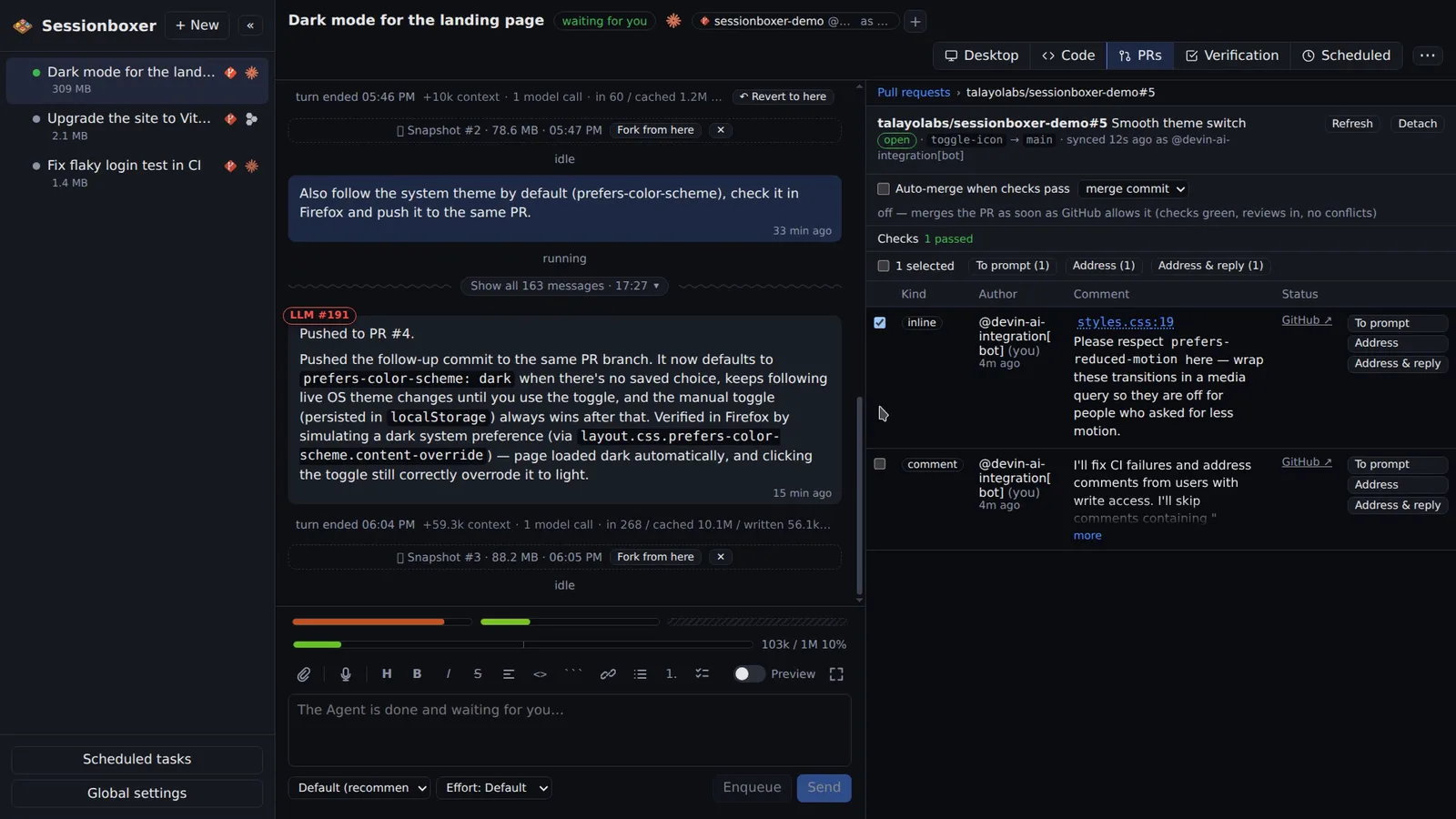
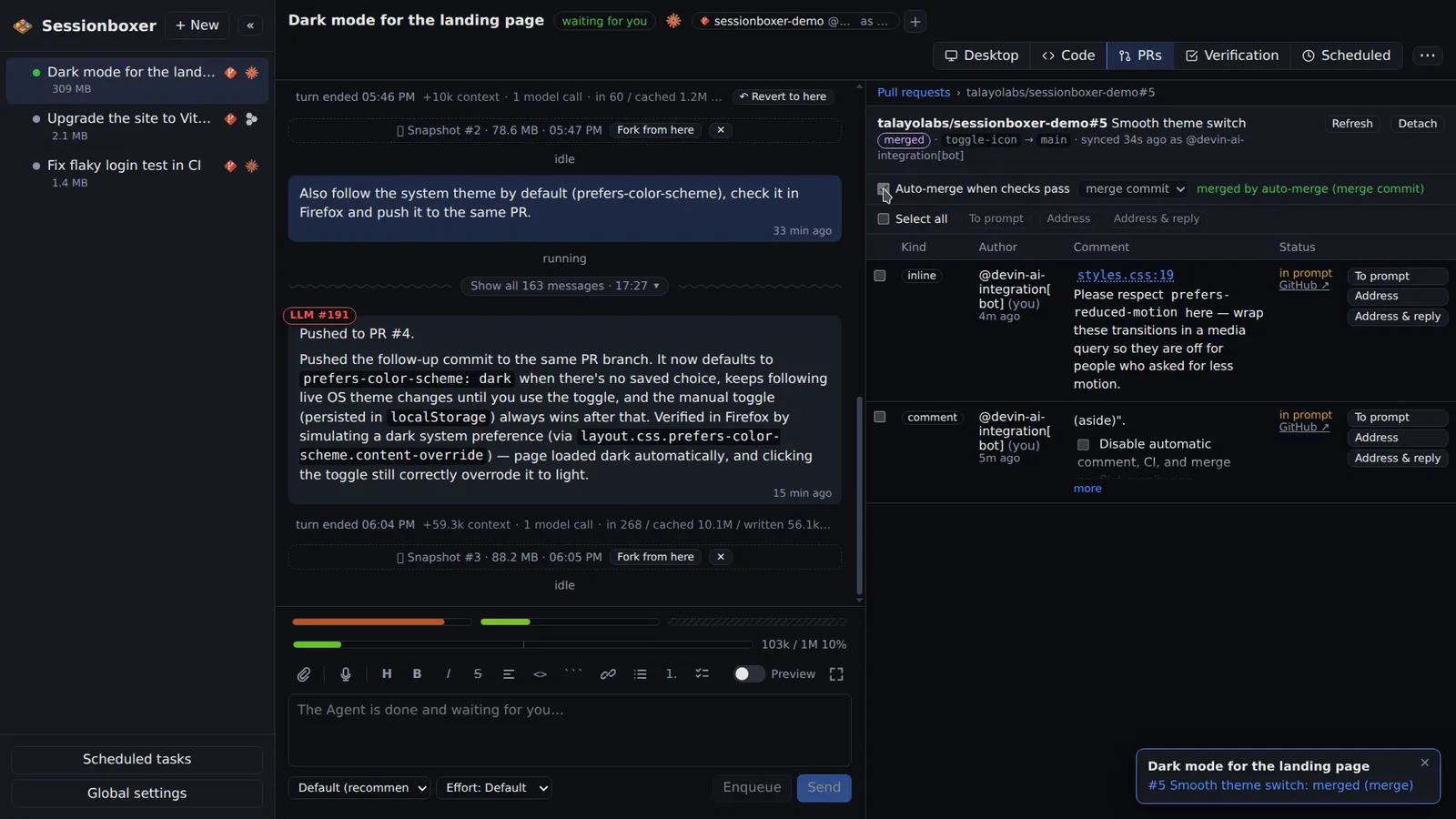
Paste a GitHub or Bitbucket Data Center pull request URL, or let the agent open one, and the PR is attached to the session. You get a table of its comments, review threads and reviews, the checks on the head commit, and buttons to turn any item into a prompt, have the agent address it, or fix and push. Auto-merge merges when the checks pass and tells you what it is waiting for while they do not.
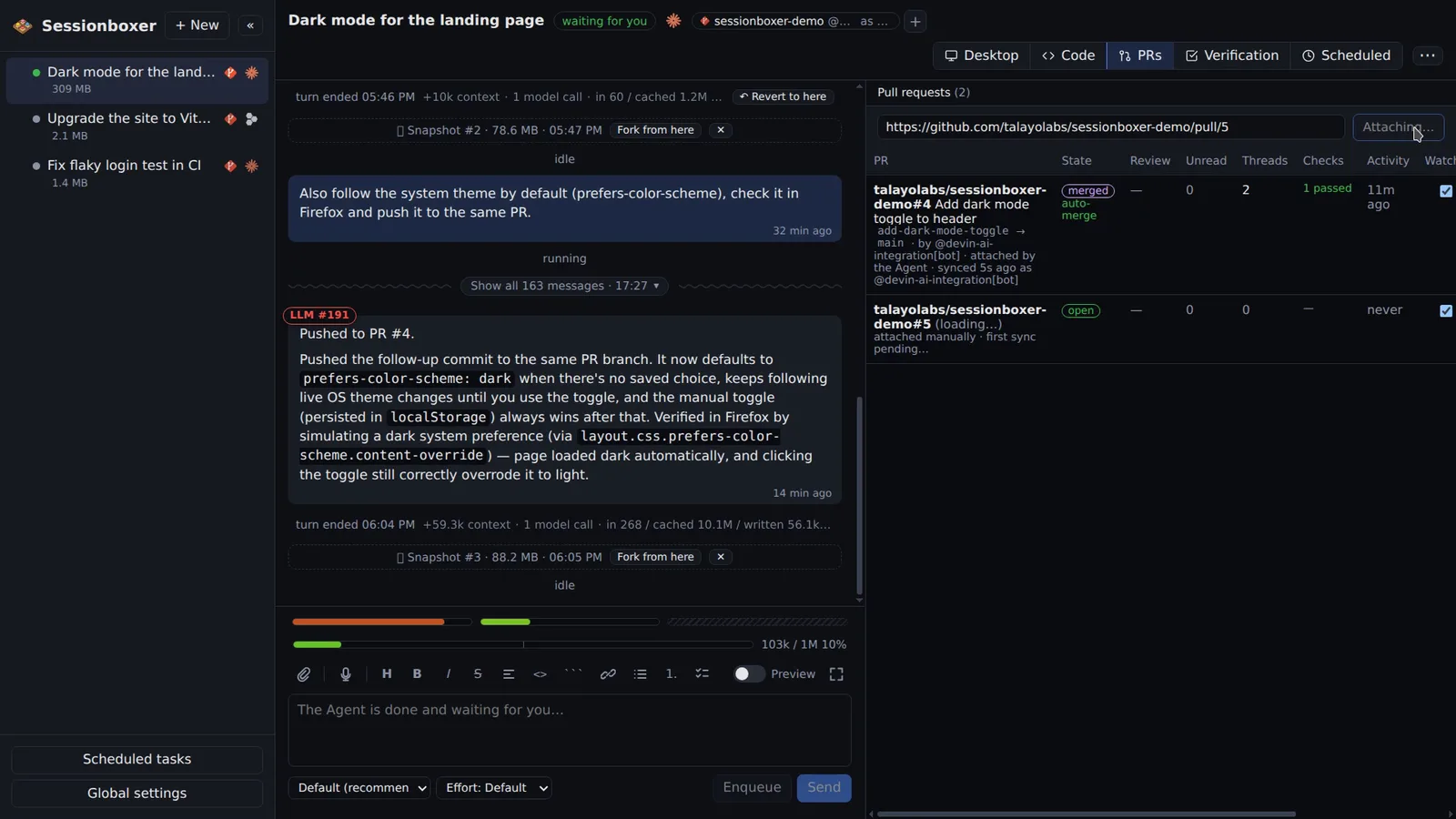
Things you can do with it
Have review comments addressed
Tick the reviewer's comments and click Address & reply. The agent edits, verifies, commits and pushes on the PR's branch, replies to each thread and resolves it.
Fix a failing check
A red check has Fix & push. The agent reads the log, reproduces the failure in the box, fixes it and pushes so the checks run again.
Merge while you sleep
Tick Auto-merge when checks pass. The PR merges the moment every check is green, reviews are in and there is no conflict; a push notification tells you.
Keep an eye on someone else's PR
Attach a colleague's PR. New comments light up the sidebar, and To prompt puts a comment in the prompt box without sending anything.
How it works
Attached PRs are polled about every minute while the session is idle, every five minutes while the agent works, with gh api inside the box using the GitHub login the box has. When the box is stopped the Control Plane polls with the connected GitHub account instead. Bitbucket Data Center PRs are followed the same way through a Bitbucket entry, including build statuses as checks; auto-merge is GitHub-only.
Address prompts tell the agent the quoted text is reviewer feedback to evaluate, not instructions from you. Auto-merge is the normal GitHub merge with the head commit pinned, so it never bypasses branch protection. A failing check is announced once per commit.
Compared with other products
| Sessionboxer | Devin | Cursor Cloud Agents | Codex cloud | Claude Code on the web | OpenHands | T3 Code | |
|---|---|---|---|---|---|---|---|
| Pull requests: follow, address, auto-merge | ✓ | follow, address | address | address | address | address | ✗ |
| Several repositories in one session | ✓ | ✓ | ✓ | — | — | — | — |
| Runs on your machine or your server | ✓ | ✗ | ✗ | ✗ | ✗ | ✓ | ✓ |
Every hosted agent can open a pull request and, when mentioned or asked, push more commits to it; Devin also follows the PR's comments and CI in the session. None of them documents merging the PR by itself once checks pass, or a table of comments and checks with per-item buttons. T3 Code leaves pull requests to your own git tooling.
Based on each product's public documentation, September 2026; ✓ = offered, ✗ = not offered, — = not found in the docs. Corrections welcome as an issue.