
Prompts with files, a queue, dictation
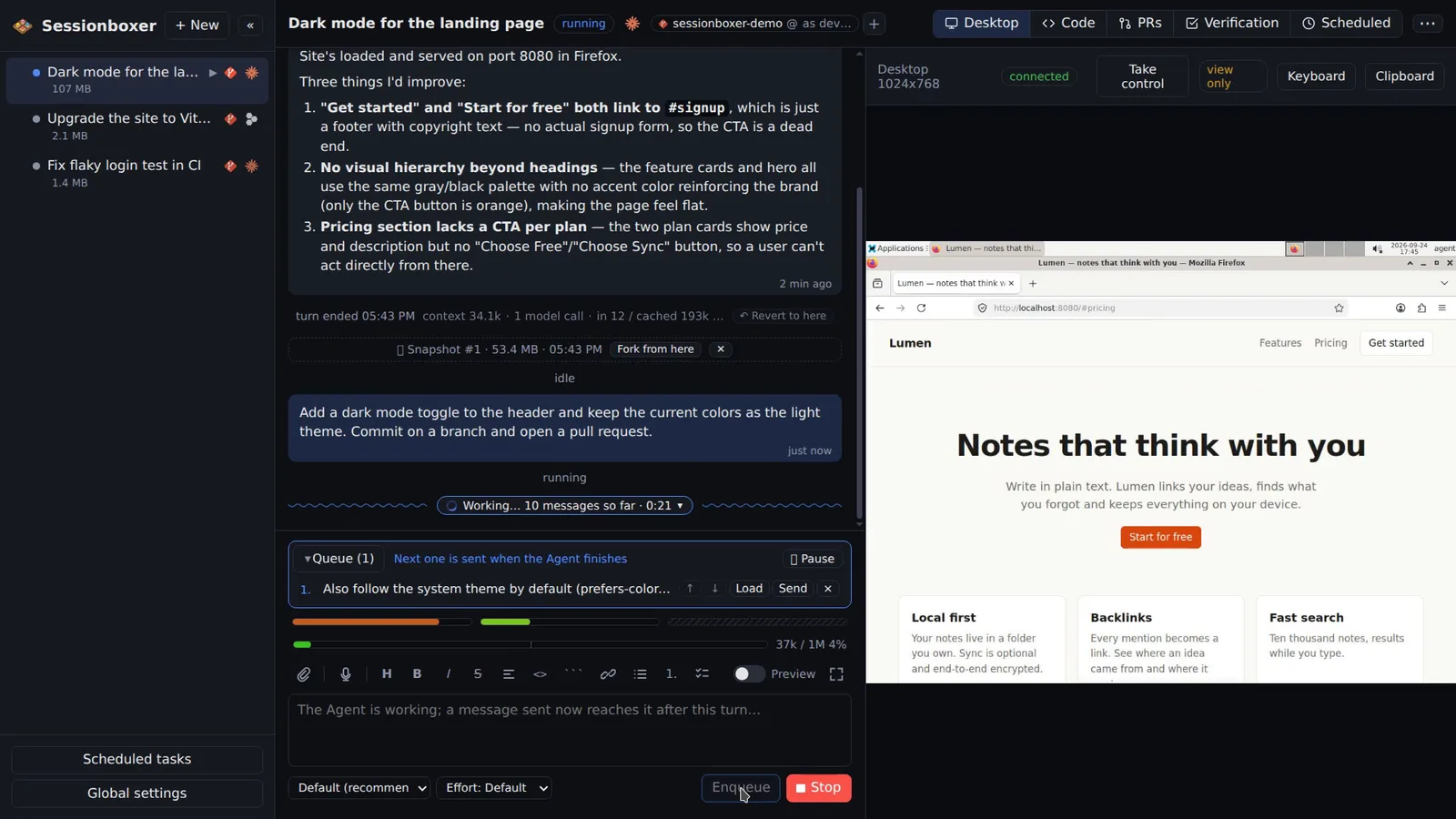
Drop or paste files into the prompt and they are uploaded into the box and handed to the model. Enqueue the next request while the agent works and it goes out as soon as the agent is free. Dictate a prompt with the mic; whisper.cpp runs offline on your machine. A command line, sessionboxer new ., boxes the current directory.
Things you can do with it
Show it the bug
Paste a screenshot from the clipboard into the prompt. It is uploaded into the box and handed to the model as an image.
Line up the afternoon's work
While the agent fixes the first issue, enqueue the second and the third. They go out one at a time, each when the agent is idle. Pause the queue if you want to read a result first.
Talk instead of typing
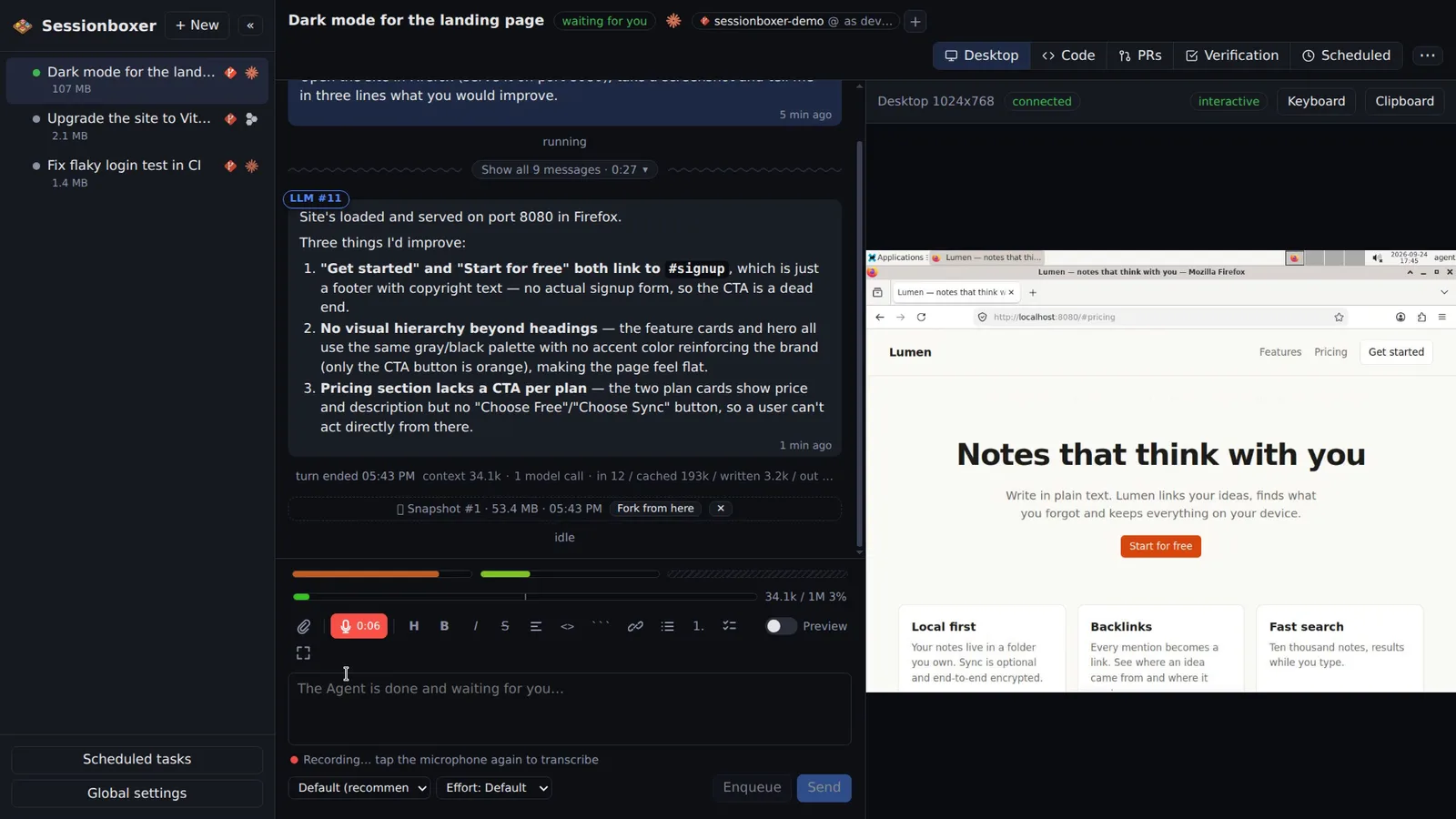
Tap the mic, describe what you want, tap again. The words are added to your draft; nothing is sent until you press Send.
Box a folder from the terminal
cd into a project and run sessionboxer new . to start a session with a copy of it.
How it works
Files go to /workspace/.sessionboxer/uploads/ before you send, up to 20 per prompt and 512 MB each; images up to 5 MB and text files up to 64 KB are also handed to the model directly when the agent supports it. The uploads folder is left out of git status and of Pull to folder.
Dictation downloads whisper-cli and the small model once into ~/.sessionboxer/; a 15-second prompt takes about 3 s on a laptop CPU. A phone paired through a tunnel sends its clip to the same machine. The prompt box is Markdown, with a toolbar, a preview mode and a full-screen button.
Compared with other products
| Sessionboxer | Devin | Cursor Cloud Agents | Codex cloud | Claude Code on the web | OpenHands | T3 Code | |
|---|---|---|---|---|---|---|---|
| Queue the next prompts while the agent works | ✓ | — | — | — | — | — | — |
| Offline dictation | ✓ | — | — | — | — | — | — |
| Phone | PWA + push | web | iOS app | ChatGPT app | Claude app | web | iOS, Android |
Every product takes text and most take images. The hosted apps rely on the phone's or the browser's own speech input, which goes through a cloud service; Sessionboxer's dictation runs on your machine and needs no account. A queue that plays by itself while the agent works, with pause and reorder, is not something the others document.
Based on each product's public documentation, September 2026; ✓ = offered, ✗ = not offered, — = not found in the docs. Corrections welcome as an issue.