
A real desktop
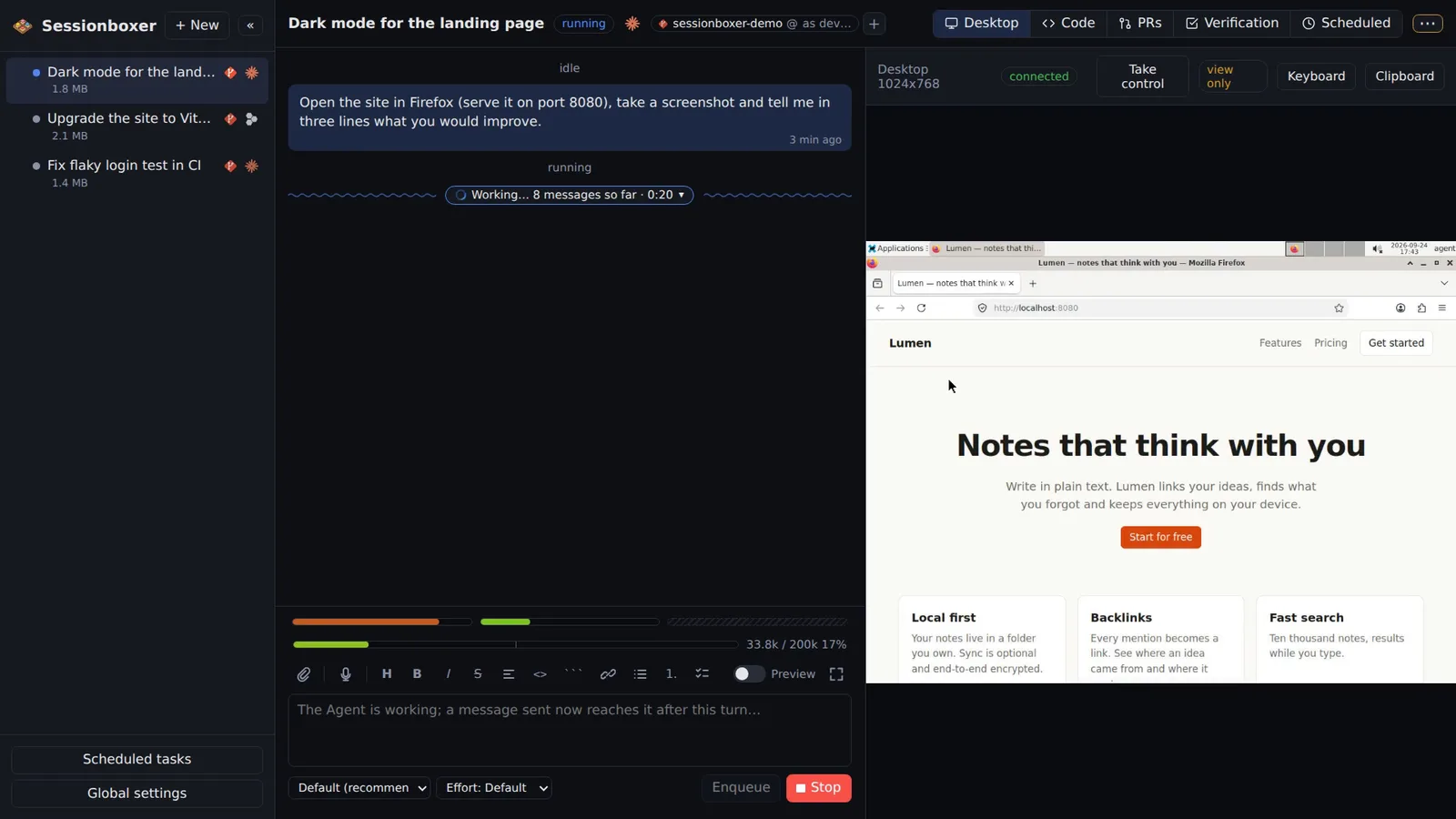
The container runs a Linux desktop (XFCE) with Firefox. The agent can take screenshots, click, type, scroll and drag, so it can test the web app it just changed, read documentation or use any GUI tool. You see the same screen in your browser and can take the controls at any time.
Things you can do with it
Test the change in a real browser
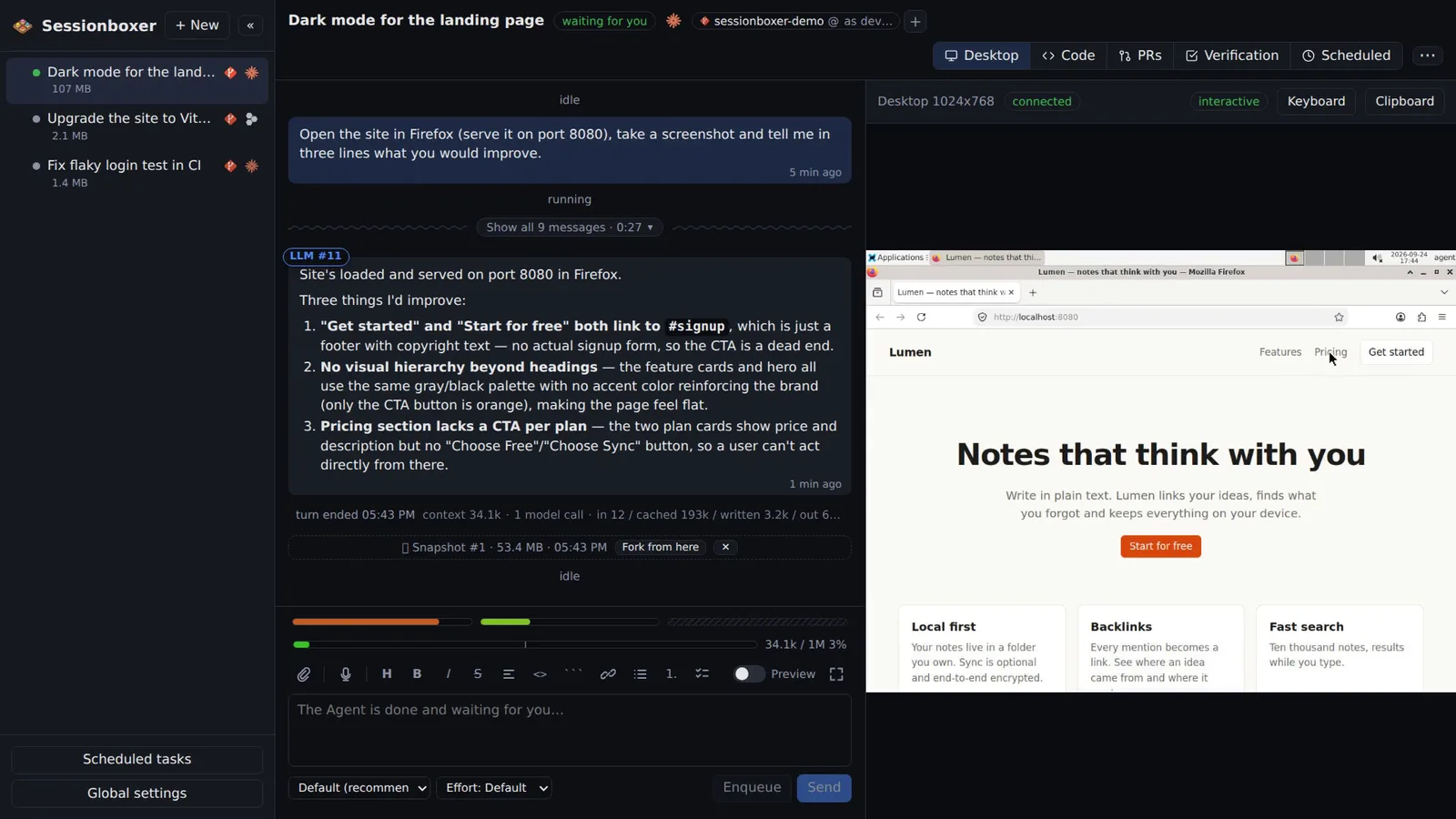
"Open the site on port 8080, take a screenshot and tell me three things you would improve." The agent starts the server, opens Firefox, looks at the page and answers from what it saw.
Log in for it
When a site needs your credentials, take control, log in, and hand the desktop back. The agent continues with the logged-in browser.
Use tools that only have a GUI
An Electron app, a database client, a PDF viewer: if it runs on Linux, the agent can install it in the box and use it with the mouse.
Watch what it is doing
Keep the Desktop pane open next to the chat while the agent works. If it heads the wrong way, press Stop.
How it works
The desktop is plain X11 (Xvfb, XFCE, x11vnc, noVNC) at 1024×768, driven by Sessionboxer's own computer-use MCP server, which mirrors Anthropic's computer toolset: screenshot, click, type, scroll, drag, record. The agent's cursor glides to its target instead of jumping, so hover effects and drag-and-drop behave as they would for a person.
While the agent works the view is read-only, so you do not fight over the mouse. Take control gives it to you until the agent's next turn; when the agent is idle the desktop is always interactive.
Compared with other products
| Sessionboxer | Devin | Cursor Cloud Agents | Codex cloud | Claude Code on the web | OpenHands | T3 Code | |
|---|---|---|---|---|---|---|---|
| Desktop the agent drives with mouse and keyboard | ✓ | browser | ✓ | — | — | browser | ✗ |
| Watch the screen live and take over | ✓ | ✓ | ✓ | — | — | — | ✗ |
| Isolated sandbox per session | Docker, or a Windows/macOS VM | VM | VM | container | VM | Docker | ✗ (your machine) |
Devin and OpenHands give their agent a browser it can drive, and Devin lets you watch and use it. Cursor Cloud Agents document a full desktop the agent can use, watched from the app. Codex cloud and Claude Code on the web work in a sandbox without a documented desktop the agent controls with a mouse.
T3 Code runs the agent on your own machine, so it uses your screen, not one of its own.
Based on each product's public documentation, September 2026; ✓ = offered, ✗ = not offered, — = not found in the docs. Corrections welcome as an issue.