
Videos and documents in the chat
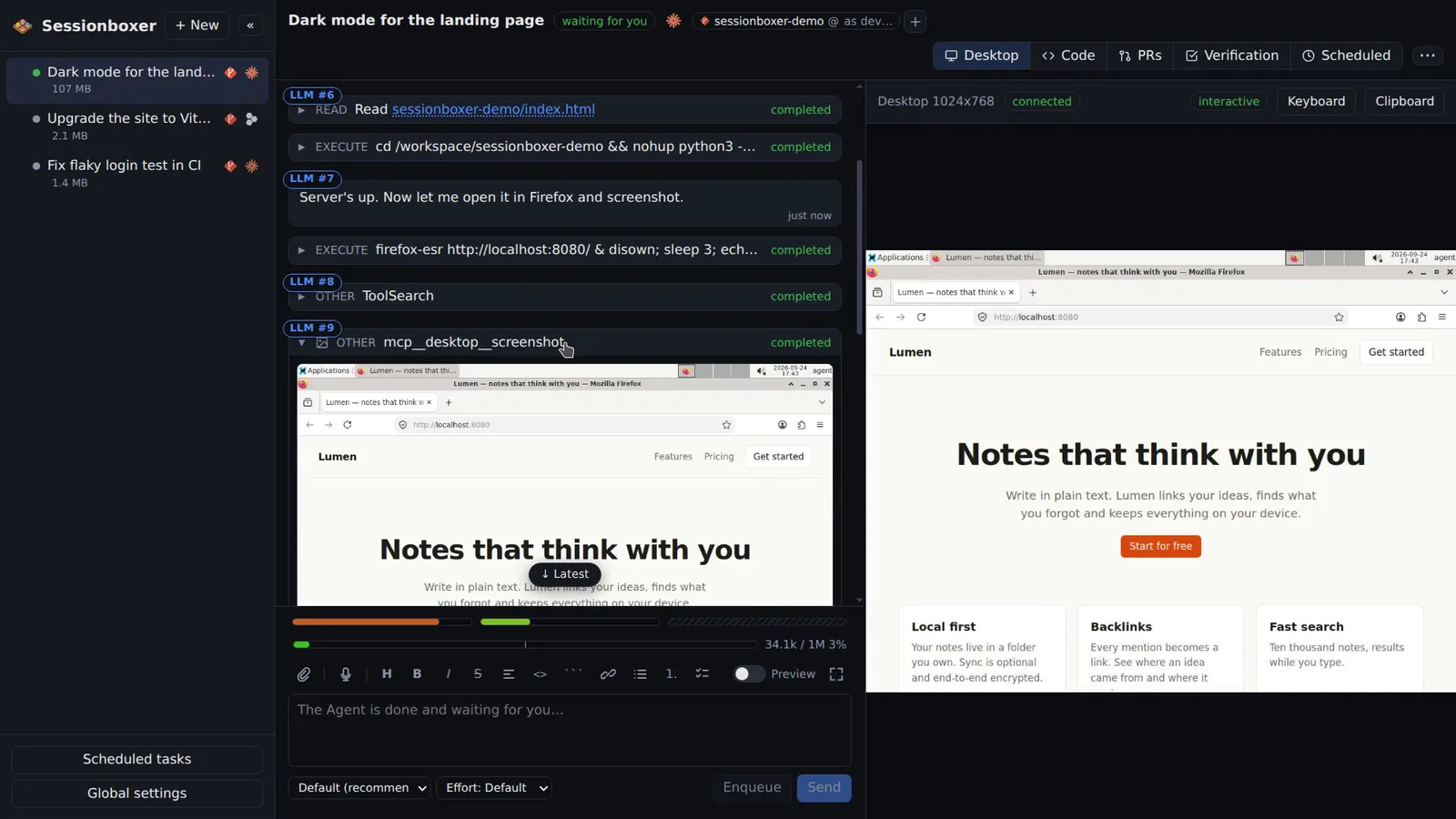
Ask the agent to show you something and it does. "Record a video of the login flow" gives you an .mp4 recorded from the box's desktop, played right in the chat, with captions the agent wrote as it worked and, if you want, narration from a text-to-speech model that runs in the box. Images, SVGs, PDFs, audio and Markdown with Mermaid diagrams show up the same way.
Things you can do with it
Ask for a short video
"Record a 30-second video of the new onboarding." You watch the clicks, with a caption for each step, instead of reading a paragraph about them.
Review a report as a PDF
"Export the benchmark results as a PDF" and the file is embedded in the reply, with Open and Download links.
Ask for an architecture diagram
"Write docs/arch.md with a Mermaid diagram of the services." The Markdown renders in the chat with the diagram drawn.
Send the video to someone else
Narrated recordings are self-contained .mp4 files; download one and attach it to the pull request or a message.
How it works
Recordings use the desktop MCP's start_recording / stop_recording tools (ffmpeg, H.264, 15 fps). When a recording stops, stretches where nothing changes on screen are cut down to a short hold, so waiting is gone but each state stays readable. Captions the agent adds with annotate_recording are burned into a band under the desktop and written as a WebVTT track; the player lists them as steps you can click.
Narration is spoken by Kokoro, a text-to-speech model inside the box; it needs no account and nothing leaves your machine. Any file the agent names in a reply (/workspace/recordings/login.mp4, docs/report.pdf) is streamed from the box and shown inline, so the session must be running to view it.
Compared with other products
| Sessionboxer | Devin | Cursor Cloud Agents | Codex cloud | Claude Code on the web | OpenHands | T3 Code | |
|---|---|---|---|---|---|---|---|
| Screen recordings of the agent's work, played in the chat | ✓ | ✓ | — | — | — | — | ✗ |
| Desktop the agent drives with mouse and keyboard | ✓ | browser | ✓ | — | — | browser | ✗ |
| Runs on your machine or your server | ✓ | ✗ | ✗ | ✗ | ✗ | ✓ | ✓ |
Devin can record its browser and show the recording in the session. Cursor Cloud Agents, Codex cloud and Claude Code on the web document diffs, logs and screenshots rather than recorded videos of the agent's own testing. OpenHands shows browser screenshots in the chat. T3 Code has no desktop of its own to record.
Based on each product's public documentation, September 2026; ✓ = offered, ✗ = not offered, — = not found in the docs. Corrections welcome as an issue.