
VS Code and terminals
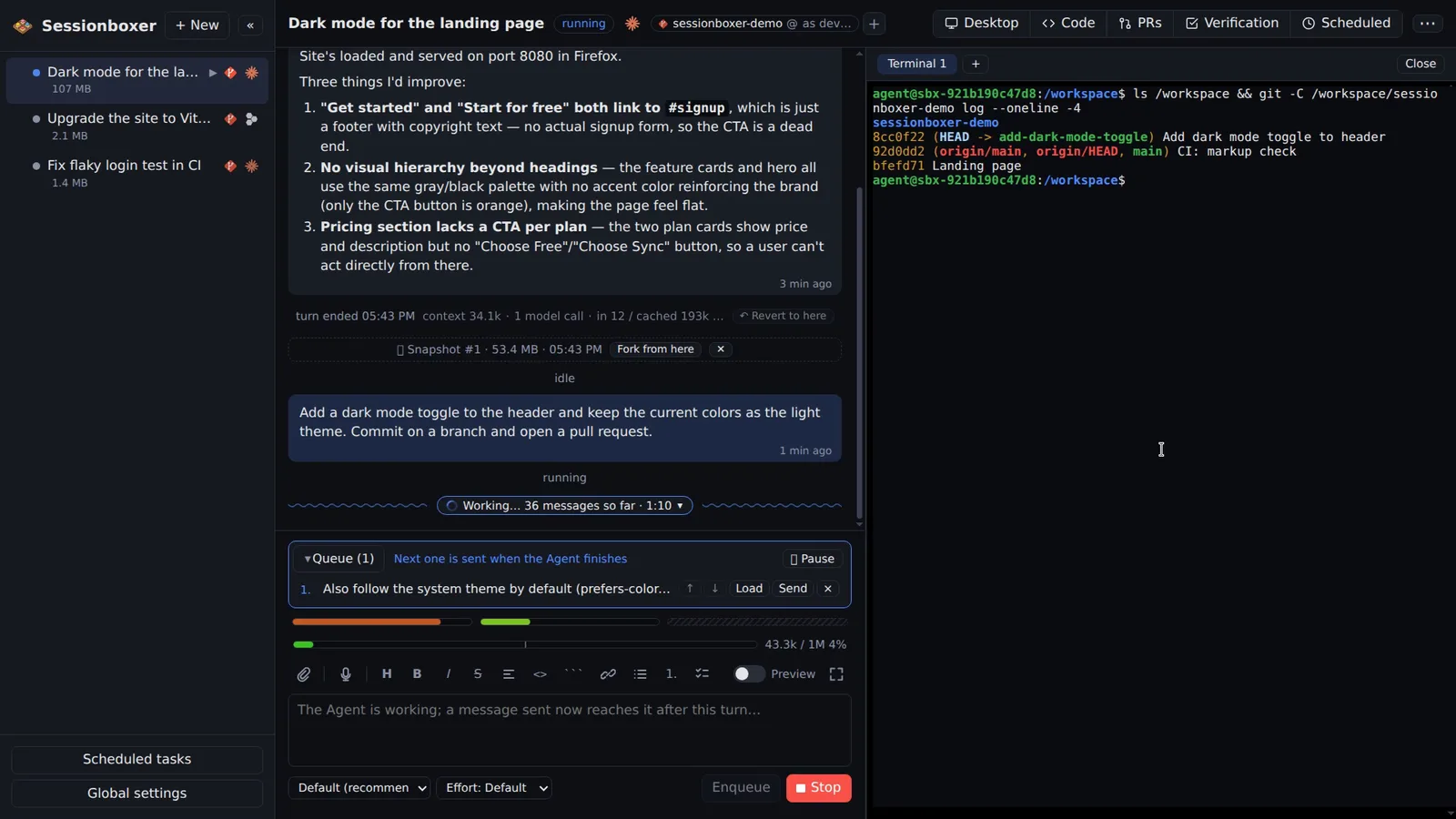
The Code tab opens a full VS Code running inside the box, on the same files the agent edits. The Terminal opens a shell in the project folder; open as many as you want. File paths in the chat are links that open the file in the editor at that line.
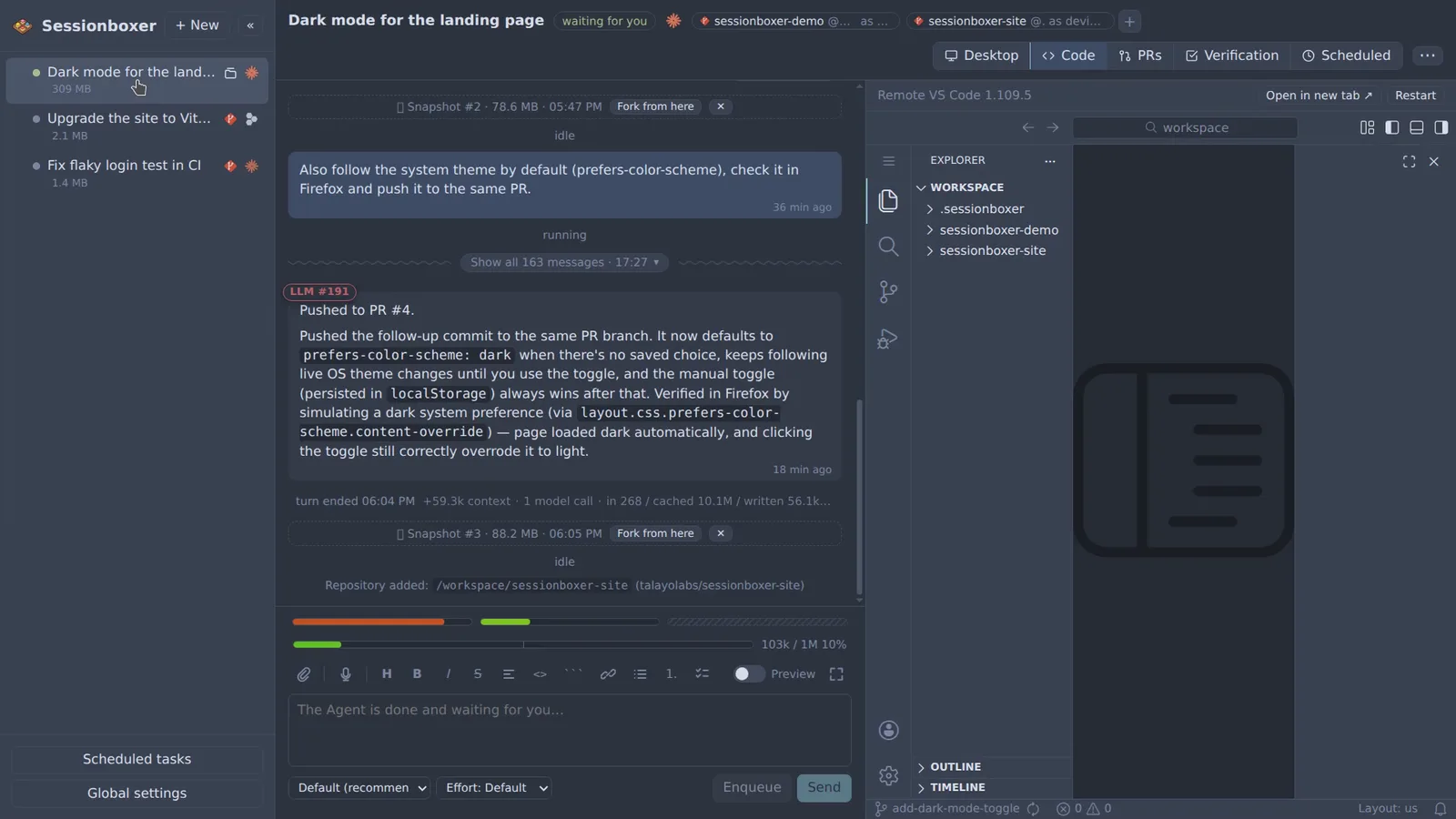
Things you can do with it
Read the diff yourself
Open the Git view in VS Code and go through the agent's changes file by file before you ask it to commit.
Jump to the line it mentions
The agent writes "I changed the handler in src/App.tsx:42". Click it and the editor opens that file at line 42.
Run something it did not
Open a terminal and run the tests, tail a log or start a server on your own, in the same container the agent is in.
Fix a line while it works on another
The agent sees the same files, so a small edit you make in the editor is there for its next turn.
How it works
The editor is openvscode-server, the same editor as VS Code for the Web, started in the box the first time you open the pane. Extensions come from Open VSX; settings and extensions live in the box, so they survive Stop and Resume and travel with snapshots. VS Code's own AI features are switched off in the box so there is one agent per session, the one in the chat.
Terminals keep their scrollback across page reloads. Copy and paste work as in a desktop terminal, with a right-click menu for the desktop app.
Compared with other products
| Sessionboxer | Devin | Cursor Cloud Agents | Codex cloud | Claude Code on the web | OpenHands | T3 Code | |
|---|---|---|---|---|---|---|---|
| VS Code and terminals inside the sandbox | ✓ | ✓ | — | — | — | — | your own |
| Isolated sandbox per session | Docker, or a Windows/macOS VM | VM | VM | container | VM | Docker | ✗ (your machine) |
| Runs on your machine or your server | ✓ | ✗ | ✗ | ✗ | ✗ | ✓ | ✓ |
Devin also offers an editor and terminals in its cloud machine. Cursor Cloud Agents, Codex cloud and Claude Code on the web show diffs and logs; to edit in an IDE you pull the branch or open the task in the desktop app. T3 Code assumes your own editor, since the agent runs on your machine.
Based on each product's public documentation, September 2026; ✓ = offered, ✗ = not offered, — = not found in the docs. Corrections welcome as an issue.