
Windows and macOS sessions
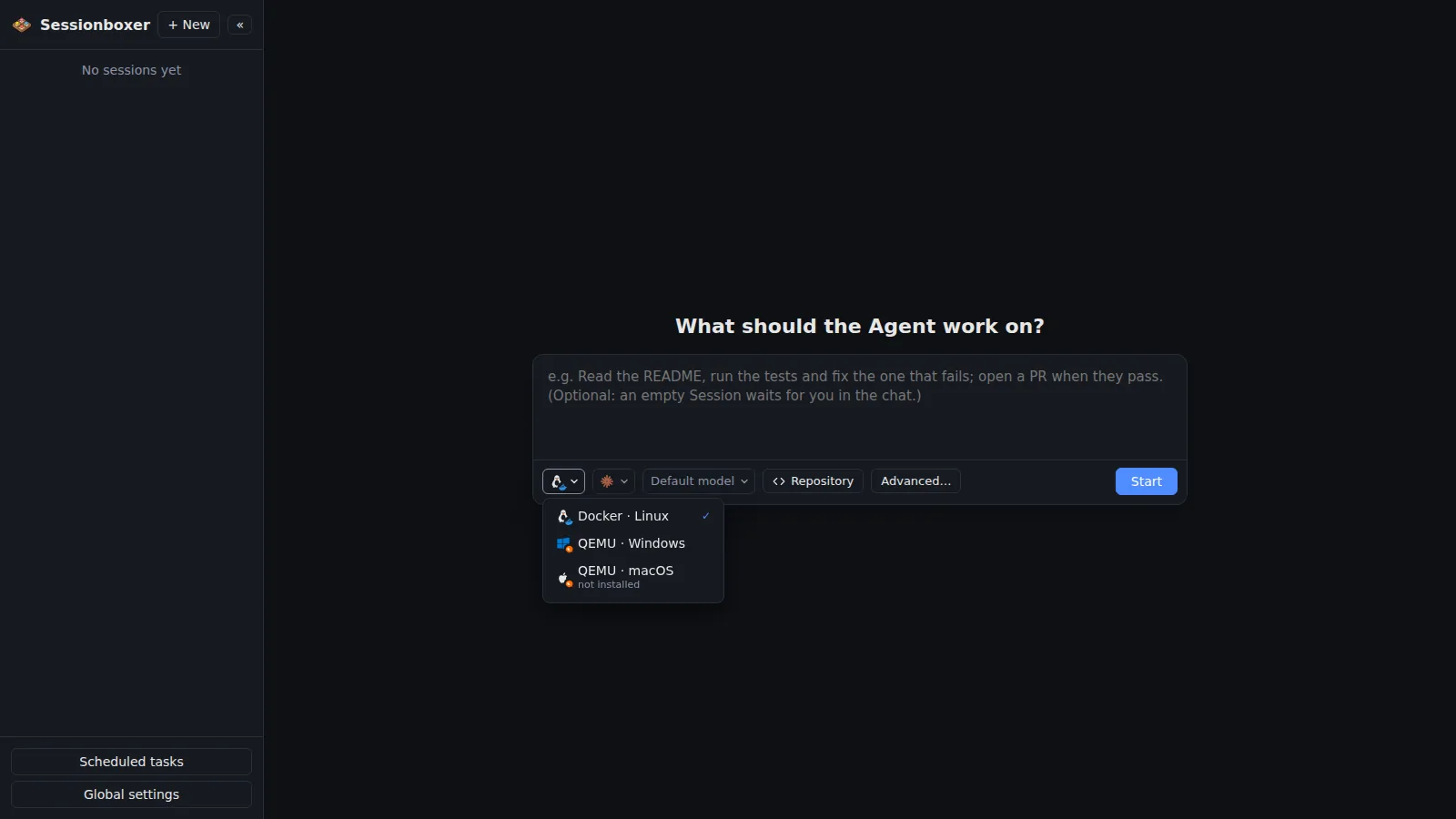
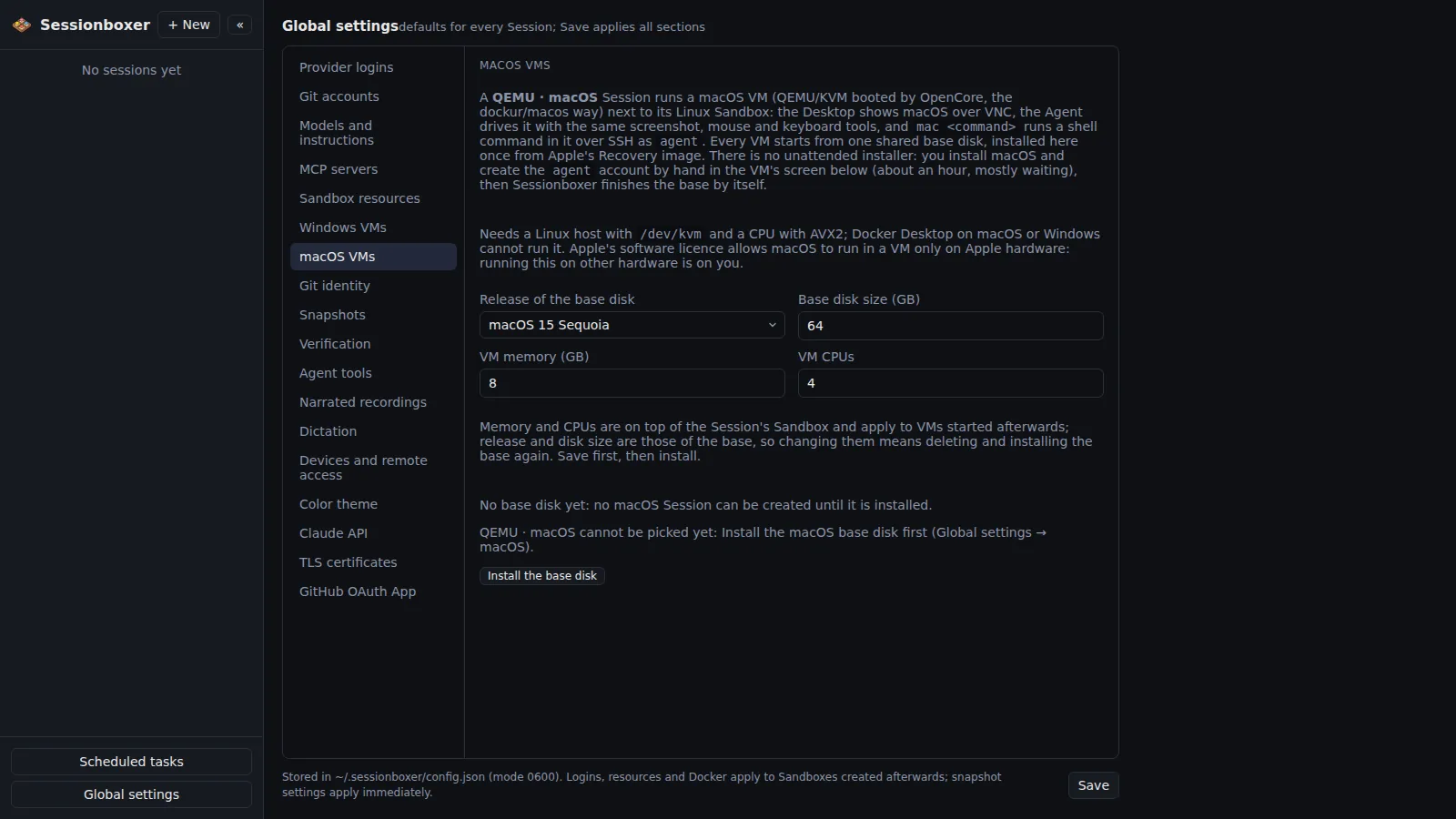
The first dropdown under the prompt picks the environment: Docker · Linux, the box everything else on this site describes, QEMU · Windows or QEMU · macOS. For the last two a virtual machine boots next to the Linux box, from a base disk you install once in Global settings, and the agent runs inside it: Claude Code, Codex, Cursor or Devin started over SSH in the guest, repositories cloned in C:\workspace or /Users/agent/workspace, the Terminal pane a PowerShell or zsh in the VM, and your MCP servers started there too, so paths, processes and localhost are the guest's. The Desktop pane, Take control, the agent's screenshots and clicks and the recordings all show the Windows or Mac desktop.
Things you can do with it
Build and test a Windows app
Start a QEMU · Windows session with the repository. The agent builds in PowerShell, runs the .exe, and clicks through it on the Windows desktop you are watching.
Check a web app in Safari
A QEMU · macOS session has Safari on its desktop; the agent opens the dev server it started in the VM and screenshots the result.
An MCP server that needs Windows
Enable it for the session as usual. It starts inside the VM, so a server that reads the registry or drives a Windows program sees Windows, not Linux.
Keep the Linux default
Docker · Linux stays the default and the only option on Docker Desktop for macOS or Windows; the dropdown says when the host cannot run a VM.
How it works
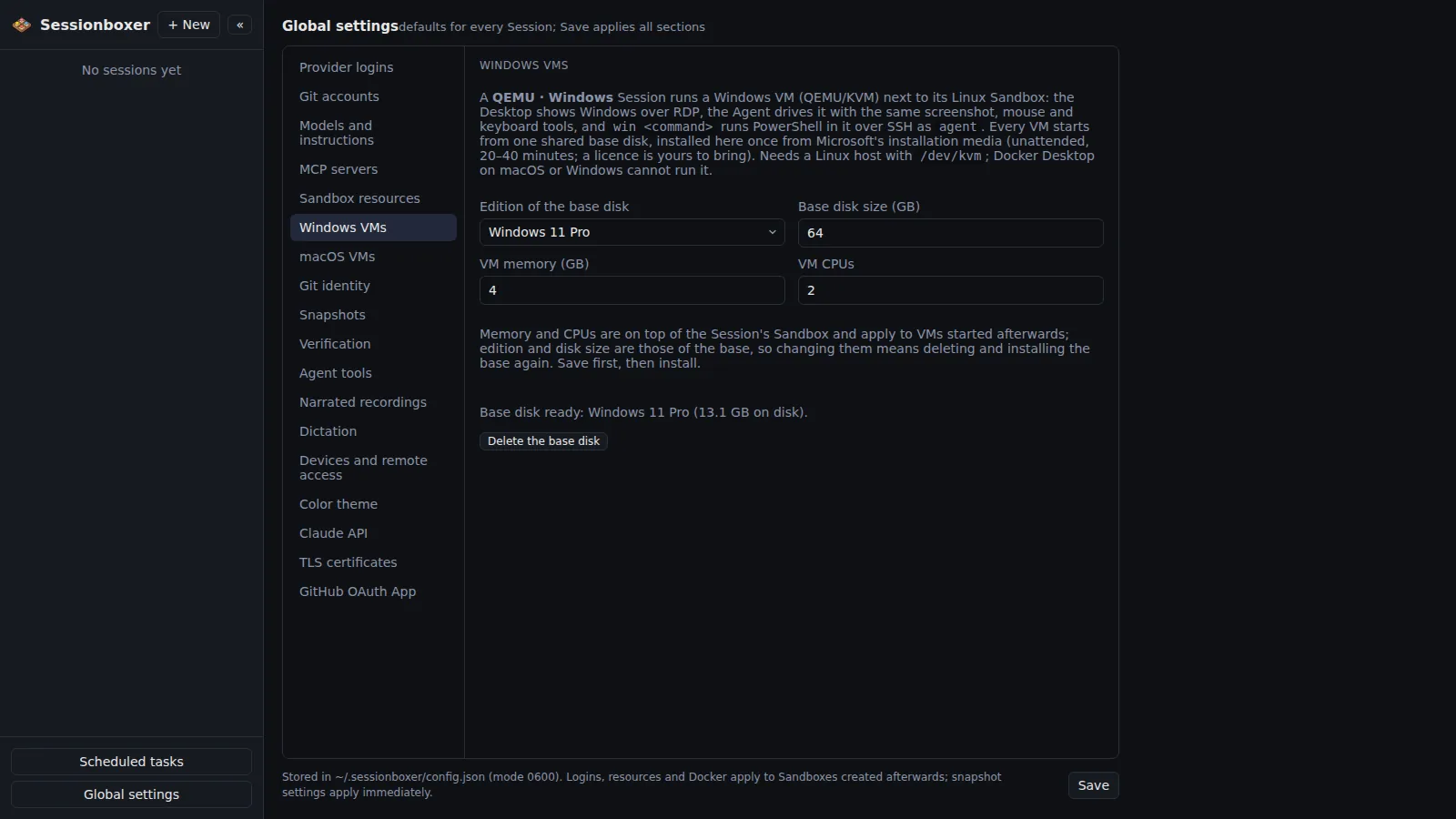
The VM runs under QEMU with KVM in a second container (dockur/windows, dockur/macos with OpenCore) as a copy-on-write overlay of the shared base disk, so a session's disk costs what it writes. The Linux box shows the guest full-screen over RDP or VNC, takes the agent's screenshots and input on it, records the desktop, and keeps a mirror of the guest's workspace for Pull to folder and the files linked in the chat. The agent process, git, MCP servers and the terminal run in the guest over SSH; provider logins reach the VM only while the agent starts.
Needs a Linux host with /dev/kvm (bare metal, nested virtualisation, or WSL2 with KVM); macOS guests also need AVX2. Not yet for VM sessions: snapshots and forks, VS Code, Docker inside the sandbox. Windows runs unactivated until you bring a licence; Apple's licence allows macOS VMs on Apple hardware only, so QEMU · macOS on other machines is your call.
Compared with other products
| Sessionboxer | Devin | Cursor Cloud Agents | Codex cloud | Claude Code on the web | OpenHands | T3 Code | |
|---|---|---|---|---|---|---|---|
| Isolated sandbox per session | Docker, or a Windows/macOS VM | VM | VM | container | VM | Docker | ✗ (your machine) |
| Desktop the agent drives with mouse and keyboard | ✓ | browser | ✓ | — | — | browser | ✗ |
| Runs on your machine or your server | ✓ | ✗ | ✗ | ✗ | ✗ | ✓ | ✓ |
The hosted products run their agents in Linux VMs or containers; none of their docs describe a Windows or macOS machine for the agent. OpenHands runs in Docker on Linux. T3 Code runs on whatever your own machine is. Sessionboxer keeps Linux as the default and adds Windows and macOS guests that the agent lives in.
Based on each product's public documentation, September 2026; ✓ = offered, ✗ = not offered, — = not found in the docs. Corrections welcome as an issue.