
Your company wants a coding agent that works on its own machine, the way cloud agents do. But the code cannot sit in someone else's cloud, the build needs a database that only answers inside your network, or the tests need a GPU you already own. Until last week, Amp's answer was its own hosted machines. On October 22, Amp announced self-hosted orbs: you bring the compute, and Amp turns it into orbs.
This post explains what changed, what stays inside your network and what does not, and what the docs say you give up compared with Amp's hosted orbs. At the end it covers where Sessionboxer fits. We make Sessionboxer, so read that part with that in mind.
What an orb is, and what changed
In Amp, an orb is the machine a thread works on. The agent runs commands, edits files, builds and tests there. Until now, Amp hosted those machines.
With self-hosted orbs, you run one process inside your network:
amp orb provider ./dispatch.sh
The provider connects out to Amp over HTTPS and waits for jobs. The self-hosted orbs docs say only outbound HTTPS is needed and Amp never connects in. There are three jobs. spawn creates or resumes a machine, pause stops it, and delete removes it. Your dispatch program does the actual work on whatever platform you have. On spawn, it starts amp orb bootstrap inside the new machine, and that process connects out to Amp so Amp can set up the environment and run the agent's tools.
Amp sends spawn when someone starts a thread on your provider, pause when the thread goes idle or is archived, and spawn again on the next message to resume the same orb. A deleted thread gets delete.
The docs have example dispatch programs for Docker, E2B, Apple containers, Modal, Vercel, Daytona, exe.dev and Boat. The Docker one is a short case statement around docker run, docker stop and docker rm. Namespace has also published a setup for its Devboxes that writes the dispatch script for you. For Kubernetes, Amp ships a Helm chart for GKE, EKS and AKS that runs orbs as gVisor sandboxes and saves paused disks to your storage bucket.
What stays in your network, and what does not
The orb runs on your hardware, so the repository checkout, the build, the test run and the orb's saved disk can stay in your account. Amp's docs list four cases where they recommend it: the checkout and saved disks must stay in your cloud account, builds need private services only reachable from your network, rules require a specific cloud, region or account, or you need custom hardware attached.
The thread itself is still an Amp thread. Namespace's guide puts the split plainly: Amp runs the agent loop and model inference, and the Devbox runs the tools and stores the files. So the files the agent reads and the output of the commands it runs travel to Amp and to the model, like with any hosted agent. Amp has a separate page, "What Leaves Your Network", linked from the docs, for the exact list of data and outbound connections. Read it before you tell your security team that code never leaves the building.
What pausing keeps
Pausing is where the platforms differ. Amp's hosted orbs save disk and memory when they pause, so processes keep running when the orb wakes, and new threads can start from a project snapshot instead of running setup again.
Self-hosted orbs keep only what your platform can keep. The docs have a table:
| Infrastructure | Memory | Disk | Project snapshots |
|---|---|---|---|
| Amp-hosted orbs | Yes | Yes | Yes |
| Docker | No | Yes | On one host |
| Apple containers | No | Yes | On one Mac, with container 1.6.0 or later |
On Docker, the docs say, a waking orb restarts the services behind its portals when someone opens one, and terminal sessions and desktop apps are gone. The files and installed software survive, so a waking orb runs .agents/resume instead of .agents/setup. E2B saves memory too. The Kubernetes chart saves the disk to a bucket, but not memory.
Amp's announcement is unusually direct about it. One section is titled "You Probably Shouldn't Self-Host Orbs". Amp built the feature for enterprises that cannot use hosted orbs, and it supports its end of the dispatch contract, not every piece of infrastructure you might plug in. Starting machines fast, pausing them, keeping them for weeks and scaling to zero are up to your platform.
What it costs
The docs' pricing section says self-hosted orbs are free for every workspace until October 29. After that they stay free on the Hobby, Individual and Teams plans. Enterprise workspaces then pay the standard Amp-hosted orb price for the orb's CPUs and memory, billed by the minute while the orb is connected to a thread. You also pay for the machines themselves, and model usage is separate.
If you are on an Enterprise plan and want to try this for free, the free period ends this Thursday, October 29.
What to do if you run agents
If you use Amp and your hosted orbs work, the docs' own advice is to keep them.
If you are an Amp Enterprise customer with a reason from the list above, start with the platform that keeps the most. A platform that saves memory gives the closest experience to hosted orbs. Docker is the easiest to try, but plan for a fresh process tree on every wake: dev servers, database containers and anything the agent left running in a terminal start again.
Whatever you run them on, treat each orb like any box an agent drives. Give it its own credentials with the least access that works, and do not put it on a network segment where a confused agent can reach production. The Kubernetes chart's network requirements are a good model: a short list of outbound hosts, and nothing else.
Where Sessionboxer fits, and where it does not
Sessionboxer is a different shape of the same idea. It is not a way to run Amp orbs, and it does not plug into Amp.
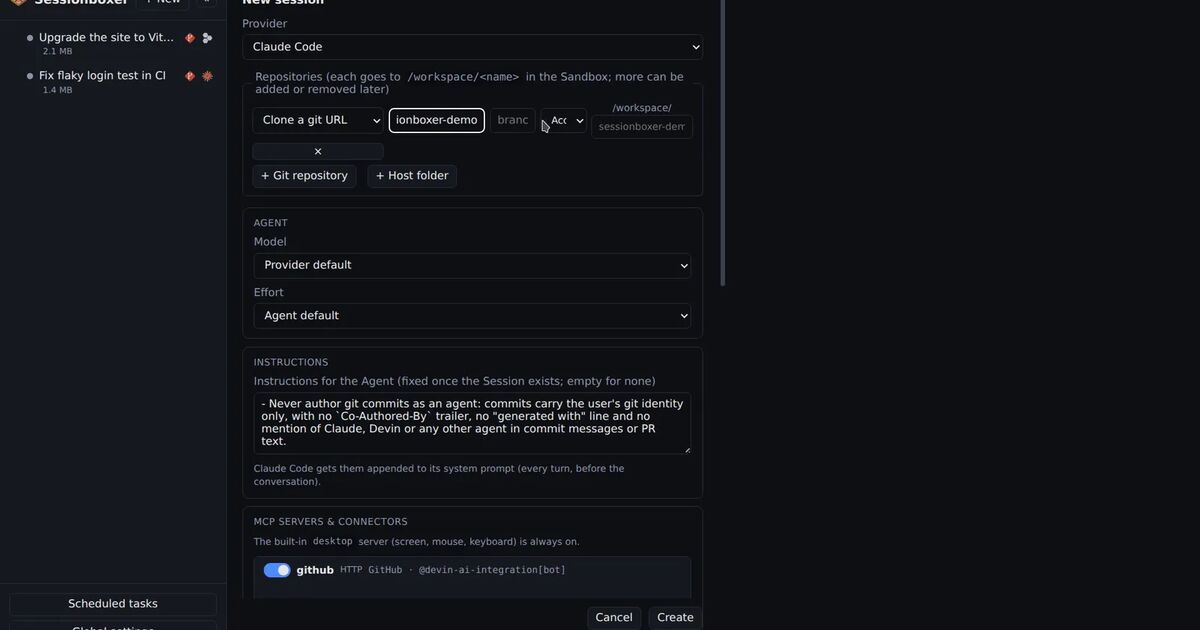
One Control Plane process runs on your laptop or server and creates one Docker container per session. The agent, a Linux desktop and the workspace live in that box. The agent is the CLI you already pay for, such as Claude Code, Codex, Cursor or Devin, signed in with your own subscription. There is no Sessionboxer account and no hosted service in the middle. The agent's own traffic still goes to its model provider, as with Amp.
It has the same Docker limit Amp describes. A stopped session uses no CPU or memory. The files, installed packages and conversation stay, and Resume starts the box again and restarts the agent, which reloads the conversation. Because nothing is kept in memory, a dev server the agent left running has to be started again. Snapshots are docker commit images of the box on the same host, which you can fork into a new session, as the snapshots and forks chapter explains.
What it does not do: it does not scale to zero across a cluster, it does not ship a Helm chart, and it runs on one machine with Docker. If you want to reach it from a phone or another laptop, the remote access chapter covers tunnels and Tailscale. If you want a box per session on hardware you already own, without writing a dispatch script, the install chapter is the starting point. Our post on an open-source, self-hosted alternative to Devin covers the same question from the hosted-agent side.