
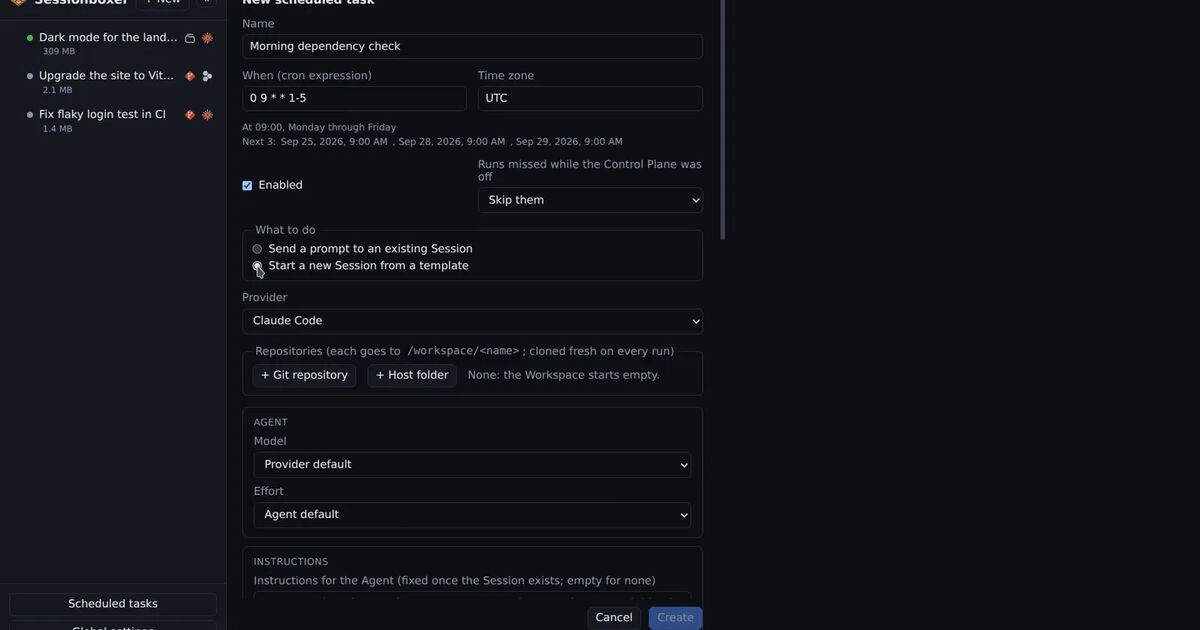
Your team opens a dozen pull requests a week, and the first human review takes a day. You would like an agent to read each one as soon as it opens, leave comments on the lines that look wrong, and be done before anyone gets to it. Most of the ready-made options do that on the vendor's servers, billed by the vendor. If your code should not leave your machines, or you already pay for a Claude or ChatGPT plan and do not want a second bill, you want the same thing self-hosted.
This post looks at what the hosted reviewers do, according to their docs, and then at how to run the review on a machine you own with Sessionboxer. We make Sessionboxer, so read the comparison with that in mind.
What the hosted reviewers do
Here are four common ones.
Claude Code Review is Anthropic's managed service for Team and Enterprise plans on GitHub. Several agents read the diff and the code around it, a verification step drops false positives, and the review posts inline comments, a summary and a check run. It never approves or blocks a pull request. Each repository can review once when a PR opens, after every push, or only when someone comments @claude review. The docs say reviews run on Anthropic infrastructure, not in self-hosted environments, and that a review reads the code without building or running it. It is billed through usage credits, separately from your plan's included usage.
Claude Code GitHub Actions is the do-it-yourself version. You add a workflow, and Claude Code runs on your CI runners with an ANTHROPIC_API_KEY or a CLAUDE_CODE_OAUTH_TOKEN from your subscription stored as a repository secret. The review workflow posts inline comments on the PR. You write and maintain the workflow files.
GitHub Copilot code review can review every pull request in a repository automatically. It uses AI credits, by default billed to the pull request's author when the review is automatic. Its fuller "agentic" mode runs on GitHub Actions runners, and an organization that turns off GitHub-hosted runners can use self-hosted ones. The review itself is still a GitHub service. By default its reviews do not count toward required approvals. If an admin turns on Copilot approvals, it can submit an approving review.
Codex code review works from a repository connected to Codex. You turn on Automatic review in Codex settings or comment @codex review. On GitHub it flags only P0 and P1 issues, to keep the comments focused.
All four are reasonable. If your code may go to the vendor's servers and the billing suits you, pick one and stop reading.
Three questions behind "self-hosted"
"Self-hosted AI code review" can mean different things. Ask three questions.
Where does the agent run? With Claude Code Review and Codex, on the vendor's machines. With the GitHub Action, on whatever runner you give it. With Copilot, on GitHub's runners or yours.
Where does the code go? Wherever the agent runs, the diff and the files it reads go to the model provider. Self-hosting the agent does not change that.
Whose credentials are near the code? A review agent reads code that nobody has looked at yet, sometimes from a fork. If that code carries a prompt injection, the agent's box should hold nothing worth stealing. A CI workflow with a write token in its environment is not that box.
Running the review on your machine with Sessionboxer
Sessionboxer runs coding agents in a Docker container per session, on your laptop or a server, signed in with the subscription you already have. Automatic reviews are an automation: a trigger, an action and limits.
The trigger is When a followed pull request changes. You follow a repository from the Pull requests page or from the automation form, and pick the events: opened, new commits, ready for review, review requested and others. The defaults skip drafts until they are ready for review and skip your own PRs. Filters cover the author, the requested reviewer, the base branch, the title and labels. The Control Plane polls followed PRs about every minute; a webhook only makes it poll sooner.
The action is Auto review. For each event, it starts a session on the PR's head commit with the agent and model you chose. The review prompt includes the PR description inside a fence and tells the agent it is the author's text, not instructions. The agent has the whole repository checked out in its box, so it can read past the diff. When it is done, it hands the review to the Control Plane. The Control Plane posts it under your connected login as one GitHub review, with inline comments on lines that are in the diff and the rest in the body. On Bitbucket Data Center it posts one comment per finding and a summary.
Three settings shape what lands on the PR:
- Strongest verdict caps the review. It is comment by default, so the agent never approves or requests changes unless you allow it.
- Only what changed since the last review makes the next run, after new commits, read only the diff since the commit it last reviewed.
- Notify me sends a push notification on every review, only when there are findings, or never.
The box never holds your GitHub token, because the Control Plane does the posting. A PR from a fork is fetched from the base repository and reviewed in a box with no credentials and no Docker. The worst a hijacked review agent can do is post a bad review, capped at the verdict you set. The review names the automation, the run and the head commit, and links back to the session.
Limits keep a busy repository from eating your usage. The defaults: two review sessions at once, 20 runs a day, four runs per PR per day, a two-minute quiet period after a push so a burst of pushes runs once, and six hours per run. A run past a cap is recorded as skipped, with the reason.
Setting it up
- Connect GitHub once in Settings, as the GitHub login chapter of the guide describes. That login reads the PRs and posts the reviews.
- Open Automations, create one, and choose When a followed pull request changes. Follow the repository and tick opened, new commits and ready for review.
- Choose Auto review as the action. Pick the agent and model, and add instructions if your team has rules ("we use Result types, flag any thrown error in
src/api"). - Leave the verdict at comment for the first week.
- Try it on one PR before the next one opens. An automation that needs a pull request is run by hand from the PR, on the Pull requests page.
Every run shows in the automation's history with the PR, the status, the review it posted and a link to the session, where you can see what the agent read and ran. The Automations chapter has every option.
When the review finds something, the next step is a fix. The PR can be attached to a session, where the pull requests pane has Address & reply on each comment. Our post on letting an agent fix failing CI and review comments covers that half.
What it does not do
Sessionboxer reviews only run while its Control Plane is up. If the machine sleeps, nothing is reviewed until it wakes and the next poll sees the PR. A server or an always-on desktop is a better home than a laptop.
It works with GitHub and Bitbucket Data Center. GitLab and Bitbucket Cloud are not covered.
The guide does not describe a check run, so the review shows up as a review, not as a status on the commit.
Each review is an agent session on your own plan, so it uses your plan's usage like any other session. The usage limits page explains how Sessionboxer shows what is left.
And the review is only as good as the agent and model doing it. Anthropic's own docs say a review with no findings does not mean the code is free of bugs, and that holds for every tool here. A person still approves the merge.
Which one to pick
If your organization is on Claude Team or Enterprise and the code can go to Anthropic's servers, Claude Code Review needs no setup on your side. If you already live in GitHub Actions, the Claude Code GitHub Action or Copilot fits there. If you want the review agent on a machine you own, with the subscription you already pay for and no token in its box, run it as a Sessionboxer automation.