
"Open source Devin alternative" is one of the most searched phrases in this corner of the internet, and most of the answers are lists of twelve GitHub repositories with star counts. That is not very helpful. The question people are really asking is: what would I need to run something like Devin myself, on my own machines, with my own accounts?
Let's answer that one. First the parts, then the two open-source projects that assemble them, then the honest gaps.
What Devin actually is
Strip the marketing and Devin is five things working together:
- A machine per task. A VM with the repository cloned, tools installed and a network connection.
- An agent in it. A model in a loop, with tools to read, edit, run and browse.
- A screen. A browser, and since 2.2 a desktop, that the agent drives and you can watch.
- A chat and a review surface. Somewhere to give the task, read the summary, see the diff and the PR.
- A control plane. The thing that starts machines, keeps sessions, schedules tasks and talks to GitHub.
Any self-hosted alternative has to supply all five. The interesting differences are in how.
Part one: the machine
Docker is the obvious answer, and both open-source projects use it. OpenHands runs each conversation in a container on your hardware. Sessionboxer does the same: one container per session from a Sandbox image, on a private Docker network, with CPU and memory limits set per box. If you need Windows or macOS, Sessionboxer can run the session in a QEMU VM instead, with the agent inside it.
The thing to check: does the agent run inside the machine, or on the host with the machine as a remote tool? Inside is simpler and safer. There is nothing to escape from, and Claude Code's permission prompts can be switched off because the container is the boundary. Sessionboxer runs the agent inside. So does OpenHands.
Part two: the agent
Here the two projects split. OpenHands ships its own agent and calls a model through an API key. You pick the provider, you pay per token, and you can run an open model on your own GPU if you want. The Docker Model Runner guide shows the same idea for Claude Code with a local model.
Sessionboxer does not have an agent of its own. It drives the agents' own CLIs over ACP, inside the box: Claude Code, Codex, Cursor, Devin's CLI, OpenCode, pi, fx, Kimi CLI, GitHub Copilot CLI, Mistral Vibe, Grok Build, Gemini CLI and Qwen Code. The point is the account: you use the subscription you already pay for. Claude Code runs with the token from claude setup-token, Codex with your ~/.codex/auth.json, and so on. The token goes to the box on tmpfs and is never written into a snapshot.
Which is better depends on what you have. Per-token API keys are flexible and good for a team budget. A flat subscription you already pay for is hard to beat for one person or a small team, and it means you get the vendor's agent with its skills, hooks and plugins, not a re-implementation.
Part three: the screen
A Devin alternative without a screen is a very fast git commit. The agent needs to see the app it changed, and you need to see what it saw.
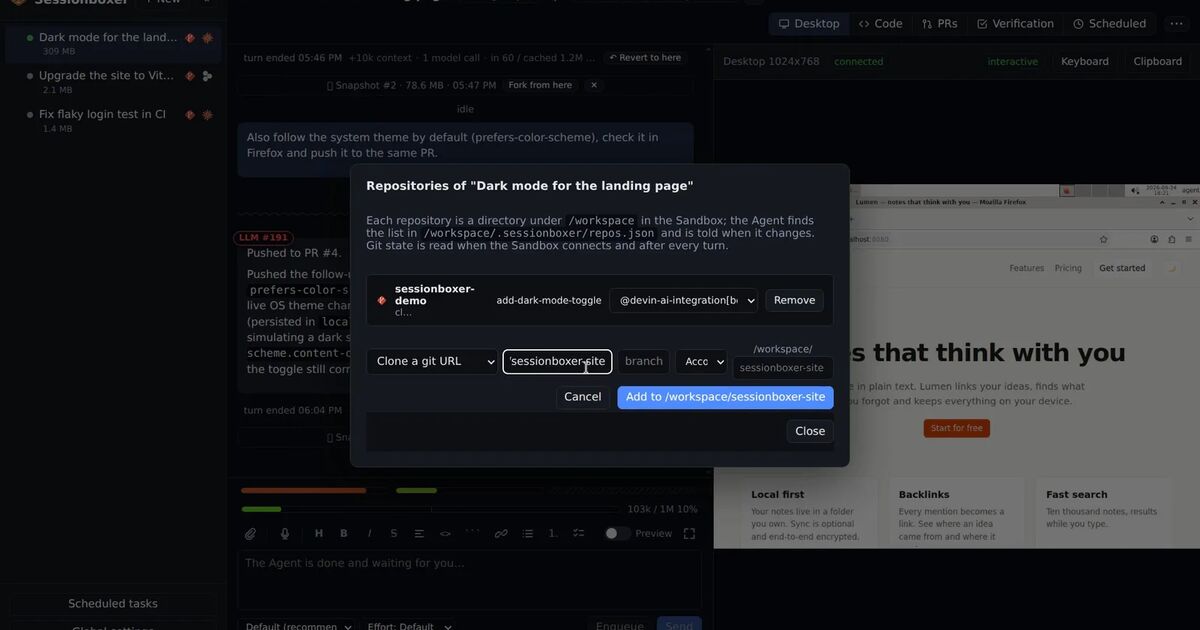
OpenHands gives its agent a browser. Sessionboxer gives each box a Linux desktop (XFCE and Firefox) driven by a computer-use MCP server: screenshot, click, type, scroll, drag, record. You watch the same screen live in the session page and take control when the agent is idle. Ask for a demo and the agent records a captioned video that plays in the chat. After each turn, if you leave it on, the agent plans and runs end-to-end checks on that desktop and hands you the recording.
Part four: chat, diff and PRs
Both projects have a web UI with a chat. Things to look for beyond the chat:
- A terminal and an editor inside the box, so you can poke at what the agent did without checking out the branch. Sessionboxer has VS Code and terminals in every session; files named in the chat open at the line.
- Pull requests attached to the session: comments, reviews and checks in a table, a button to have the agent address them, auto-merge when checks pass. GitHub connects with one click through the GitHub CLI login, which works in organizations that block third-party OAuth apps. Bitbucket Data Center takes one pasted token.
- A chat that stays readable when a turn has 80 tool calls. Sessionboxer folds each turn to one line with a counter and opens on demand.
Part five: the control plane
This is the part that makes it feel like a product rather than a script. Sessions that stop and resume with the machine intact. Snapshots and forks. Automations that prompt a session on a schedule or when a followed PR changes or fails a check. MCP servers registered once and switched per session. Access from your phone through a tunnel or your own address.
OpenHands covers scheduling and PR triggers well, especially in its enterprise edition. Sessionboxer's control plane is a single Node process on your machine or server, with a desktop app, a sessionboxer service and a Docker Compose option.
The gaps, honestly
Self-hosting is not free. You need a machine with Docker and enough RAM for a few boxes (each one is a small Linux desktop). You maintain the host. You own the backups of your sessions. Hosted Devin gives you none of those chores.
Sessionboxer specifically: it is young, releases are frequent, and some agents are better supported than others. Claude Code gets the deepest integration (usage bars, the model-call inspector); Devin's own CLI works but cannot show its model calls because the prompt is assembled on Cognition's side. The Windows and macOS runtimes need a capable host, and macOS needs Apple hardware.
If you want to try
curl -fsSL https://sessionboxer.talayolabs.com/install.sh | sh
Then open http://127.0.0.1:4000, click your agent's logo and run the three commands it shows. The install chapter covers Linux, macOS, WSL2 and a server, and connect your agent covers each CLI. The whole thing is MIT licensed, and if you find a feature Devin has that we do not, open an issue; the comparison tables on this site get corrected the same way.