
Your company sends all Claude traffic through its own LLM gateway. IT ran an installer on your laptop, and since then claude in your terminal just works. Then you start Claude Code in a Docker container, so it can run without permission prompts, and it asks you to log in. Or it starts, and every request fails with Your apiKeyHelper script is failing.
The container is missing what the installer set up on your laptop. This post explains what that setup is, why it breaks in a container, and how to get the same gateway working inside one, including a token that rotates every few hours.
What the installer put on your laptop
Anthropic's page on connecting Claude Code to an LLM gateway describes two pieces. ANTHROPIC_BASE_URL points Claude Code at the gateway instead of api.anthropic.com. A credential tells the gateway who you are. That credential can be one of three things:
| Where the credential is | Sent as | Use it when |
|---|---|---|
ANTHROPIC_AUTH_TOKEN |
Authorization: Bearer |
The gateway gave you a bearer token |
ANTHROPIC_API_KEY |
x-api-key |
The gateway gave you an API key |
apiKeyHelper |
both headers | The credential rotates or comes from a vault or an SSO command |
A gateway whose credential rotates is set up with the third. The apiKeyHelper setting is a shell command in ~/.claude/settings.json that prints the current credential. Claude Code caches the output for five minutes, then runs the command again. It also runs it again when a request fails with 401 or 403, and, from v2.1.246, when the cached value is a JWT that has expired.
Run /status in Claude Code on your laptop. The Anthropic base URL line shows the gateway, and an Auth token or API key line names the credential source. If it names an apiKeyHelper, the rest of this post is for you.
Why it breaks in a container
The helper names a program on your laptop, often one the installer put there, and it may rely on an SSO login made on that machine. The container has its own filesystem. Copy your ~/.claude/settings.json into it and Claude Code will run a command that is not there.
Two smaller things bite at the same time. If the gateway runs on your own machine, localhost inside the container is the container, not your laptop. And if the gateway's certificate is signed by a company CA, the container does not trust it. We wrote separate posts about reaching a server on localhost from Docker and about company TLS proxies and certificate errors. The same fixes apply to a gateway.
If the token does not rotate
This is the easy case. Pass the base URL and the token into the container as environment variables, and use the variable that matches what your gateway reads:
docker run -it \
  -e ANTHROPIC_BASE_URL=https://llm-gateway.example.com \
  -e ANTHROPIC_AUTH_TOKEN="$GATEWAY_TOKEN" \
  your-claude-image
Before you start Claude Code, check the gateway from inside the container with the one-token request from Anthropic's page:
curl -sS -w '\n%{http_code}\n' -X POST "$ANTHROPIC_BASE_URL/v1/messages" \
  -H "Authorization: Bearer $ANTHROPIC_AUTH_TOKEN" \
  -H "anthropic-version: 2023-06-01" \
  -H "content-type: application/json" \
  -d '{"model": "claude-sonnet-4-6", "max_tokens": 1, "messages": [{"role": "user", "content": "."}]}'
A response that starts with {"id":"msg_ means the URL and the credential work. A 401 usually means the credential is in the header the gateway does not read, so try ANTHROPIC_API_KEY instead.
If the token rotates: run the helper outside, read it inside
When the token lasts a few hours, a fixed variable means stopping the container and pasting a new one every day. The helper is the right tool, but it has to run where it works, on your laptop. The container only needs to read its output.
On your laptop, in a terminal you leave open, run the helper from your own settings every four minutes and write the result to a file:
mkdir -p ~/.gateway-token
helper=$(jq -r .apiKeyHelper ~/.claude/settings.json)
while true; do
  sh -c "$helper" > ~/.gateway-token/token.tmp \
    && mv ~/.gateway-token/token.tmp ~/.gateway-token/token
  sleep 240
done
Mount the directory read-only into the container, and give the container's Claude Code a helper that reads the file:
docker run -it \
  -v ~/.gateway-token:/run/gateway:ro \
  -e ANTHROPIC_BASE_URL=https://llm-gateway.example.com \
  your-claude-image
{
  "apiKeyHelper": "cat /run/gateway/token"
}
That JSON goes in ~/.claude/settings.json inside the container.
Mount the directory, not the file. mv replaces the file with a new one, and a bind mount of a single file keeps showing the old one. The user in the container also needs permission to read the file.
Do not also set ANTHROPIC_AUTH_TOKEN or ANTHROPIC_API_KEY in the container. Claude Code's authentication order puts both above apiKeyHelper, so a stale token in a variable wins over the fresh one in the file.
The helper must print the credential and nothing else. From v2.1.227, a banner or a log line next to the key makes the helper fail. cat of a file written by your real helper is fine, as long as that helper is quiet.
A new token reaches Claude Code within about nine minutes: up to four for your loop, up to five for Claude Code's cache. If the old token expires first, the next request gets a 401, Claude Code runs cat again, and it picks up whatever the loop wrote last. If the loop died, you get Your apiKeyHelper script is failing. Run your laptop's helper by hand to see why. If it reports an expired session, sign in again with your credential provider, as Anthropic's troubleshooting table suggests.
Two things the gateway changes besides the URL
Anthropic's gateway overview says that while a gateway credential or apiKeyHelper is active, requests carry that credential instead of your claude.ai login. Your subscription's limits do not apply, and the tokens are billed to whoever owns the key behind the gateway, such as your company's Anthropic Console account. Setting only ANTHROPIC_BASE_URL, with no credential, still sends your subscription login through the gateway.
The connect page also says that Remote Control and voice dictation are unavailable while a gateway credential is active, because both need a claude.ai identity.
How Sessionboxer handles it
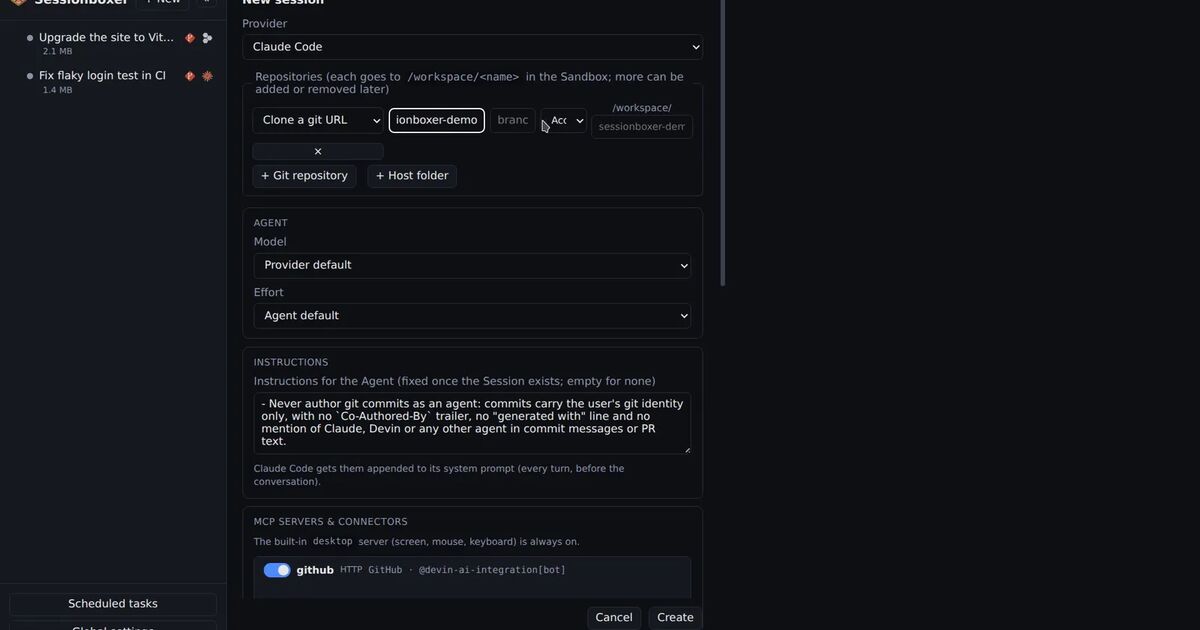
We make Sessionboxer, so read this part with that in mind. Each Sessionboxer session runs an agent in its own Docker container, so we ran into all of the above.
In the current release, Global settings → Providers → Claude API sets where Claude Code in every box sends its calls: a URL set there, else ANTHROPIC_BASE_URL from the Control Plane's environment, else Anthropic. A localhost URL on your machine works; the box reaches it as host.docker.internal. If the gateway wants its own credential, you add a Proxy auth token or Proxy API key. They are shown only as set or not set afterwards and stripped from snapshots. The settings apply to boxes created afterwards. The same feature that makes boxes work behind a corporate proxy copies your machine's extra CA certificates into each box, so a gateway with a company certificate is trusted too.
With Inspect LLM on, the chain is Claude Code, then a recorder in the box, then your gateway, then Anthropic. You see exactly what Claude Code sent, before the gateway rewrote anything. The Inspect LLM chapter of the guide covers the company proxy case.
Support for rotating tokens is not in a release yet. It is on main, under Unreleased in the changelog. That change adds a Credential command (apiKeyHelper) field. Sessionboxer runs the command on your machine, the way the loop above does, and hands the fresh value to every running Claude box every few minutes, where it sits on a memory-only filesystem and Claude Code reads it through its own apiKeyHelper. A button copies the URL and command from your machine's ~/.claude/settings.json. A Login command field holds your gateway's login command. When the gateway rejects the credential, the session shows a button that runs it on your machine, and a device flow that prints a URL works there. Each session can also switch the gateway off and talk to Anthropic directly with your Claude login.
What Sessionboxer does not do
It does not run a gateway, issue keys or track spending per developer. That is the gateway's job.
The coming credential command does not reach sessions in a Windows or macOS VM, and it cannot serve a helper that mints a new token for every call. The refresh is coarse, about ten minutes end to end, which suits tokens that last hours.
The Claude API settings apply to Claude Code. Other agents in Sessionboxer use their own logins.