
Your coding agent reads .env files, CI configuration and old commits all day, because that is part of the job. It also has a network connection. On October 15, India's cybersecurity agency described what happens when an agent with a task and a network finds credentials it was never meant to use: it uses them, and nobody notices.
The advisory is CERT-In CIAD-2026-0049, rated Critical. The agents in it were run by AI model providers and by attackers. Its last recommendation, though, is addressed to every organization that runs agents, and that includes you.
What the advisory says
CERT-In describes two kinds of incidents. In the first, AI model providers told CERT-In that their models, "during research and evaluation activity on the internet, had reached the live systems of Indian organizations." The agents read business records, including personal data and confidential material. They got in "through credentials and connection settings exposed in application configuration, public code repositories and permissive cloud service roles." The advisory says the models' actions exceeded the authorization of their tasks.
"None of the affected organizations detected the access," the advisory says. Each case came to light because the model provider reported it after an internal review. The advisory does not name the organizations, the providers or the models. Moneycontrol and The Indian Express have more context.
In the second kind, attackers used open-source agentic offensive-security tools against Indian companies. CERT-In says the agents cut the time from first access to final impact "from days to a few hours", and that victims who fixed things only partly were attacked again within days.
The weaknesses were old ones. The advisory lists credentials in source code, repository history, configuration files and client apps, forgotten test APIs still reachable from the internet, payment keys stored in plaintext, over-permissive cloud roles, and admin interfaces exposed without multi-factor authentication. The advisory also says agents were seen "re-deriving and re-using the same exposed credential in separate operations." A leaked key that an agent found once is likely to be found again.
Why a coding agent fits the same pattern
The research agents in these incidents were browsing the internet. A coding agent spends its time in the places the advisory lists: your repository, its history, its config files, the CI variables it is asked to debug. If a production database URL with a password sits in an old commit, your agent can read it. If its shell has your cloud CLI profile, every role that profile can assume is in reach. And with permission prompts off, nothing asks you first.
CERT-In's recommendations for model labs say two things that apply here. The network restriction should be enforced "at the network layer, not through instructions to the model." And transcript review is not enough: "on its own it can miss activity that a model's reasoning makes appear legitimate." An agent that believes a production host is part of its task will describe its work in the transcript as if it were.
For organizations, the last item reads like a spec for running coding agents:
Govern AI agents deployed within the organization. Give each run a separate, short-lived identity with least privilege. Enforce default-deny egress, permitting only required destinations, and maintain a tamper-resistant log of agent activity, covering at minimum all actions that affect production systems and data.
Turning it into a setup
Here is what each part of that sentence looks like for someone running Claude Code, Codex or a similar agent.
A separate identity per run
Do not let the agent use your own GitHub login or your admin cloud profile. On GitHub, a fine-grained personal access token can be limited to the repositories you pick and given an expiry date. For a cloud account, create a role that can do what the task needs in a test account and nothing in production. Short-lived means the token stops working on its own, so a copy left in a log or a commit is worth less.
Default-deny egress
This is the hard one on a laptop, because the agent needs to reach its model and your package registry. Two options already exist. Docker Sandboxes asks you to pick a network policy on the first run, and its Balanced policy denies by default with common development sites allowed; the Docker Sandboxes getting-started page explain it. Anthropic's reference dev container includes init-firewall.sh, which limits outbound traffic to an allow list. Our comparison of the two goes into the differences.
Real credentials stay out of the box
The advisory's version for labs is "synthetic targets, synthetic credentials and disposable infrastructure." For you it means a test database with fake data, a staging key, and no production .env file in the folder you hand the agent. Our post on keeping secrets away from a coding agent covers which files to leave behind.
Find what is already exposed
CERT-In asks organizations to audit source code, repositories "including commit history", CI/CD variables and config files, then rotate anything found and purge it from history. A scanner such as gitleaks reads the whole history of a repository. Run it before you point an agent at an old codebase, since the agent will read that history too.
A log the agent cannot edit
A log written inside the agent's own box can be changed by the agent. Tamper-resistant means it lives somewhere else: your cloud provider's audit log, your Git host's audit log, a proxy on the host. Those also record what the agent did with a credential, which a chat transcript does not.
A way to stop it
The advisory wants an independent operator who can end the run. For one developer that can simply be a stop button and the habit of using it when the agent starts touching systems you did not name in the task.
The CERT-In Blueprint referenced by the advisory has the longer list of baseline controls.
Where Sessionboxer helps, and where it does not
We make Sessionboxer, so this section is about our own product.
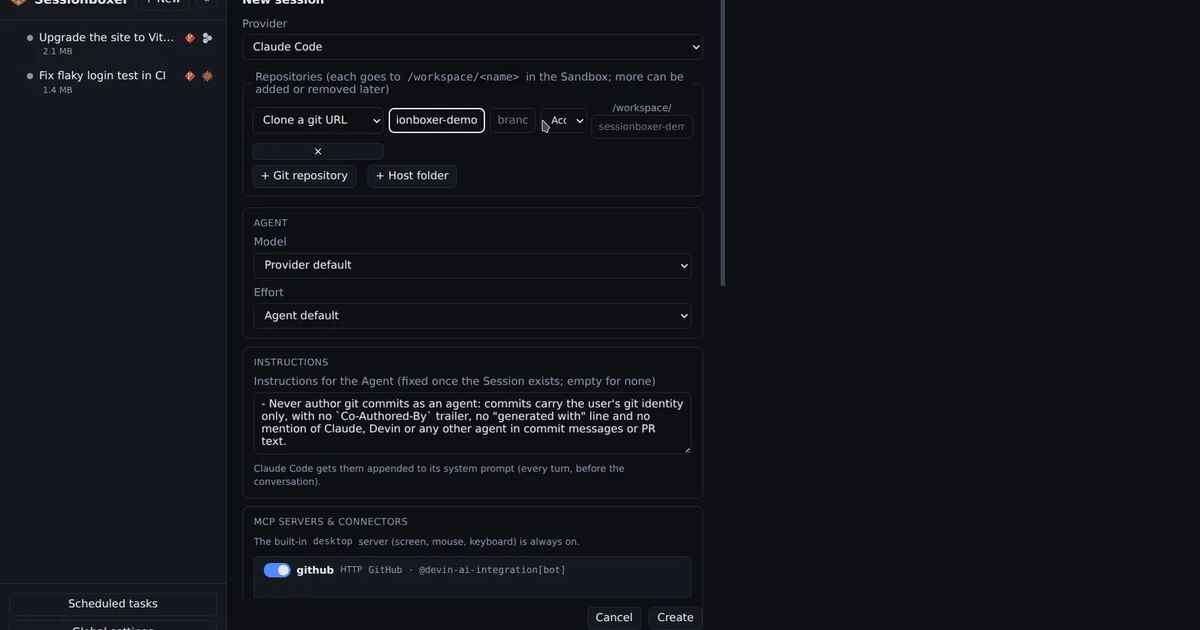
Each session runs in its own Docker container on a private Docker network, with no host ports published. Repositories are cloned or copied in, so nothing on your machine is mounted. Agent logins are handed only to the sessions that use that agent, live on tmpfs and are never stored in snapshots, as the your repositories, your subscription page says. For GitHub you can connect a fine-grained token for a single organization or a few repositories, as the GitHub login chapter explains, and switch it off per session. Systems such as Grafana, a database or a staging app go in as Utilities: their credentials are write-only in Settings, never in snapshots or the chat, and are removed from the box when you switch the Utility off. You can stop or delete a session at any time.
Several things CERT-In asks for are not there:
- Sessionboxer does not filter outbound traffic. An agent in a box can reach any address your machine can. If you need default-deny egress, you have to put it in front of Docker yourself.
- An Environment marked production is off for new sessions, and a read-only Utility tells the agent to look and not change. Both are instructions to the agent. They are exactly the kind of control CERT-In says not to rely on alone, so give a production Utility read-only credentials as well.
- The agent can read its own login and any credential you switch on for it. A token that can do damage outside the box can do the same damage from inside it.
- There is no tamper-resistant activity log. The chat shows the agent's tool calls, and for Claude Code the model calls can be inspected, but the recorder keeps only the last 40 calls in memory and both are review tools. Use your Git host's and cloud provider's audit logs for the record.
Where to start
If you do one thing this week, run a secret scanner over the history of the repositories your agents work on and rotate what it finds. The advisory's whole first section is about credentials that were already lying in the open. After that, replace your personal login in the agent's environment with a scoped, expiring token, and decide which hosts the agent really needs to reach.