
You leave a long Claude Code session open over lunch. It is deep into a refactor: 300,000 tokens of files read, test output and decisions. You come back, type "ok, continue", and that short message is slow and expensive, because the whole conversation goes to the model again with nothing cached.
Claude Code 2.1.299, published to npm on October 14, adds idle compaction to avoid that. Below: what the prompt cache has to do with it, what the feature does, when it does not run, and what you give up when it does.
Why the first message after a break costs the most
On every turn, Claude Code sends the whole conversation to the model: the system prompt, the tool definitions, your project files and every message so far. The prompt cache keeps that prefix on Anthropic's side, so the next request can read it instead of processing it again. The prompt caching page of the Claude Code docs says cached prefixes expire after a period of inactivity, and each request that hits the cache resets the timer.
There are two lifetimes, five minutes and one hour, and Claude Code picks one per request. On a Claude subscription within your plan's included usage, the main conversation gets the hour. With an API key or a cloud provider it gets five minutes unless you set promptCacheTtl to 1h. Once a subscription goes past its included usage and draws on usage credits, Claude Code drops the main conversation to five minutes.
The price gap is large. In Anthropic's prompt caching pricing, a one-hour cache write costs 2 times the base input price and a cache hit costs 0.1 times (0.05 times on Opus 5.5 and Sonnet 5.5). Take Sonnet 5.5 at API prices: $2 per million input tokens, $4 for a one-hour write, $0.10 for a hit. Resending a warm 300,000-token prefix costs about $0.03. After the cache expires, the same prefix is processed and written again for about $1.20, for a message that said "ok, continue". On a subscription you pay in usage limits instead of dollars, but the same tokens count.
What idle compaction does
Compaction replaces the message history with a summary. Idle compaction runs it on a timer, while you are away. The idleCompaction entry in the settings reference lists the conditions, and all of them must hold:
- You are in an interactive terminal session.
- The conversation is on the one-hour cache lifetime.
- Claude Code can fetch feature flags from Anthropic.
- The context has reached the threshold, 200,000 tokens by default.
- About 54 minutes have passed since the last request, and the computer is awake at that point.
Then Claude Code compacts while the cache is still warm. The summarization request reads the history from the cache, so it costs a fraction of what the context size suggests. Your next message sends the summary instead of the whole conversation, and the transcript says Compacted while idle, before the prompt cache expired.
The docs explain why the timing matters: "After a break longer than the cache lifetime, there is no cache left to read, so the summarization request reprocesses the full history as uncached input. This is why /compact costs the most when you resume an old session." Idle compaction moves the summary into the last few minutes when it is still cheap to make.
What you give up
A summary is shorter than the conversation it replaces, which is where both the saving and the loss come from. After compaction, the agent knows what the summary says about the earlier work and nothing more. The exact error message, the file it read an hour ago, the reason you rejected an approach: some of it survives and some does not. The context window docs describe what is kept.
So whether idle compaction helps depends on what you come back to do. If you return to start the next task, a summary is enough and much cheaper. If you return to say "now fix the third failure from that log", you may want the full history, cache miss and all.
The feature is on by default. To turn it off, put this in settings.json:
{
  "idleCompaction": false
}
To change the size at which it applies, set CLAUDE_CODE_IDLE_COMPACT_MIN_TOKENS. Values below 100,000 are raised to 100,000. Both controls need Claude Code 2.1.290 or later. DISABLE_AUTO_COMPACT, or "autoCompactEnabled": false, turns idle compaction off together with ordinary auto-compaction.
One detail in the settings reference is easy to miss. A conversation on a 200K context window auto-compacts before it reaches 200,000 tokens, so at the default threshold idle compaction never applies to it. The docs' own example lowers the threshold so that those conversations qualify:
{
  "env": {
    "CLAUDE_CODE_IDLE_COMPACT_MIN_TOKENS": "150000"
  }
}
So at the default, only conversations on a larger window, such as 1M tokens, reach the threshold.
When it will not run
Several common setups fall outside the conditions:
- With an API key or a cloud provider, the main conversation is on the five-minute cache unless you set
promptCacheTtlto1h. Five minutes is too short for a 54-minute timer. - A subscription that has gone past its included usage drops to five minutes too.
- A laptop that is asleep at minute 54 misses it.
- The docs limit it to an interactive terminal session, so a run through
claude -por the Agent SDK should not expect it.
The last point applies to Sessionboxer. Sessionboxer drives Claude Code through claude-agent-acp, its ACP adapter, which runs on the Agent SDK and not the terminal interface. By the docs' conditions, a Sessionboxer chat is not an interactive terminal session, so do not count on idle compaction there. If you run claude yourself in one of the session's Terminals, that one is a terminal session and the usual conditions apply.
How to see it in Sessionboxer
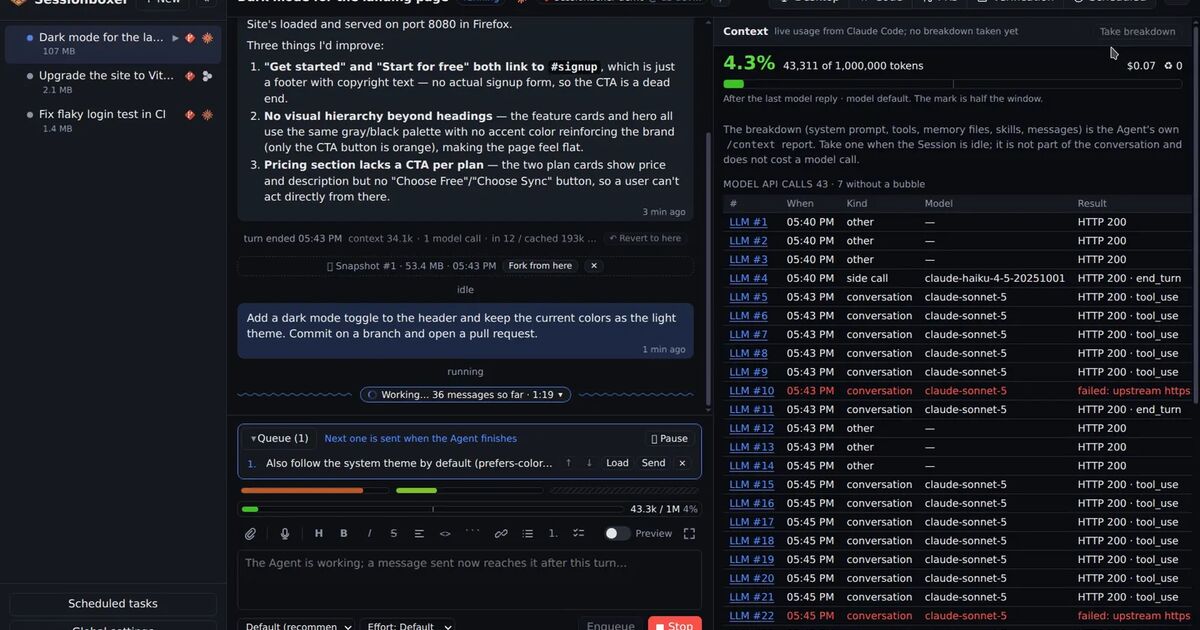
Sessionboxer does not compact on a timer of its own. What it does is show you the numbers, so you can decide.
Each turn divider in the chat carries the turn's input, cache-read and cache-written tokens and its cost. A cold cache after a long break shows up as a large "written" number on the first turn back. The gauge above the prompt box counts the compactions so far, and clicking a compaction marker shows the messages that were compacted away next to the summary they became. All of that is on the context feature page, and the context window chapter of the guide has the details.
For Claude Code sessions, Inspect LLM records each request to the Anthropic API byte for byte. Its Tree view lists the system blocks with their cache markers, which is where you can check what a request asked to cache. We wrote about what else fills those requests in what your coding agent really sends to the model.
If you plan to leave a session for hours, Stop pauses its box and keeps the conversation and the files, and Resume brings it back with the conversation reloaded. Stopping does not keep the prompt cache warm, because the cache lives on Anthropic's side and expires on its own clock. The first turn after resuming a long conversation is a cold one. If the next thing you will ask is a new task, ask the agent to /compact before you stop, while the cache is still warm. If you hit your plan's limits instead of a break, the post on usage limits covers what happens to the turn.
What to do this week
Update to 2.1.299 and decide which kind of break you usually take. If you come back to new work, leave idle compaction on, and lower the threshold if your sessions run on a 200K window. If you come back to keep debugging the same thing, set idleCompaction to false and accept the cold first turn.
If you use an API key and often step away from long sessions, consider promptCacheTtl set to 1h. You pay double for cache writes and get an hour before the cache is gone. To check which lifetime your main conversation actually got, run claude -p "hello" --output-format json and read usage.cache_creation: one-hour writes are reported as ephemeral_1h_input_tokens and five-minute writes as ephemeral_5m_input_tokens.