
Your team likes Claude Code's cloud sessions. You type a task on claude.ai or in the Claude app, close the laptop, and check the pull request later. Then someone asks where the code was while that happened, and the answer is "on Anthropic's machines". The session also cannot reach the staging database, the internal package registry or the service that only answers inside the VPN.
Anthropic has an answer for this: self-hosted environments, now in public beta. Sessions start from the same places, but they run on machines you operate. This post explains what that setup keeps on your side, what it asks of you, and how it compares to Sessionboxer, which also runs agent sessions on your own hardware. We build Sessionboxer, so read the comparison with that in mind. Everything about Claude Code below comes from Anthropic's docs as of November 2026.
How self-hosted environments work
There are three parts. An environment is a named destination your organization creates in the claude.ai admin settings. A runner is a long-lived program on a host in your network; Anthropic compares it to a self-hosted CI runner. A session is one Claude Code task a developer started.
When a developer starts a cloud session and picks your environment, Anthropic's control plane puts it on that environment's queue. A runner claims it, clones the repository and starts a Claude Code process on your host. The runner is part of the normal claude binary (v2.1.224 or later, says the quickstart):
claude self-hosted-runner setup
claude self-hosted-runner --environment-secret-file /etc/claude/environment-secret --base-dir /srv/claude
All connections go out from your network. The runner polls api.anthropic.com for work, and Anthropic needs no inbound connection.
The limits of the beta are on the same page. It is for Team and Enterprise plans, off by default, and an Owner has to turn it on. Organizations with Zero Data Retention or the HIPAA configuration cannot use it. Usage counts against your organization's Claude Code usage, as it does in Anthropic's own cloud.
What stays on your machines, and what does not
The overview page is clear about this. Repository checkouts, build artifacts, secrets and files the session writes stay on your infrastructure. The conversation does not.
| Item | Where it is |
|---|---|
| Checked-out code, build output, files the session writes | Your runner hosts |
| Prompts, responses and tool results (which can include code Claude read) | Sent to Anthropic; the transcript is stored there so the session can be resumed from another supported surface |
| Queueing, orchestration, the claude.ai interface | Anthropic |
| Model inference | Anthropic API by default, or your Bedrock or Google Cloud account; the conversation still goes to Anthropic in the event stream |
| claude.ai connectors (GitHub, Slack, Linear...) | Called from Anthropic's infrastructure, not from your runner |
The last row is listed under known issues. If tool traffic has to stay inside your network, the docs suggest running those tools as local MCP servers in the runner image instead.
Self-hosting moves execution into your network. The conversation and the control plane stay with Anthropic.
What you take on
Anthropic recommends its hosted environments for teams that do not need control of the infrastructure, and says self-hosting means owning the operations. The deploy guide shows why. The points that matter most for a coding agent:
- One session per container is your job. A runner can run several sessions for the same owner at once (
--capacity), and they share its container's CPU, memory and process limits. For isolation per session, the guide says to run each runner in a fresh container or VM with--capacity 1, destroyed when it exits. The Kubernetes and Compose recipes on that page use--capacity 4, and the page says they do not give that isolation. - The session runs as the runner's user. The guide notes that "the runner and its sessions share one OS user", so anything the runner can read, the session can read. It asks you to keep hooks, wrapper scripts and
~/.claude/read-only, to block the cloud metadata endpoint inside the container, and to set default-deny egress at your network edge. The product cannot check that you did. - Anyone in the organization can send work to any environment. Dispatch has no per-environment access control, so the guide says to treat every runner host as reachable for code execution by everyone who can dispatch to it.
- Git credentials need care. The guide warns against baking long-lived push credentials into a shared image, because every session that image runs can use them. It suggests minting a short-lived token per session from a wrapper script.
- A resumed session starts from a fresh clone. When a session moves to another runner (after a restart, an idle release or a lost host), unpushed work is gone.
--push-outcome-on-releasepushes committed work first, but uncommitted changes are still lost.
How Sessionboxer does the same job
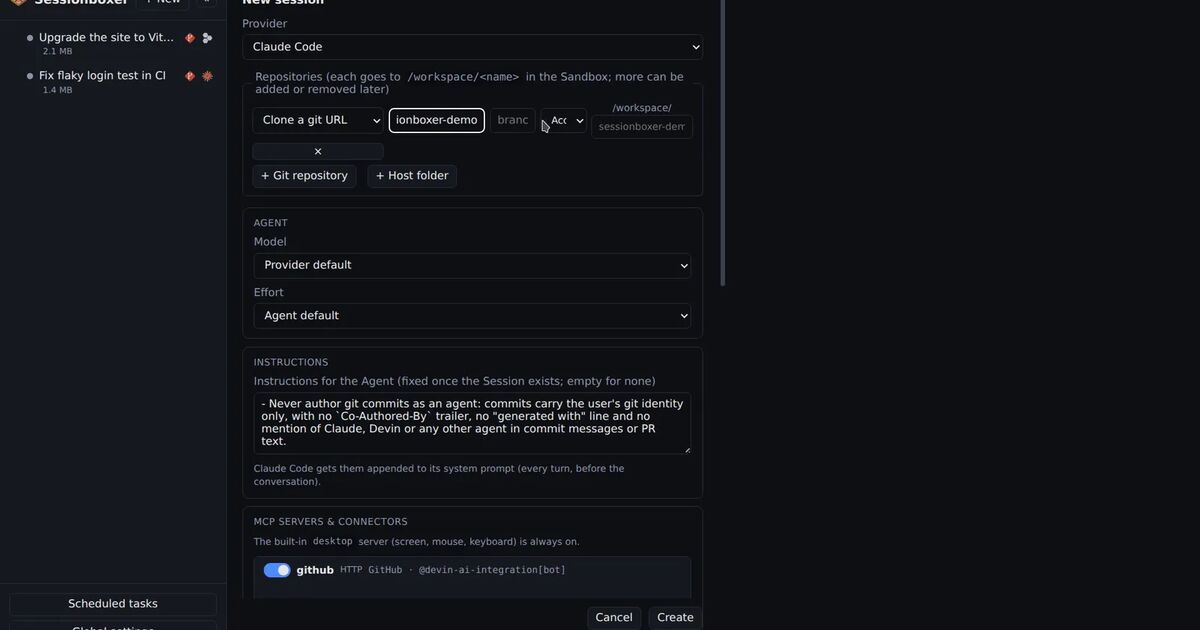
Sessionboxer runs on one machine you own, a laptop, a home server or a VPS, with Docker. Each session gets its own container with its own copy of the repositories and a Linux desktop. The agent runs in it with its permission prompts off, because the container is the boundary. There is no runner or queue to configure.
It uses the subscription you already have. For Claude Code that is your own Claude login, and the same screen also starts Codex, Cursor, Gemini CLI, GitHub Copilot and the other supported agents. There is no Sessionboxer account. Transcripts are kept in a SQLite file under ~/.sessionboxer on that machine. The agent's own traffic still goes to its model provider, so the conversation with Claude still reaches Anthropic. Sessionboxer keeps the transcript and the control plane local; it does not make the model local.
When you stop a session, the container is paused, not thrown away. Resume brings back the conversation, the files, the uncommitted changes and the packages the agent installed. You can also take a snapshot of the whole box and fork it, as the snapshots chapter of the guide describes, or hand a fork to a different agent.
To reach it from a phone, you put it on a private Tailscale or Headscale network or behind a tunnel, and each browser logs in once as a device you can revoke. The remote access chapter covers it, and our post on running Claude Code on a VPS compares that with Claude Code's own Remote Control.
What Sessionboxer does not do, so you can rule it out early:
- There is one access token per Control Plane, and no organizations or user roles.
- It does not scale out across a cluster. Sessions run where Sessionboxer runs, each within the CPU and memory limits you set in Global settings.
- It does not plug into claude.ai, the Claude app or Anthropic's admin policies. You use its own web UI.
Side by side
| Claude Code self-hosted environments | Sessionboxer | |
|---|---|---|
| Plans | Team and Enterprise, public beta | Your own login for each agent |
| Agents | Claude Code | Claude Code, Codex, Cursor, Gemini CLI, Copilot and others |
| Where code runs | Your runner hosts | Your machine |
| Where the transcript lives | Anthropic | Your machine |
| Control plane | Anthropic | Your machine |
| Start a session from | claude.ai, Claude apps, claude --cloud, scheduled tasks |
Sessionboxer's web UI, its CLI, its automations |
| One container per session | If you deploy it that way (--capacity 1) |
Always |
| Resume on another host | Fresh clone; unpushed work is lost | Not applicable; the paused container keeps everything |
| Many users, admin controls | Yes, through your Claude organization | No |
| Operating it | A runner fleet you build, size and harden | One process and Docker |
Which one to choose
Choose self-hosted environments if you are a team on a Claude Team or Enterprise plan, you want developers to keep using claude.ai and the Claude app, and the requirement is that code and builds stay inside your network. Budget for someone to own the runners, and start from the hardening section of the deploy guide, not from the Compose recipe.
Choose Sessionboxer if you want the transcript and the control plane on your own machine too, if you switch between agents, or if you work alone or in a small group and do not want to run a fleet. You give up the Claude apps and the organization controls.
Both run code next to your internal services, and in both the hosted model sees the conversation. Our post on a self-hosted Devin alternative covers what else to check before you choose.