
Your agent is cleaning up after a build. It writes rm -rf "$OUT_DIR/"*, and the command looks fine. But OUT_DIR was set in a shell that no longer exists, or in a .env file that was never loaded. The variable is empty, and the shell runs rm -rf /*.
Cursor shipped a change last week for exactly this. Cursor CLI v2026.10.08 makes Auto-review ask for approval "before recursive, force, wildcard, or mirror deletes whose target could resolve differently than written, such as an unset variable or a stray space in a path." The Cursor IDE 3.24 release notes have the same change and add one more case: a relative path after a directory change that can fail.
Below: what Auto-review is, why an empty variable in a delete is an old and real problem, what the new check does not cover, and what to put in your own scripts so it matters less.
What Auto-review is
Cursor has three run modes that decide when the agent stops to ask you. Allowlist runs the actions you listed without asking and asks about the rest. Run Everything runs every tool call with no sandbox and no checks. Auto-review sits between them, and Cursor's docs call it "the safest useful setup for most people."
In Auto-review, each shell, MCP and Fetch call goes through three steps. Allowlisted calls run at once. Other shell commands run in Cursor's sandbox when they can. Calls that cannot use the sandbox go to a classifier, a small model on Cursor's backend (the docs name Gemini 3.5 Flash Lite, with Claude 4.5 Haiku as fallback). The classifier allows the call, makes the agent try another way, or asks you. It can read files on your machine to judge a call, for example a script the command runs.
The docs are direct about one point: "Auto-review is not a security boundary. The classifier can make mistakes." The new delete rule makes one class of mistake less likely. It does not change what the classifier is.
Why an empty variable in a delete is dangerous
When the shell expands "$DIR/"* and DIR is empty, you get /*. The glob turns that into /bin, /etc, /home and so on, and rm -rf gets each of them as a separate argument.
GNU rm has a guard called --preserve-root, on by default, that refuses to remove / recursively. The coreutils manual describes it. It does not help here, because rm never sees /. It sees a list of top-level directories, and it deletes whatever your user is allowed to delete in each.
This has happened in shipped software. In January 2015 a Linux user reported that Steam had deleted every file his user owned, including a mounted backup drive. People in the thread pointed to a line in steam.sh, rm -rf "$STEAMROOT/"*, where STEAMROOT came from $(cd "${0%/*}" && echo $PWD). Their explanation: if that cd fails, the variable is empty.
An agent writes many more shell commands in a day than a person does, so it meets the same trap more often. A variable defined in one tool call is gone in the next if the calls run in separate shells. A cd into a folder that a previous step deleted fails, and the next relative path points somewhere else. A path with a space and no quotes becomes two arguments. These are the cases the Cursor change lists.
What the new check does not cover
The rule is about the shape of a delete command whose target is uncertain. A few things sit outside that.
A delete with a certain, wrong target is still a judgement call. rm -rf ~/projects/app is unambiguous. If the agent meant ./app, the classifier has to work out the intent, and that is the part the docs say can go wrong.
Deletes that are not rm look different. git clean -fdx removes every untracked and ignored file, including a .env you never committed. git reset --hard drops uncommitted work. shutil.rmtree in a Python script, a clean task in a build file, or DROP TABLE through a database MCP server are all deletes. The classifier may well flag them, but the changelog does not say the new rule covers them.
Run Everything is outside it entirely. That mode has no classifier and, per the 3.24 notes, now runs without the sandbox unless your permissions.json restricts it. If you switched to Run Everything to stop the prompts, this change does nothing for you.
Approval is a click. Our post on the agent that deleted a production database asks what a prompt is worth after a few hundred of them in one day.
If there are deletes you always want to see, Cursor lets you say so in plain English. ~/.cursor/permissions.json applies to every project, and .cursor/permissions.json in a project applies to that one:
{
  "autoRun": {
    "allow_instructions": [],
    "block_instructions": [
      "Every git clean, git reset --hard and git push --force should go through approval first.",
      "Every command that deletes files outside this project should go through approval first."
    ]
  }
}
A team configuration from the dashboard, if one exists, takes priority and the local files are ignored.
Fix it in the script, too
Agents run and copy the scripts in your repository. A guard written into the script works under every agent and every run mode, whatever the classifier decides.
#!/usr/bin/env bash
set -euo pipefail

cd "$(dirname "$0")" || exit 1
rm -rf "${OUT_DIR:?OUT_DIR is not set}/"*
${OUT_DIR:?message} stops the script when the variable is empty or unset, as the Bash manual describes. set -u alone catches only unset variables. A variable that is set but empty, like OUT_DIR= in a .env file, gets past it. The || exit 1 keeps a failed cd from turning the next relative path into a path somewhere else. ShellCheck's SC2115 flags the unguarded form, and its example is the Steam line itself. Run ShellCheck in CI and the agent's scripts get the same review as yours.
Where Sessionboxer fits
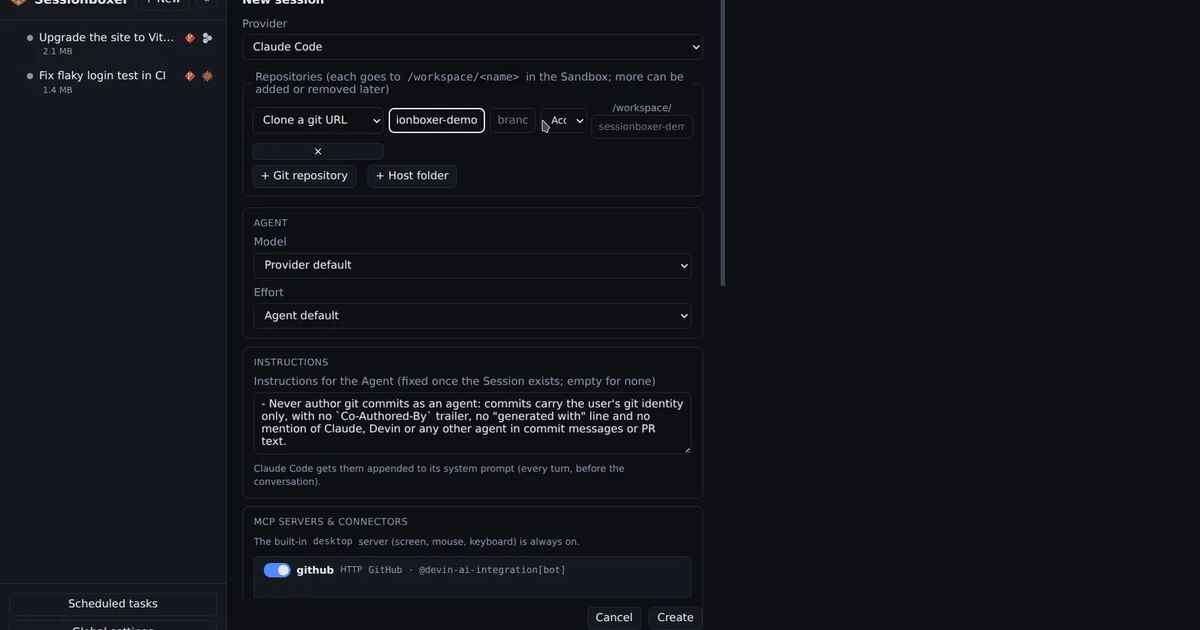
We build Sessionboxer, so this part is about our own product. It takes the other approach: the agent runs without permission prompts, and Sessionboxer does not inspect its commands. There is no classifier and no delete rule. A bad rm -rf in a session runs.
What it can reach is the box. Each session is its own Docker container with the repositories cloned into /workspace. /* inside the box is the box's root, so an empty variable deletes what it can inside that container and nothing on your machine. If you start a session from a folder on your computer, it is copied in. Changes come back only when you click Pull to folder, which first lists what would change, with the files the agent deleted marked −, as the Start a session chapter explains.
Inside the box, snapshots are the undo. A snapshot is a docker commit of the whole container after a turn, and you can fork a new session from it. Automatic snapshots are off on a fresh install, so turn them on in Settings if you want one after every turn. Revert to here takes the conversation back to an earlier turn, but the files stay as they are; you need a snapshot for those.
The box does not protect anything the agent can reach over the network. A token that can force-push to main or delete a cloud volume works the same inside a container. Give the session only the credentials the task needs. If you run Claude Code, its hooks can also refuse commands before they run, and since Claude Code 2.1.295 a failing hook can block instead of passing.
If you stay in Cursor on your laptop, update the CLI with agent update, keep Auto-review on and add the block instructions you care about. Put ${VAR:?} in the scripts either way.