
You recorded the bug. Thirty seconds of video: you click Save, the dialog flickers, a toast says "Saved", and the list still shows the old name. You talked over it too: "watch the counter here, it goes to two and back to one." Now you want your coding agent to fix it, so you drag the .mp4 into the prompt.
What happens next depends on the agent. Most coding agents can look at a screenshot. Few of them can watch a video. A narrated recording also carries two things the agent needs at once: what was on the screen, and what you said about it. This post covers what Claude Code, Codex and Gemini CLI accept, how to turn a recording into something any of them can read, and how Sessionboxer does that step for you.
What each agent accepts
Claude Code's docs describe three ways to add an image: drag it into the window, paste it with Ctrl+V (Alt+V on Windows and WSL), or give Claude its path. Anthropic's vision guide is about images too. Neither page mentions video, so plan on Claude getting the name of your .mp4 and nothing it can watch.
Codex CLI works the same way, with a flag. Its image inputs page shows codex -i screenshot.png "..." and pasting into the composer, and says Codex accepts common image formats such as PNG and JPEG. Video is not on the page.
Gemini CLI is the exception. Its read_many_files tool reads MP4 and MOV video, and MP3 and WAV audio, and hands them to the model as base64 data. The catch: the file has to be asked for by name or by extension, and a broad glob skips it. With Gemini CLI, name the file in the prompt: "read bug.mp4 and tell me what goes wrong after I click Save."
For the other two, the recording has to become images and text first.
Turn a recording into frames and a transcript
You need two programs, ffmpeg and whisper.cpp. Both run offline on your machine.
Start with the frames. One per second is a fair start for a short clip:
mkdir -p frames
ffmpeg -i bug.mp4 -vf fps=1 frames/%03d.png
A 30-second clip gives you 30 PNG files. For a longer one, lower the rate (fps=1/3 is one frame every three seconds). Every image the agent opens takes up room in its context window, and thirty near-identical pictures of the same form tell it little more than five.
Then the words. whisper.cpp's whisper-cli reads FLAC, MP3, OGG and WAV files, not video, so pull the audio out first. Then transcribe it to SRT, a subtitle format with a start and end time on every line:
ffmpeg -i bug.mp4 -ar 16000 -ac 1 -c:a pcm_s16le bug.wav
whisper-cli -m models/ggml-small.bin -f bug.wav -osrt -of bug
You download a model once; the whisper.cpp README shows how. The small model is a reasonable middle between speed and accuracy on a laptop CPU.
The times in bug.srt are what make the frames useful. When you said "watch the counter here" twelve seconds in, the agent knows which picture to open. Put both in the repository folder, or anywhere the agent can read, and say how they fit together:
frames/ has one frame per second of a screen recording of the bug.
bug.srt is what I said while recording, with timestamps.
Read the transcript first. Where I point at something on screen,
open the frame from that second. Then find the cause and fix it.
Claude Code opens images from a path, so this prompt is enough there. With Codex, attach the frames that matter with --image, separated by commas.
Frames are samples, and that is what you lose. A flicker that lasts a quarter of a second can fall between two of them. If the bug is in the motion itself, take more frames around that moment. This takes five frames a second for the three seconds starting at 0:11:
ffmpeg -ss 11 -t 3 -i bug.mp4 -vf fps=5 burst/%03d.png
The transcript only holds what you said out loud. For a silent recording, write in the prompt what to look for and when.
What Sessionboxer does with a recording
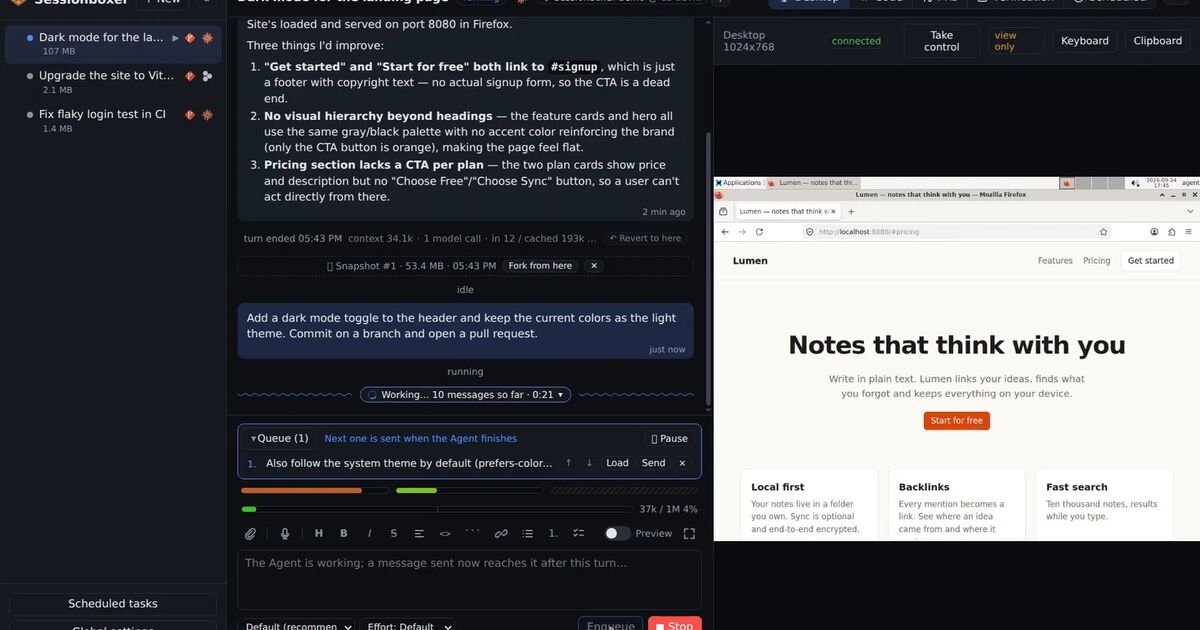
We make Sessionboxer, so this section is about our own product. It runs each agent in its own Docker container with a web UI around it, and the prompt box has a camera button next to the paperclip.
The camera button takes a photo, films a video, or records your screen. Screen opens the browser's own picker for a screen, a window or a tab, and records it with your microphone, so you can talk while you show the bug. A clip stops by itself at five minutes. You watch it back, then choose Retake or Attach. The file is uploaded into the box under /workspace/.sessionboxer/uploads/, like any other file you attach to a prompt. A video you recorded somewhere else and drop on the prompt is handled the same way.
When a prompt carries video or audio, the box adds instructions for the agent on how to work through it. The agent calls transcribe_media, a tool of the built-in sessionboxer MCP server that every session's agent gets. The tool extracts the audio with the box's ffmpeg, and Whisper transcribes it on the machine running Sessionboxer, the same whisper.cpp setup that runs dictation. It returns the text with the start and end time of each stretch of speech. Wherever you refer to the screen ("this button", "look at this error"), the agent is told to take the frame from that moment with ffmpeg -ss <seconds> -i <file> -frames:v 1 and look at it. When nobody speaks, it takes a few frames spread over the clip. The instructions also tell it not to guess what the video shows from its file name.
It is the recipe from the section above, run by the agent, with the frames chosen by what you said instead of one per second. The guide's talk to the agent chapter describes the camera and attachments, and the MCP tools reference lists the tool's parameters and what it returns.
This helps most when the bug is somewhere the agent cannot reach. Open Sessionboxer on your phone through a tunnel and film the bug on a tablet, a kiosk or a TV app, or photograph the whiteboard where someone drew the expected flow. Once the fix is in, ask the agent to record its own video of the same flow on the box's desktop, and you have a before and an after. Our post on letting the agent test its own work covers that half.
Limits worth knowing
The model still sees still images, in Sessionboxer as everywhere else. The same sampling problem applies: if you never mention the flicker, the agent may never open the frame that shows it.
transcribe_media takes about 15 minutes of audio per call, and longer files are cut first. The screen recording carries your microphone, so the transcript is what you said, not the sound your app made.
The tool belongs to the sessionboxer MCP server. If you set a session's Agent tools to Off, the agent does not get that server, and you are back to the manual recipe.
The camera and the microphone need a secure page: localhost, or https:// through a tunnel. Over plain http:// on the local network, the camera button opens the browser's own picker instead, which on a phone is its camera app.
An uploaded recording is a file in the box. Snapshots carry it, and it stays until you delete it.
Every frame the agent opens is sent to the model provider, like any screenshot you paste. Close the password manager and the chat with your colleague before you press Record.