
You clone a repository, cd into it and start your coding agent. Before you type your first prompt, a file in that repository has already started a program. Last week JFrog found 42 repositories on GitHub where this was true, and the program was a worm that steals GitHub, npm and cloud credentials.
JFrog Security Research published the details on October 26 in Beyond testmetest. SafeDep had found the npm side of the same campaign four days earlier and keeps its analysis updated. heise and The Register have covered it since. Below is what they found, how to check, and where a stranger's repository should run when an agent opens it. We make Sessionboxer, which runs each agent session in its own container; that part comes near the end, along with what it would not have stopped.
What JFrog and SafeDep found
The campaign started on npm. Between October 19 and 27, throwaway accounts published packages whose names end in testmetest, plus a few scoped ones such as @iobandamwer/cache-helper. SafeDep counts 19 packages from the same operator. The early versions ran their code through a binding.gyp file, so a review of the scripts field in package.json showed nothing. Later versions moved the payload into a compiled Node addon, and SafeDep's October 27 update says the newest one starts the worm when an application imports the package, so npm install --ignore-scripts no longer protects you.
According to SafeDep, the worm steals SSH keys, npm, PyPI and Git tokens, .env files, cloud keys and AI tool secrets. It publishes infected versions of packages the victim can publish, and it commits files to the victim's GitHub and GitLab repositories: a fake CodeQL workflow, a loader at .github/init.js, and settings files for coding agents.
That last part is what JFrog followed up. It found 42 real repositories, belonging to 11 legitimate owners, that already carried those files. Each had a large .github/init.js and triggers for several tools:
| File | What starts the loader |
|---|---|
.claude/settings.json |
A Claude Code SessionStart hook that runs node .github/init.js |
.gemini/settings.json |
The Gemini CLI equivalent |
.cursor/mcp.json, .cursor/rules/setup.mdc |
A Cursor MCP entry and an always-applied rule |
.vscode/tasks.json |
A VS Code task that runs when the folder opens |
SafeDep says the injected commits copy the author and message of the latest real commit on the branch. JFrog measured the init.js files at 12.9 to 13.7 MB. GitHub code search does not index files that large, so JFrog's first search found the hooks but saw what looked like empty loaders. Walking each repository's git trees showed the real files, and sweeping the owners' accounts raised the count to 42.
Nobody has published a victim count. SafeDep had confirmed no compromised third-party packages as of October 22, and JFrog could not read the encrypted data the operator was collecting.
Why the agent is the trigger
A SessionStart hook is an ordinary Claude Code feature. The hooks reference says it fires "when a session begins or resumes", and the settings page tells teams to commit .claude/settings.json so everyone who clones the repository gets the same hooks. That is useful when the repository is yours. When it is not, the hook is a command a stranger chose, and it runs as you.
Claude Code shows a workspace trust dialog the first time you start it in a folder, and the permissions page says it never shows that dialog for claude -p or SDK sessions. The headless docs are blunt about the result: without --bare, "a -p session runs the hooks in a project's .claude/settings.json and connects the servers in its .mcp.json, even in a folder you've never trusted." Gemini CLI's trusted folders page says an untrusted folder's .gemini/settings.json is ignored, but a folder you or your script marked as trusted loads it. In practice most people accept the dialog for a repository they meant to work on, and scripts skip it.
A trust prompt only asks the question. What matters is what the hook can reach on the machine where the answer was yes.
Check your clones and your machine
Search the folders where you keep code for the loader and the hooks that call it. A plain find reads the files on disk, so it does not miss the large ones the way GitHub search did:
find ~/code -path '*/.github/init.js' -size +10M 2>/dev/null
grep -rl --include=settings.json --include=mcp.json --include=tasks.json --include=setup.mdc \
  'github/init.js' ~/code 2>/dev/null
Change ~/code to wherever your clones live. For packages, look for any name that ends in testmetest or comes from the scopes JFrog and SafeDep list (@iobandamwer, @testsecuiitytestme):
npm ls --all 2>/dev/null | grep -E 'testmetest|@iobandamwer|@testsecuiitytestme'
For your own repositories, SafeDep suggests looking for commits that add .claude/, .cursor/, .gemini/, .vscode/tasks.json, .github/init.js, CLAUDE.md or AGENTS.md that nobody on your team remembers writing.
If you find it, clean up in the right order
The worm installs a service called net-health-checker. SafeDep says it checks the stolen GitHub token every 45 seconds for 48 hours, and when GitHub answers 401 or 403 it runs rm -rf ~/. Revoking the token first is the obvious move, and it is the one that wipes your home folder.
SafeDep's order is: disconnect the machine from the network, remove the persistence, then rotate credentials. On Linux:
systemctl --user disable --now net-health-checker pkg-runtime
rm -rf ~/.local/bin/net-health-checker.sh ~/.config/net-health-checker \
  ~/.config/systemd/user/{net-health-checker,pkg-runtime}.service \
  ~/.local/share/runtimes /var/tmp/.fontconfig_state
On macOS, unload ~/Library/LaunchAgents/com.user.net-health-checker.plist and com.user.pkg-runtime.plist with launchctl bootout gui/$(id -u) <file>, then delete them. After that, rotate everything the machine could reach: Git hosts, package registries, cloud, Vault, Kubernetes, SSH and your AI provider keys. JFrog's advice for affected systems is to rebuild them from trusted sources if in doubt. Our post on keeping secrets away from your coding agent covers which of those you can keep out of the agent's reach next time.
Where to open a repository you did not write
Every trigger in this campaign needs the same thing: a tool that loads project settings, running as a user who has tokens. You can remove the hooks before you start the agent, but the next campaign will pick another file. The more durable fix is to change what "runs as you" means.
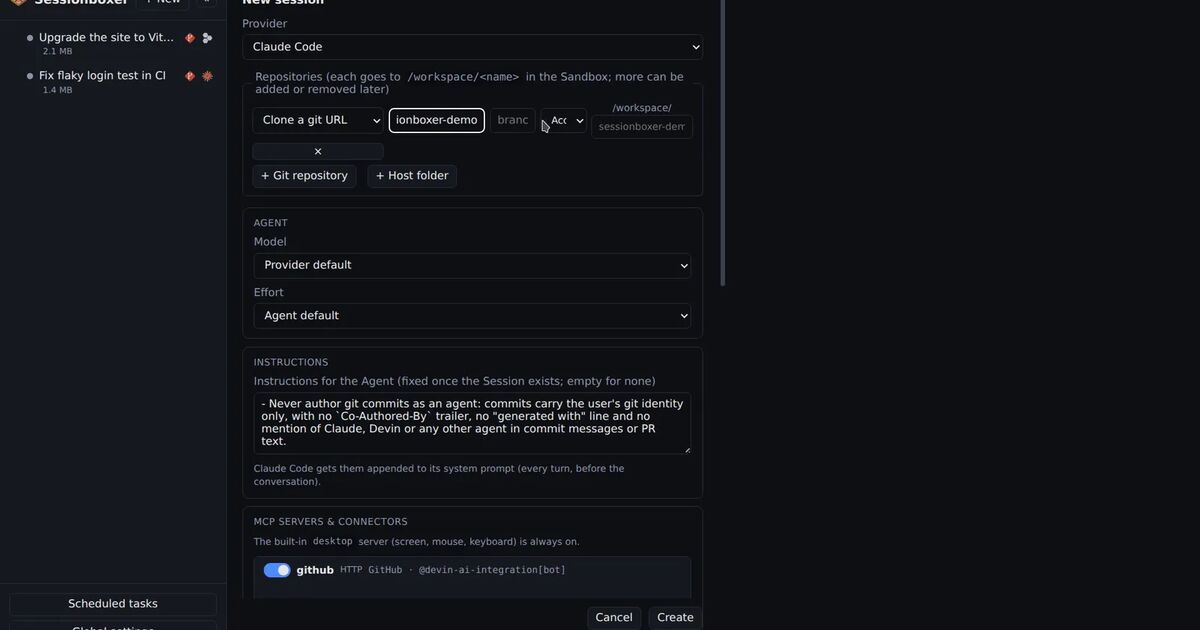
In Sessionboxer, a session clones the repository into its own Docker container, and the agent runs there without permission prompts. That includes the trust prompts. Gemini CLI gets GEMINI_CLI_TRUST_WORKSPACE, Cursor runs with --trust, Claude Code runs through its SDK, which shows no trust dialog, and the VS Code in the Code pane has workspace trust turned off. So a SessionStart hook in a cloned repository would run, inside the box.
That changes what the hook can reach. The box has its own home folder, so the wiper would delete the container's files, not yours. Your laptop's SSH keys, shell profile, cloud credentials and other clones are not in it. The container sits on a private Docker network and publishes no ports on your host. Delete the session and the container, its files and its snapshots go with it.
It does not change everything, and the gaps matter:
- The box has outbound internet access, because the agent needs it. A payload can download a second stage and send what it finds.
- It can read what the session holds. That is the agent's provider login and, while a GitHub entry is enabled for the session, the GitHub login that lets
ghandgit pushwork in the box. A worm that wants to commit to your repositories would find a token there. If you ran an armed repository in a session, rotate those. - Sessionboxer does not scan repositories, hooks or packages. It does not know this campaign exists.
JFrog notes that the native addon variant checks /proc/1/cgroup for words like docker and quietly returns inside containers, to avoid automated scanners. Do not count on that. JFrog describes those checks for the npm addon, not for the init.js hooks, and the next build can drop them.
Two habits make the box more useful here. Before you clone a repository you do not know, open its .claude/, .gemini/, .cursor/ and .vscode/ folders on GitHub; the settings files are small and show the command a hook runs, even when the file it calls is too large to display. Then start the session with no GitHub entry enabled, since a public repository clones without one, and switch the login on in the session's MCP popover only when the agent needs to push. If something looks wrong afterwards, delete the session rather than trying to clean the box.
This is the second time in a few weeks that opening a folder has been enough to run someone else's code. The SneakPeek flaw in Claude Code Desktop did it through a coverage report in October, and Anthropic fixed it in the app. The testmetest hooks need no flaw at all: they use settings files the way they are documented to work.