
You pay for Claude Code, maybe Codex too, and you are tired of juggling terminal tabs. You want one window where you start agents, watch them, answer them from your phone and turn their work into pull requests. Two open-source projects do exactly that with the subscriptions you already have: T3 Code and Sessionboxer.
We build Sessionboxer, so this is a comparison from the maker of one of them. Everything about T3 Code below comes from its README and the user docs in its repository, read on October 31, 2026. T3 Code changes quickly (its README says "We are very very early in this project"), so check the linked page before you rely on a detail.
What they have in common
Both are MIT licensed. Neither resells tokens. T3 Code's FAQ says it costs nothing and that you "still pay your provider like you already do". Sessionboxer has no account of its own and uses your existing login for each agent.
Both drive the agents' own CLIs. T3 Code supports Codex, Claude Code, Cursor, Grok Build, OpenCode and Antigravity, plus Pi and Muse Code according to its FAQ. Sessionboxer supports Claude Code, Codex, Cursor, OpenCode, Devin, pi, fx, Kimi CLI, GitHub Copilot, Mistral Vibe, Grok Build, Gemini CLI and Qwen Code. Both have scheduled tasks, both can open pull requests, and both can be reached from a phone. Where they differ is where the agent runs.
The question that splits them: where does the agent run?
T3 Code's install guide puts it in its first line: "T3 Code runs coding agents on your computer." The agent works in your project folder or in a git worktree that T3 Code creates for the thread. It runs as your user, with your files and whatever is logged in on that machine.
Its permission modes decide how much the agent may do without asking: Supervised, Auto-accept edits, Auto and Full access. The page says "The initial default is Full access", which "Allows commands and edits without approval prompts." Any sandboxing comes from the provider itself. The Cursor page, for example, says that full access disables Cursor's sandbox. We found no mention in T3 Code's user docs of running a thread inside a container.
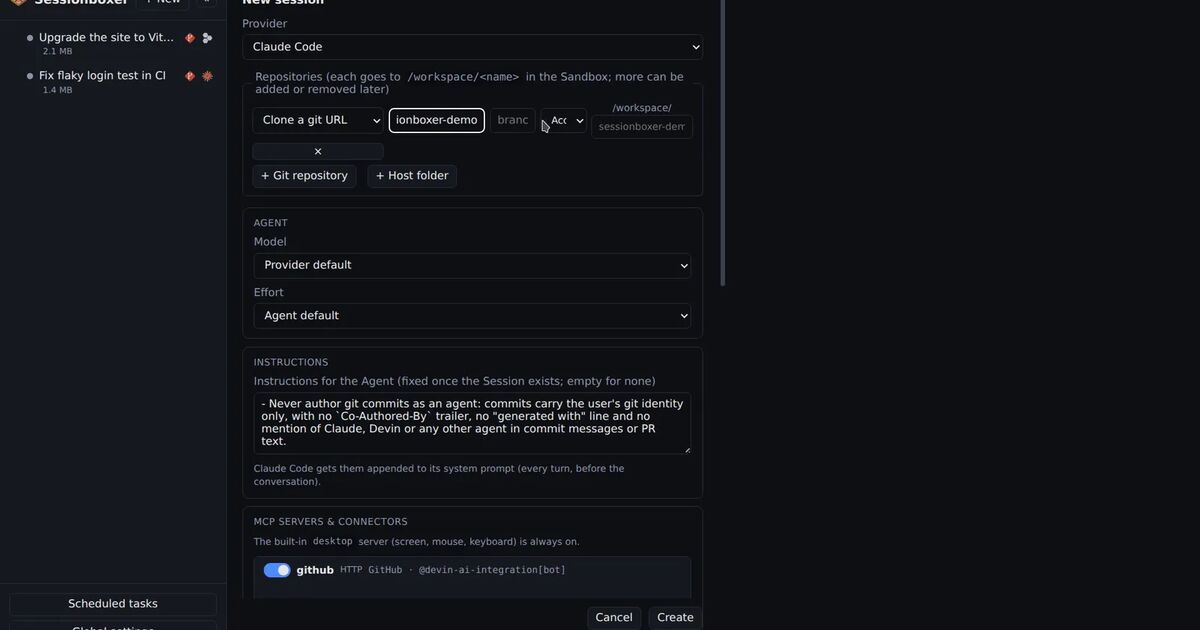
Sessionboxer gives each session its own Docker container, or a Windows or macOS VM on a Linux host with KVM. The code is cloned into the box, the agent runs there, and the container is the safety boundary. Inside it the agent runs without permission prompts, because a bad command can only damage the box. Delete the session and the container, its files and its snapshots go with it.
| T3 Code | Sessionboxer | |
|---|---|---|
| Where the agent runs | Your computer, a server or a VPS, as your user | A Docker container per session, or a Windows/macOS VM |
| Default permissions | Full access, on that machine | All permissions, inside the box |
| What a bad command can reach | Everything your user can reach on that machine | The box and the credentials you put in it |
| Your toolchain | Already there | Installed in the box (by you or the agent) |
| Needs Docker | No | Yes |
What you gain by running on your own machine
The agent sees the machine you already set up. Your SDKs, your simulators and your git logins are all there, so there is nothing to install twice. T3 Code also has things that Sessionboxer does not:
- Native iOS and Android apps, and T3 Connect, which links up to three machines for free and can balance new threads across them. Sessionboxer's phone client is the web UI installed as an app, with Web Push notifications. Its guide describes nothing like T3's load balancing.
- A Device panel with a live iOS Simulator or Android Emulator that the agent can drive through
device_*tools. - Source control integrations for GitHub, GitLab, Forgejo, Gitea, Bitbucket, Azure DevOps and GitCafe. Sessionboxer follows pull requests on GitHub and Bitbucket Data Center.
- Webhook automations that start a task when another service calls a URL, with filters and dedupe keys.
It is also lighter. There is no image to build and no container per thread. On a laptop where you want one or two agents on code you trust, that matters.
What a box per session buys you
The trade-off shows up when the agent runs without prompts on code you did not write, or when several agents work at once.
A stranger's repository can carry an install script, a hook or a config file that runs code. On your own machine that code runs as you. In a box it runs in the box. Agents that install packages, start a Postgres or switch Node versions do it in their own container, so your machine keeps its setup. Three sessions on the same repository cannot see each other's files. Our post on running several coding agents in parallel goes through what worktrees alone leave shared: processes, ports, installed packages and the database.
The box also gives the agent things a worktree cannot:
- A real Linux desktop with Firefox that the agent drives with mouse and keyboard, and that you watch live and take over. T3 Code gives agents headless Chrome tabs that you can watch and control, which covers web pages; we found nothing in its docs about agents driving other desktop apps.
- Snapshots of the whole machine: files, installed packages, browser state and the agent's memory. You can fork a snapshot into a new session, or hand it to a different agent.
- Docker inside the box, and a USB device such as an Android phone connected to one session.
Going back works differently too. T3 Code's Edit from here rewinds the conversation, and "Revert files too" puts the workspace back to its checkpoint, but only for threads in a worktree. Sessionboxer's Revert to here keeps the old path as a branch of the conversation. Branches share the box, so files are not rolled back. For that you take a snapshot and fork.
What Sessionboxer asks of you
The box has a cost. You need Docker Engine on Linux, or OrbStack or Docker Desktop on macOS. Each session is a container with a desktop, so it uses more memory and disk than a worktree; you set CPU and memory limits per box. The tools you have on your laptop are not in the box until someone installs them. Windows and macOS sessions need a Linux host with KVM, so they do not run on a Mac with Docker Desktop.
Sessionboxer has no native mobile app and no iOS Simulator panel. If your work is an iOS app on a Mac, T3 Code's Device panel fits that better than anything we have.
Which one to pick
Pick T3 Code if the agents work on your own code, you like approving with Supervised or Auto, and you want the native phone app and several machines in one list. If you want Full access with T3 Code, consider giving it a machine of its own. Its docs say agents run "wherever T3 Code runs: your desktop, a server, a VPS", and a throwaway VPS limits what a bad command can reach.
Pick Sessionboxer if the agents run without prompts, open repositories you did not write, need a desktop to test what they built, or run several at once on the same project. The Start a session chapter walks through the first session, and Remote access covers the phone.
If you are still choosing between sandboxes more than between control surfaces, our comparison of Claude Code in a dev container and Docker Sandboxes covers where your files, login and network end up in each.