
You clone a public project to see if it fits your needs. You open it in Claude Code Desktop and ask Claude to look at the test coverage report. Claude reads the file, the preview pane shows it, and that is the whole attack. Until a fix in August, that report could read your SSH private key, your cloud credentials and Claude's own login token, and send them to someone else's server.
On October 14, Noma Labs published the details of this flaw, which they call SneakPeek. A day earlier, Anthropic published a separate advisory for Claude Desktop on Windows. Both start the same way: you open a repository someone else wrote. Below is what each one did, what to check today, and how to keep strangers' code away from your keys.
What SneakPeek did
When Claude reads or edits an HTML file, Claude Code Desktop shows it in a preview pane. The app is built on Electron, so that pane is a Chromium page. Anthropic had three defenses around it, according to Noma: a Content Security Policy with script-src 'none' so no JavaScript runs, loading the file as a data: URL so it has no origin and cannot read local files, and a request filter on the dev server proxy that catches requests from the page.
Noma found a gap in each one:
- Files under 256 KB were loaded as
data:URLs with the CSP. Files over 256 KB were written to a temp file and loaded as afile://URL, and that path had no CSP. So scripts ran. - A page loaded from
file://in Chromium canfetch()other local files. - The request filter was active when the preview showed a running dev server, and inactive when it showed a static file from disk, such as a coverage report.
Put together, a coverage report padded past 256 KB could read any file your user can read. The script then sent the contents out with navigator.sendBeacon(). Noma lists API keys, SSH private keys, cloud credentials, Claude's OAuth tokens and your real IP address, found through WebRTC. A coverage report of 500 KB looks normal, since these reports bundle CSS and source maps.
You did not have to approve anything. Asking Claude to look at the report was enough. Anthropic scored it CVSS 8.7 (High), according to Noma.
The first fix was not enough
Noma's timeline: reported on July 4, triaged on July 9, patched on July 24. The patch blocked fetch() and XMLHttpRequest calls to file:// from the page. The same day, Noma got around it by moving the fetch() into a Web Worker created from a blob: URL, which the filter did not cover. Anthropic confirmed the bypass on August 3 and shipped a complete fix on August 17, in Claude Desktop 1.30096.1 and later, through auto-update. Noma says the GitHub advisory and CVE are still pending.
The second advisory: a git.exe in the project folder
The October 13 advisory is a different bug with the same entry point. Claude Desktop on Windows started git.exe without an absolute path, so Windows looked in the current folder before the system folders. A git.exe placed in a repository ran as soon as you opened that folder in Claude Desktop. Anthropic rates it 7.5 (High). Versions before 1.8089.0 are affected. The advisory says auto-update users already have the fix, and people who update by hand should update. Researchers from S2W reported it.
What to do today
Check that Claude Desktop is up to date. If auto-update is on, you have both fixes; if you update by hand, install the latest version. Both advisories put the fixed versions in Claude Desktop, so updating the claude command line tool alone does not cover them.
Then think about where you open code you did not write. Both bugs had the same shape. A file from the repository did something on your computer, with your user's permissions, because a tool opened it for you. The preview pane rendered HTML on its own. Windows ran the first git.exe it found. Neither waited for a command you typed.
What limits the damage is distance: no SSH keys, cloud credentials or personal tokens on the machine where the repository is opened. Some ways to get it:
- A separate user account or a VM for trying out unknown projects.
- A dev container or a plain Docker container that does not mount your home directory, with the repository cloned inside it.
- Short-lived tokens with narrow scopes, so whatever does leak expires soon.
Our post on keeping secrets away from a coding agent goes through the usual leaks one by one: .env files, ~/.aws, ~/.ssh, shell history.
Where Sessionboxer fits
We make Sessionboxer, so read this section as the maker's description. Sessionboxer does not change Claude Code Desktop. If you use Claude Desktop, update it.
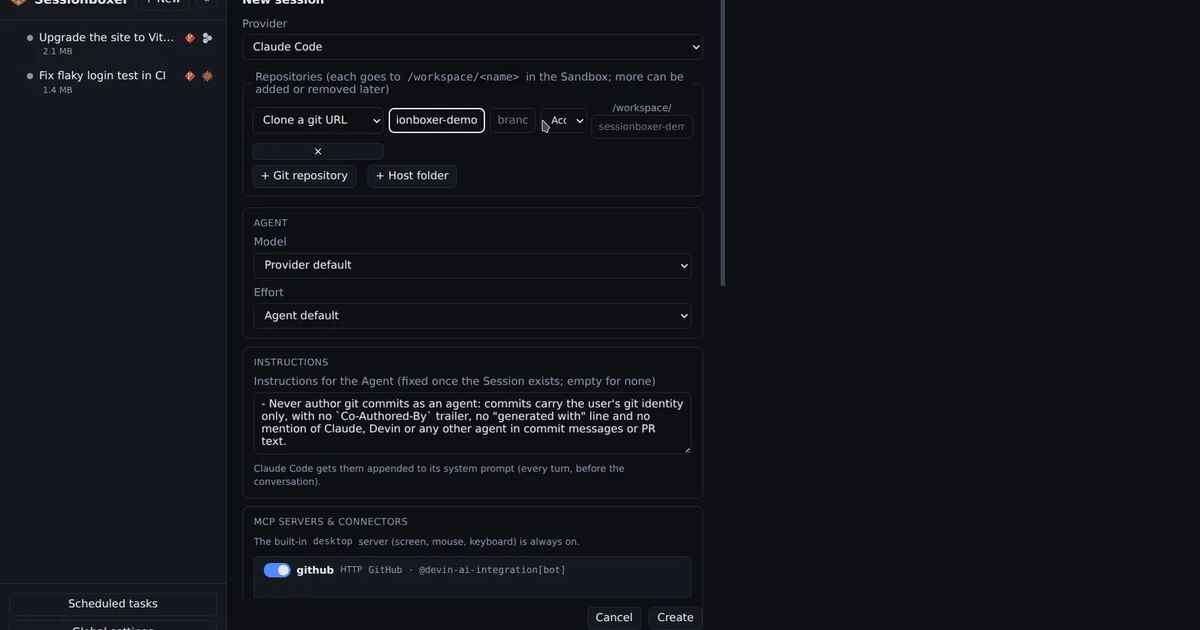
What Sessionboxer does is put the agent and the cloned repository in a Docker container of their own, one per session, on a private Docker network with no published ports. The agent's tools, its file reads and any script in the repository run there, and what they can read is the box's files, not your home directory.
The box also keeps the most useful secrets out:
- It has no SSH keys. GitHub SSH URLs such as
git@github.com:…are cloned over HTTPS instead. - The GitHub login for a session lives on tmpfs in the box while that GitHub entry is on for the session. Switch it off and it is gone, and snapshots never carry it.
- Passwords and tokens for the systems the agent may reach, which Sessionboxer calls Utilities, are also on tmpfs, never in the workspace, and removed when you switch the Utility off.
Here is what the box does not protect. The agent's own login is in the box, because the agent needs it to work; Settings hands each token only to the containers of sessions that use that agent. A malicious file running in the box could read that token, the repository, and any GitHub token you turned on for the session. The box can reach the network, and MCP servers running on your machine are reachable from it through host.docker.internal. Inside the box the agent also runs with all permissions, so an install script it runs is not stopped by a prompt.
Sessionboxer also shows HTML. A self-contained .html file the agent names in a reply runs as an app in the chat, next to the videos and documents it produces. The guide says it runs in a sandbox of its own, with no origin, no cookies and no network beyond an allowlist of CDNs, so it can read neither your Sessionboxer nor anything else on the web. Files up to 2 MB start on sight; larger ones wait until you click Run. That is the same kind of browser sandbox SneakPeek got around in another app, so we would not ask you to rely on it alone. The file it shows comes from the box, and the agent that wrote it ran in the box.
If you also run plugins or Claude Code mods from strangers, the same question of where they run applies.