
You have a nightly job that runs claude -p against Amazon Bedrock or Google Cloud's Agent Platform. Last week it edited files, ran the tests and pushed a branch. This week it reads a few files and stops short. Nobody touched the script.
The cause may be one line in the Claude Code changelog. Version 2.1.302, published on October 16, changed the permission mode that some scripted runs start in. The same release turned on forked subagents in claude -p and the Agent SDK. Both changes only matter if you run Claude Code from scripts, CI or your own program, and both have a one-line fix.
What 2.1.302 changed
The Claude Code changelog has these two entries under 2.1.302:
Changed
claude -pand Agent SDK sessions with no permission mode to start indefaultmode on third-party providers, with telemetry off or on a fresh install;--permission-mode autokeeps auto
Changed fork subagents (
subagent_type: "fork") to be on by default inclaude -p, the Agent SDK, the desktop app and VS Code, as they already are in the terminal;CLAUDE_CODE_FORK_SUBAGENT=0turns them off, andclaude mcp servenever offers them
Version 2.1.303 followed on October 18 with "bug fixes and reliability improvements" and nothing else, so it does not undo either change.
Which runs now start in Manual mode
default is the config name of Manual mode, the one that asks before acting. The permission modes page says that in Manual mode only reads run without asking. Edits, shell commands and network calls need an approval.
The same page explains how a session picks its starting mode. A --permission-mode flag wins. Then comes permissions.defaultMode in a settings file. Then a built-in default, which depends on how you run Claude Code. For claude -p and the Agent SDK, the built-in default was already default in sessions that fetch feature flags. Sessions that do not fetch them, such as those on a third-party provider or with telemetry off, started in auto from version 2.1.285 on.
That second group is what 2.1.302 moved back to default. If your script names no mode and runs on Amazon Bedrock, Google Cloud's Agent Platform or Microsoft Foundry, or with telemetry off, it now starts in Manual. The changelog says the same for a fresh install. A claude -p run has nobody at the keyboard to approve anything. In the Agent SDK, the permissions docs say a call that no rule or mode settles goes to your canUseTool callback. A program that relied on auto mode may never have written one.
When we read the permission modes page on October 19, its table still described the 2.1.285 behaviour. Go by the changelog until the page catches up.
Name the mode in the script
The fix is to stop relying on the built-in default. Pick the mode that fits the job and write it down:
# Hands-off, with the classifier reviewing each action
claude -p "fix the failing test in auth.py" --permission-mode auto

# CI with an exact allowlist; anything else is denied
claude -p "run the test suite" --permission-mode dontAsk --allowedTools "Bash(npm test)" "Read"

# Fully unattended, only inside a container or VM, as a non-root user
claude -p "upgrade the dependencies" --dangerously-skip-permissions
All three come from the "common setups" table on the permission modes page. The changelog line itself says --permission-mode auto keeps auto. The same page lists two conditions for auto: it needs a supported model, and your organization can turn it off. If either applies, the session starts in Manual anyway.
You can also set permissions.defaultMode in a settings file, with one catch from the same page. A value of "auto" or "bypassPermissions" in a project's .claude/settings.json or .claude/settings.local.json does not take effect. Put those values in ~/.claude/settings.json on the machine that runs the job, or pass the flag.
While you are editing the script, the headless docs recommend --bare for scripted and SDK calls. It skips the hooks, plugins, MCP servers and CLAUDE.md that happen to be on the machine, so the job behaves the same on every runner. The docs say it will become the default for -p in a future release.
Forked subagents in your scripts
A normal subagent starts with a fresh context. A fork starts with a copy of yours. The Week 33 digest put it this way when forks became the default in interactive sessions in version 2.1.232: the fork subagent "inherits the full conversation and prompt cache instead of starting fresh, so you don't have to re-explain the context for a side task."
That has been true in interactive sessions since August. With 2.1.302 it is also true in claude -p, the Agent SDK, the desktop app and VS Code. Three things follow for a scripted run.
First, a fork knows everything the parent knows, including the parts you would rather it did not act on. If your prompt said "do not touch the migrations folder", the fork read that too. That is usually good.
Second, more requests. The subagents docs say each subagent sends its own requests, and they count toward the same usage limits as the main conversation. A fork starts with the parent's whole context, so a long session that forks several times sends more than it did before forks were on.
Third, a longer run. The Agent SDK subagents page says subagents run in the background by default. The headless docs say a claude -p run stays open until background subagents finish, because their result is part of the output. A job with a tight timeout may need a longer one.
If you measured your job's cost and duration before and want them back, set CLAUDE_CODE_FORK_SUBAGENT=0 in the job's environment. Claude Code then spawns regular subagents again.
For a longer look at subagents, agent teams and separate sessions, see Claude Code subagents vs agent teams vs separate sessions.
Where Sessionboxer fits
We make Sessionboxer, so read this part with that in mind.
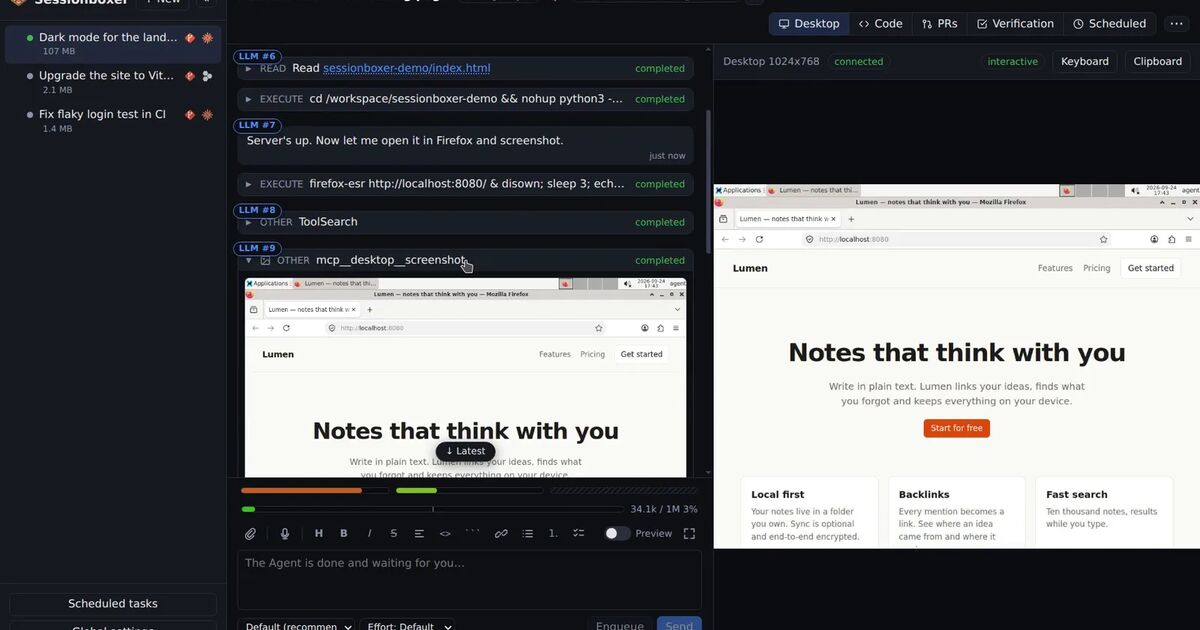
Sessionboxer runs Claude Code inside each session's own Docker container, through claude-agent-acp, the ACP adapter for the Claude Agent SDK. The container is the boundary, so the agent runs without permission prompts. The sandbox image ships ~/.claude/settings.json with permissions.defaultMode set to bypassPermissions, and the Sandbox Daemon picks the adapter's bypass mode when a session starts. A box never relies on the built-in default, so the starting-mode change does not change what it does. The same holds for scheduled tasks: an automation prompts a session that lives in a box of its own, and it runs to the end.
The image pins its Claude Code and adapter versions. A change like 2.1.302 reaches a box when an image ships it, not on the day Anthropic publishes it. That is slower, and it also means a release does not change your agent's behaviour overnight.
Two limits are worth saying plainly. Sessionboxer does not set CLAUDE_CODE_FORK_SUBAGENT for you, so once a box has a version with forks on, Claude can spawn them like anywhere else. And a forked subagent is a different thing from a Sessionboxer fork. A Sessionboxer fork copies the whole machine from a snapshot into a new session; a fork subagent copies a conversation inside one session.
If you run claude -p with --dangerously-skip-permissions on your own runner instead, How to run Claude Code with --dangerously-skip-permissions, safely covers what to put around it.
A short checklist for scripted runs
- Search your scripts and CI files for
claude -pand Agent SDK calls that do not pass a permission mode. - Add
--permission-modewith the mode you want, or setpermissions.defaultModein~/.claude/settings.jsonon the runner. - Use
dontAskwith--allowedToolswhen the job should do only a few known things. - Keep
--dangerously-skip-permissionsfor containers and VMs, run as a non-root user. - Compare the job's duration and token use with last week's. If forks made it slower or more expensive than you want, set
CLAUDE_CODE_FORK_SUBAGENT=0. - Pin the Claude Code version your jobs use, and read the changelog before you move the pin.