
On your company laptop, Claude Code works fine in the terminal. Then you move it into a Docker container so it can run without permission prompts, and the first npx call for an MCP server fails with self signed certificate in certificate chain. npm install fails the same way. git clone says SSL certificate problem. Nothing in the container can reach the internet over HTTPS.
The cause is almost always the same. Your company runs a proxy that inspects HTTPS, such as Zscaler or Cloudflare WARP (now called the Cloudflare One Client), and the container does not trust it. This post explains what is going on, how to fix it for each tool, and why the fix that shows up first in search results is the one to avoid.
Why it works on the laptop and not in the box
A TLS-inspecting proxy sits between you and every HTTPS site. It opens the connection, reads the traffic, and hands your program a certificate it signed itself with the company's root CA. That only works if your program trusts that root. IT installs it in your operating system's certificate store, so your browser and most of your tools are happy.
A container has its own store. A Debian-based image ships Debian's list of public CAs and nothing else, so the company root is missing. Docker's guide to using Docker with Zscaler puts it plainly: Zscaler "replaces the remote server's certificate with its own. However, Docker doesn't trust this Zscaler certificate by default, leading to SSL errors."
Some programs do not read the system store even on your laptop. Node uses its own bundled list unless told otherwise, and Python's requests uses its own bundle unless REQUESTS_CA_BUNDLE points somewhere else. Cloudflare's docs on installing the certificate manually list the applications that need their own setup and say that the client "only installs the Cloudflare certificate to the operating system certificate store." A coding agent runs a lot of these programs: the agent itself, MCP servers started with npx or uvx, package managers and git.
The fix to avoid
Search for the error and you will find NODE_TLS_REJECT_UNAUTHORIZED=0, curl -k, git config http.sslVerify false and verify=False. They make the error go away by turning off certificate checks completely.
For a coding agent that is a bad trade. The agent sends your GitHub token, your model login and your source code over those connections. With verification off, it will talk to anything that answers, including a machine that is not your company's proxy. It also hides the setting from you: an agent that hits the error may add one of these flags itself to get unstuck, so check its diffs and shell history for them. The real fix is to give each tool the company root and keep verification on.
Fixing it tool by tool
First get the root certificate as a PEM file. For Zscaler, it is usually labelled "Zscaler Root CA" in your system store, and the Docker guide shows where to export it. For Cloudflare, the client places it on Debian and Ubuntu in /usr/local/share/ca-certificates, named managed-warp.pem. Then point each tool at it:
| Tool | What it trusts by default | How to add the company root |
|---|---|---|
| Claude Code | Its bundled Mozilla list and the OS store (native installer, or Node 22.15 and later) | NODE_EXTRA_CA_CERTS=/path/to/ca.pem |
| Codex CLI | Its default roots | CODEX_CA_CERTIFICATE=/path/to/ca.pem, or SSL_CERT_FILE as a fallback |
Node tools, MCP servers via npx |
Node's bundled list | NODE_EXTRA_CA_CERTS, read once when the process starts |
Python requests |
Its own bundle | REQUESTS_CA_BUNDLE=/path/to/bundle.pem |
| git, curl, apt in a Debian image | The system store | Copy the PEM to /usr/local/share/ca-certificates/ and run update-ca-certificates |
The sources for each row: Claude Code's enterprise network configuration page, Codex's environment variables page, the Node.js CLI docs and the Requests docs.
Two details from those pages save time. Claude Code says TLS-inspection proxies "work without additional configuration when their root certificate is installed in the OS trust store and the runtime can read it", so on the laptop an upgrade can be enough. And Node reads NODE_EXTRA_CA_CERTS only at launch, so setting it inside a running agent does nothing for that agent. Restart it.
Inside a container
In a container you need both halves: the root in the system store for git, curl and apt, and the environment variables for Node and Python. The Docker guide installs the certificate when the image is built. For a Debian-based image:
COPY company-root-ca.crt /usr/local/share/ca-certificates/company-root-ca.crt
RUN update-ca-certificates
ENV NODE_EXTRA_CA_CERTS=/usr/local/share/ca-certificates/company-root-ca.crt \
    SSL_CERT_FILE=/etc/ssl/certs/ca-certificates.crt \
    REQUESTS_CA_BUNDLE=/etc/ssl/certs/ca-certificates.crt
The COPY has to come before any step that downloads something, or the build fails the same way. SSL_CERT_FILE and REQUESTS_CA_BUNDLE point at the full system bundle, which now includes the company root, so public sites keep working.
This works, but it ties the image to one company's certificate. When IT rotates the root, or a colleague behind a different proxy uses the same image, it breaks again.
How Sessionboxer handles it
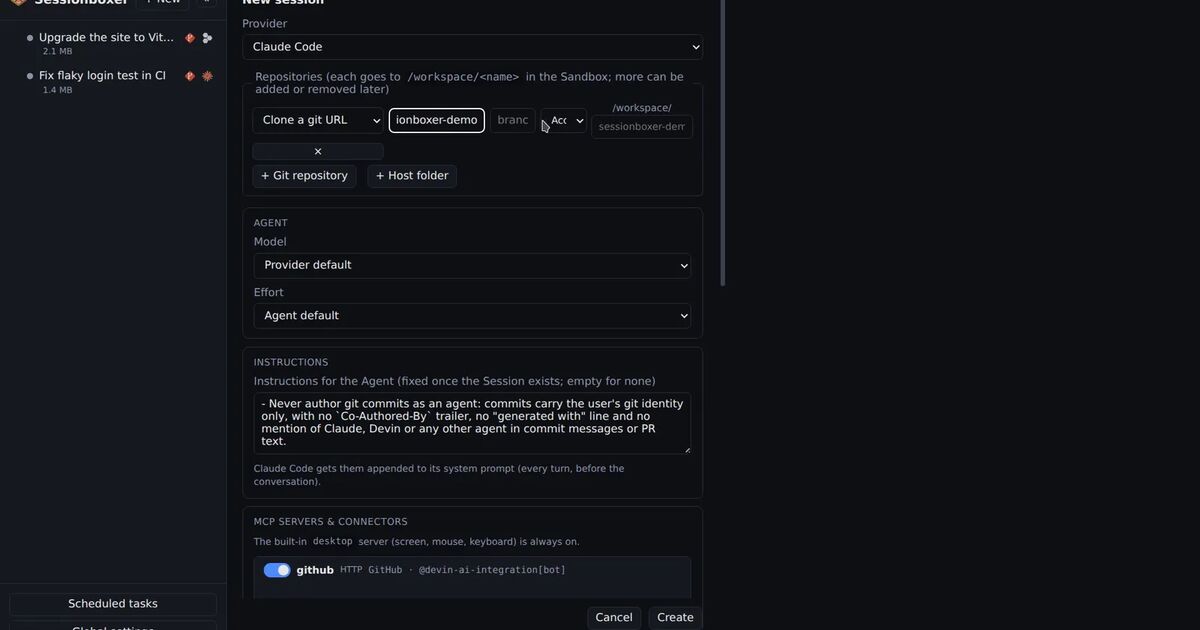
We build Sessionboxer, so this part is about our own product. Each session is an agent in its own Docker container, and we hit this error ourselves: a user behind Cloudflare WARP could not reach GitHub's MCP server from inside a box.
Sessionboxer works behind a corporate proxy without a custom image. When a box starts, the Control Plane looks at the certificates your machine trusts and keeps the ones that are not in Node's public list. On a plain machine that set is empty. Behind WARP or Zscaler it is the proxy's root. It copies those into the box, runs update-ca-certificates, and sets NODE_EXTRA_CA_CERTS, SSL_CERT_FILE and REQUESTS_CA_BUNDLE for the agent and the terminals. The agent, the MCP servers you register, npx, uvx, git and curl then trust the proxy the way your own shell does.
Global settings → Environment → TLS certificates lists what was found. You can switch the copy off there, or paste extra PEM certificates for a CA your machine does not have. Changes apply when a box starts, so Stop and Resume a running session. npm run build:image hands the same certificates to docker build, so the downloads during the image build pass too, and it prints which ones it used. The corporate proxy chapter of the guide has the details.
If your company sends Claude traffic through its own gateway, set the Claude API base URL in Global settings, with a proxy token or key if the gateway asks for one. With Inspect LLM on, the recorder in the box sits before your gateway, so you see what Claude Code sent before the gateway changed anything.
What Sessionboxer does not do
It does not set HTTPS_PROXY in the box. The box goes out through your machine's network, which is enough for transparent setups like WARP. If your company needs an explicit proxy address in every program, we have not tested that case.
It cannot find a certificate your machine does not trust. If the list in Settings is empty but the error persists, export the root from your browser or ask IT for it, and paste it in.
It does not get around policy. If the proxy blocks the model API or GitHub, the box is blocked too. A program that ships its own fixed CA list and ignores these variables will still fail, and that has to be fixed in that program.
A short checklist
- Read the error.
self signed certificate in certificate chain,unable to get local issuer certificateandCERTIFICATE_VERIFY_FAILEDall point at a missing root, not at a broken site. - Get the company root as a PEM file. Do not turn off verification instead.
- On the laptop, update Claude Code or set
NODE_EXTRA_CA_CERTS. For Codex, setCODEX_CA_CERTIFICATE. - In a container, install the root in the system store and set the three variables, before the first download.
- Search the agent's changes for
NODE_TLS_REJECT_UNAUTHORIZED,-kandsslVerify false, and remove them.
If the agent needs Docker inside its box as well, our post on Docker in Docker for coding agents compares the options. The troubleshooting chapter lists the certificate errors you can meet in Sessionboxer and what to do about each.