
You have an MCP server running on your laptop, maybe one you wrote, maybe a company tool that wraps an internal API. Its README says to add http://localhost:3000/mcp, and from a coding agent on your laptop it works. Then you move the agent into a Docker container, so it cannot touch your home directory, and the server is gone. Claude Code lists it as failed. A curl from inside the container says connection refused.
Nothing is wrong with the server. The agent is asking the wrong machine. Below: why, the two changes that fix it, the OAuth sign-in problem, and how Sessionboxer handles it. We make Sessionboxer, so that last part is about our own product, including what it does not do.
Inside a container, localhost is the container
A container has its own network stack and its own loopback interface. When the agent connects to localhost:3000, the request never leaves the container. Your server listens on your machine's loopback, so nothing answers.
Two things have to be true for the request to arrive:
- The container needs an address or a name for your machine.
- The server has to listen on an address that traffic from the container can reach.
The first is easy to find. On Linux, the second is the one that bites.
Give the container a name for your machine
Docker Desktop does this for you. Its networking how-tos say that the host's IP address changes, and that containers should use the special name host.docker.internal, which resolves to it.
Docker Engine on Linux does not add that name by default. You add it yourself. The docker run reference says --add-host accepts a special host-gateway value that resolves to the host's internal IP, and that it is conventional to call it host.docker.internal:
docker run --add-host=host.docker.internal:host-gateway ...
In Docker Compose, the same thing goes under the service:
extra_hosts:
  - "host.docker.internal:host-gateway"
Then change the URL in the agent's MCP config from http://localhost:3000/mcp to http://host.docker.internal:3000/mcp. For Claude Code that is one command, from the MCP docs:
claude mcp add --transport http mytool http://host.docker.internal:3000/mcp
In a project's .mcp.json, edit the url. Keep "type": "http" on the entry: the same page says Claude Code reads an entry with a url and no type as a stdio server and skips it.
Make the server listen where the container can reach it
This is the step people miss. The MCP specification's transport security warning says a server running locally should bind only to 127.0.0.1 rather than to all interfaces, and should check the Origin header, so that a web page cannot reach it through DNS rebinding. Many servers follow it, and on a laptop it is good advice.
On Linux it also means the container cannot connect. host-gateway resolves to the bridge address on your machine, 172.17.0.1 by default, and a server bound to 127.0.0.1 does not accept connections on that address. We checked on Docker Engine 29.7: from a container started with the flag above, a server bound to 127.0.0.1 gave no answer, and the same server bound to 0.0.0.0 returned 200.
You have three ways out:
- Bind to the bridge address. Start the server on
172.17.0.1(check yours withip addr show docker0). Containers can reach it, and other machines on your network cannot. In our test this worked from the default bridge and from a user-defined network. If the server also has to answer onlocalhostfor agents on your laptop, it needs to listen on both. - Bind to
0.0.0.0. This also opens the server to everyone on your Wi-Fi. Only do it with a firewall rule in front of the port and authentication on the server. - Run the server in a container too. Put it and the agent on the same user-defined network and use the container name in the URL. Docker's bridge network docs say user-defined bridges resolve containers by name; the default bridge does not.
Before you touch the agent's config, test from inside its container:
curl -i http://host.docker.internal:3000/mcp
Any HTTP response, even a 400, means the network is fine and the problem is in the config. "Connection refused" or a timeout means the server's binding or a firewall.
We did not test Docker Desktop, where containers run inside a VM. Run the same curl there.
Stdio servers move into the container with the agent
Many MCP servers are commands, like npx -y some-mcp-server or uvx mcp-server-fetch, that the agent starts and talks to over stdin and stdout. The Claude Code docs call them local processes on your machine. For an agent in a container, that machine is the container.
So the container needs whatever the command needs: Node for npx, uv for uvx, Docker for servers shipped as images. And the server sees the container's files, not yours. A filesystem server pointed at ~/Documents finds the container's empty home directory. That is usually the point, but it surprises people who copied a config from their laptop.
Environment variables with tokens go into the container too. Our post on keeping secrets away from your coding agent covers what the agent can then read.
OAuth sign-in and the localhost callback
Remote MCP servers that use OAuth have a second localhost problem. Claude Code signs in by opening a browser and waiting for a redirect to http://localhost:PORT/callback. The docs say it picks a random port unless you pass --callback-port. With the agent in a container, the browser on your machine redirects to your machine's localhost, where nothing is listening, and the page fails to load.
The Claude Code docs have a fallback for this: if the redirect fails with a connection error, copy the full callback URL from the browser's address bar and paste it into the prompt Claude Code shows. claude mcp login <name> does the same from a shell, and --no-browser makes it print the URL and wait for the paste. That works from a docker exec -it terminal, and the token ends up inside the container.
How Sessionboxer handles it
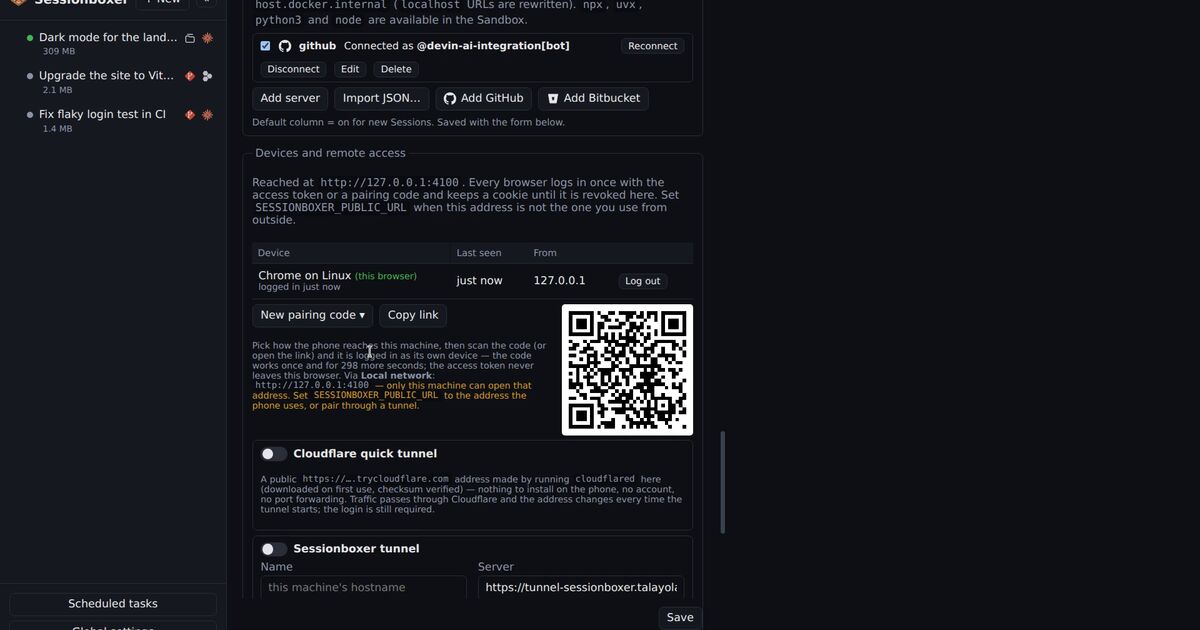
Sessionboxer runs each session in its own Docker container, so it had to solve all of the above. You register MCP servers once in Global settings, either as a command to run inside the box or as the URL of an HTTP or SSE server, and pick per session which ones are on. Import JSON… takes the {"mcpServers": {...}} block most servers publish for Claude Desktop or Cursor. When a session starts, the Control Plane rewrites localhost, 127.0.0.1, ::1 and 0.0.0.0 in those URLs to host.docker.internal, and every box is created with host.docker.internal:host-gateway. So the URL from the README works as written, as long as the server listens where the box can reach it.
Command servers run inside the box, where node, npx, python3, uv/uvx and docker are installed. Values you mark secret, like tokens in environment variables or headers, are stored in ~/.sessionboxer/config.json, never shown again in the UI and never written into snapshots. You can switch a server on or off mid-conversation; if the agent is working, the change waits for the turn to end. The MCP servers chapter of the guide has the details.
For GitHub's MCP server, Connect GitHub in Settings runs the GitHub CLI's login on your machine (open a link, type a code), so there is no callback into the box. The GitHub login chapter explains it. Bitbucket Data Center takes a pasted token.
What Sessionboxer does not do
- It does not change what your server listens on. On Linux, a server bound only to
127.0.0.1is out of reach of the box too. Use one of the three options above. - Apart from GitHub and Bitbucket, it does not run a server's OAuth sign-in. A registered server gets the headers and environment variables you give it, which suits servers that accept a token.
- For Claude Code, the server definitions, secrets included, are passed on the
claudecommand line inside the box, so any process in the box can see them. The agent can use those tokens anyway. - In a Qwen Code session the agent does not see your MCP servers yet, because of an upstream bug.
If the agent should start the MCP server as a container itself, see Docker inside the box and our post on Docker in Docker for coding agents.
A short checklist
- From inside the agent's container, run
curl -i http://host.docker.internal:PORT/against your server. On Linux, add--add-host=host.docker.internal:host-gatewayfirst if the name does not resolve. - If the connection is refused, check what the server binds to (
ss -ltnpon Linux). Move it to the bridge address, or to0.0.0.0behind a firewall. - Change the agent's MCP URL to
host.docker.internal, and keep"type": "http"in JSON configs. - Install the runtimes your stdio servers need in the container image, and remember they see the container's files.
- For OAuth servers, use the paste-the-callback fallback, or a token in a header if the server accepts one.