
If you let a coding agent open pull requests, it probably uses gh. And gh has always signed in with a token that never expires. That token sits in a file or a keyring, the agent can read it, and if it ever lands in a log, a transcript or a commit, it works until someone notices and revokes it.
On October 21, GitHub announced a public preview that changes this. Starting with GitHub CLI v2.103.0, gh can sign in with an access token that expires within hours and refreshes itself. This post explains what the new login does, which agent setups it breaks, and how to set it up so nothing breaks.
What changed
You opt in when you log in:
gh auth login --expiring
Or you turn it on for every future login:
gh config set expiring_credentials enabled
From then on, gh stores two things: a short-lived access token and a refresh token. The GitHub CLI docs say the access token "expires within hours". When gh needs a fresh one, it trades the refresh token for a new access token. The refresh token rotates, so each trade also gives you a new refresh token.
gh auth status shows whether your login is refreshable and when the current access token expires. Both gh auth status and gh auth token refresh the token when needed.
A few limits from the same pages:
- It is opt-in. If you do nothing, your existing login keeps working as before.
- It works on github.com and ghe.com. GitHub Enterprise Server issues these tokens from GHES 3.23. On older servers,
ghfalls back to a normal token that does not expire. - GitHub plans to make expiring tokens the default for new logins in a future release. No date is given.
- Tokens you pass in
GH_TOKENorGITHUB_TOKENare never refreshed. The new behaviour only applies to logins thatghstores itself.
What it protects against
The case it covers is a token that leaks on its own. An agent runs gh auth token to debug something and the output ends up in the chat. A script echoes its environment into a CI log. A test fixture captures an Authorization header. With the old login, each of those is a live credential for as long as nobody revokes it. With an expiring login, the leaked access token stops working within hours.
That is a real improvement, because agents print things. They paste command output into their replies. They write debug lines into files. They summarise logs for you. A token that goes stale on its own makes all of that less dangerous.
It does not cover everything. The refresh token is stored next to the access token, and whoever holds the refresh token can keep getting new access tokens. The docs say gh keeps credentials in the operating system's keyring when one is available, and in a plain text configuration file otherwise. Most containers have no keyring, so in a container the refresh token is in a file. An agent that can read your home directory can read that file. If a prompt injection tells the agent to send the file somewhere, a short access token does not help you.
So treat --expiring as protection against accidents. It does not make it safe to give an agent your real home directory. Our older post on keeping secrets away from your coding agent covers that side.
What it breaks
GitHub is direct about this. Anything that reads the token once and keeps it will break when the token expires. In agent setups, three places do exactly that.
The first is MCP server configuration. A common way to add GitHub's MCP server to an agent is to paste a token into a header, often with something like Authorization: Bearer $(gh auth token). The shell runs gh auth token once, when you add the server, and the value is saved in the agent's config. With an expiring login, the MCP server works for a few hours and then every call fails with an authentication error.
The second is GH_TOKEN in a container. Many people start an agent container with -e GH_TOKEN=$(gh auth token). That copies one access token into the container. Since GH_TOKEN is never refreshed, the agent loses GitHub access partway through a long task. It might fail to push after an hour of work.
The third is scripts and gh extensions that run gh auth token and store the result in a variable or a file to use later.
The fix in each case is the same. Read the token fresh each time you need it, with gh auth token, and let gh refresh it. If a workflow really needs a token that stays valid for a long time, GitHub's advice is to not opt in for that workflow yet.
Set it up so git keeps working
If your agent pushes over HTTPS, git needs a credential too. Let gh serve it:
gh auth setup-git
This makes gh the git credential helper, so git asks gh for a token at each push and gets a fresh one. GitHub also recommends git 2.46 or newer. From that version, gh can mark the credential as expiring so a caching helper does not keep it past its lifetime. Older git still works, and gh prints a one-time note asking you to upgrade.
Check that you have both:
gh --version
git --version
gh auth status
Two boxes, one login
One more thing to watch. Because the refresh token rotates, a copy of the credential file is a copy of something that keeps changing. If you copy ~/.config/gh/hosts.yml from your laptop into an agent container, both now hold the same refresh token, and each refresh replaces it. GitHub's posts do not say what happens to the other copy. We have not tested it, so we would not rely on it. Give each machine or container its own login, or point it at a token that was made for that box.
Where Sessionboxer fits
In Sessionboxer, each session runs in its own box, and you connect GitHub once in Settings. The GitHub login chapter of the guide describes three ways to do it: the GitHub CLI's own login, the Sessionboxer OAuth App, or a personal access token. A fine-grained token is the one to pick when the agent should only reach a few repositories, and those tokens expire too. Reconnect takes a new one.
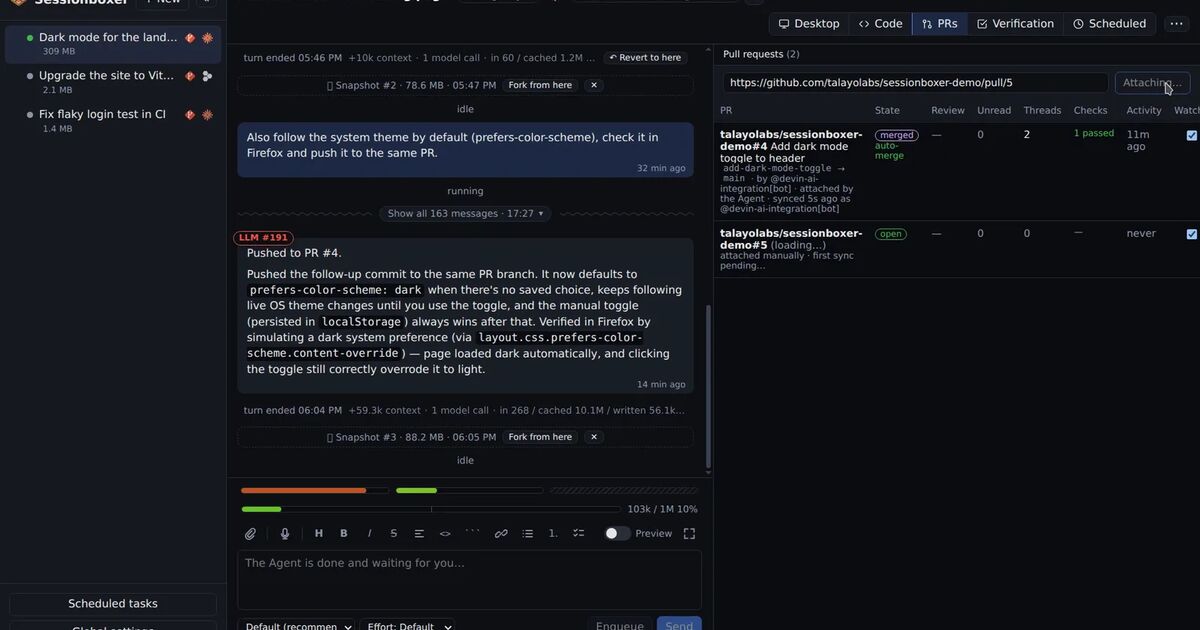
While the GitHub entry is enabled for a session, the box is logged in as that account, so gh pr create, git push and private clones work in the agent's shell. The login lives on tmpfs in the box. Switch the entry off for the session and it is gone. Snapshots and stopped boxes never carry it. The same entry gives the agent GitHub's MCP server, so you do not paste a token into the agent's config yourself. The pull requests the agent opens are watched with gh api inside the box, using that same login.
Sessionboxer does not make a token expire sooner, and it does not stop an agent from reading a credential that is in its own box. What it controls is where the token is and for how long. It is never in the Workspace or in a snapshot, and switching the entry off removes it from the box. If you already run one container per agent, the same idea works with --expiring. Log in inside the box, let gh be the credential helper, and do not pass a copied token in GH_TOKEN.
What to do this week
- Upgrade to
gh2.103.0 or newer on the machine where you rungh auth login. - Search your agent configs, MCP settings and container start scripts for
gh auth tokenandGH_TOKEN. Each hit that stores the value is something that will break. - Change those to read the token at the moment of use, or keep them on a normal token for now.
- Run
gh auth setup-gitand upgrade git to 2.46 or newer. - Opt in with
gh auth login --expiringand check the expiry time withgh auth status. - If you share one login across several boxes, give each one its own.
If you run more than one GitHub account across agents, our post on using several GitHub accounts with Claude Code covers how to keep them apart.