
Most coding agents ask before they run a command, and the usual advice is to turn the questions off only inside a sandbox. pi skips that step. Its README says it "does not include a built-in permission system for restricting filesystem, process, network, or credential access" and runs with the permissions of whoever started it. The security page adds that it "does not ask for approval before every tool call". So if you run pi on your laptop, every command the model writes runs as you, with your SSH keys and your home folder in reach.
The pi docs answer this themselves: put it in a container, a VM or a sandbox. This post shows how to do that with plain Docker, how to log in when there is no browser, how to pass keys, and what project trust does in a run nobody watches. The facts about pi come from its documentation read on November 21, 2026, and from running pi 1.6.0 in Docker that day. npm shows that version published on November 20. pi moves fast, so check pi --help in your own image.
The image
The containerization page has a Dockerfile. We used it with three changes: a pinned version, two environment variables, and the node user instead of root:
FROM node:24-bookworm-slim
RUN apt-get update \
  && apt-get install -y --no-install-recommends bash ca-certificates git ripgrep \
  && rm -rf /var/lib/apt/lists/*
RUN npm install -g --ignore-scripts @earendil-works/pi-coding-agent@1.6.0
RUN mkdir -p /home/node/.pi/agent /workspace \
  && chown -R node:node /home/node/.pi /workspace
ENV PI_SKIP_VERSION_CHECK=1 PI_TELEMETRY=0
USER node
WORKDIR /workspace
ENTRYPOINT ["pi"]
The official example runs as root, so files the agent creates in a mounted folder belong to root on a Linux host. The node user has UID 1000, which usually matches the first user on a Linux machine. PI_SKIP_VERSION_CHECK stops the request to pi.dev for the latest version, and PI_TELEMETRY=0 turns off install and update telemetry. Both are listed on the environment variables page.
Build it with docker build -t pi-box .. In our image, pi --version printed 1.6.0.
A login without a browser
A fresh container has no credentials. We ran pi -p "say hi" and got No API key found for the selected model with exit code 1, so a script will notice.
pi now has a login command outside its terminal UI: pi auth login <provider>, with --no-browser for machines that cannot open one. It still needs an interactive terminal, so run it once with -it and a named volume on pi's folder:
docker volume create pi-home
docker run --rm -it -v pi-home:/home/node/.pi/agent pi-box \
  auth login openai-codex --no-browser
For openai-codex it chose "Device code login (headless)": open a URL on any device and type the code it prints. For anthropic it chose "Copy code login (headless)": open the URL, sign in, and paste the code the page shows back into the container. The result goes to auth.json in the volume, with file mode 0600. Later runs with the same volume reuse it, and pi refreshes the OAuth tokens in that file as it works.
The docs are blunt about that volume. Mounting the agent folder "exposes your Pi credentials, settings, extensions, and sessions" to whatever runs inside. That is why we use a named volume and not your host's ~/.pi/agent. The container sees the login made for it, not your own.
To check a login from a script, pi auth check --provider anthropic prints ready, not_ready or invalid and exits with 0, 1 or 2.
Or an API key
The providers page lists one environment variable per provider: ANTHROPIC_API_KEY, OPENAI_API_KEY, GEMINI_API_KEY, OPENROUTER_API_KEY, COPILOT_GITHUB_TOKEN and many more. Pass the key when the container starts, never in the Dockerfile, where it would stay in an image layer:
docker run --rm \
  -e ANTHROPIC_API_KEY \
  -v pi-home:/home/node/.pi/agent \
  -v "$PWD:/workspace" \
  pi-box -p "Fix the failing test in tests/dates.test.ts"
-e ANTHROPIC_API_KEY with no value copies the key from your shell, so it is not in your command history. With a dummy key, the run reached Anthropic, printed the 401 invalid x-api-key error and exited with 1. If several sources are set, pi uses --api-key first, then auth.json, then models.json, then the environment, according to the models page. A stale auth.json in the volume wins over a fresh key in the environment.
Anything you pass in, the agent can read. It can run env like any other command. Use a key you can revoke, with a spend limit. There is more on that in keeping secrets away from your coding agent.
Project trust in a run nobody watches
pi has one guard that looks like a permission: project trust. If a repository has .pi/settings.json, .pi/mcp.json, .pi/extensions or a few similar files, pi asks before it loads them. Extensions are code that runs inside the pi process, so this matters for repositories you did not write.
In print, JSON and RPC modes there is no one to ask. The security page says what happens then. With the default defaultProjectTrust: "ask", or with "never", pi skips those files. With "always", it loads them. --approve trusts the project for one run and --no-approve ignores it. So a scripted run on a strange repository is safe from its .pi folder by default, and --approve is the flag to add only for your own code.
Two things trust does not cover. AGENTS.md and CLAUDE.md load anyway, unless you pass --no-context-files. And trust does not limit what tools can do once pi starts. A prompt injection in a README still reaches the model, and the model can still run bash. That is the container's job.
For a review that should not change anything, cut the tools down. pi --tools read,grep,find,ls -p "Review this project" gives the model no bash, edit or write.
What the container does and does not protect
The container stops the agent from reading your home folder, your SSH keys and other projects, as long as you do not mount them. It does not stop three things. Changes under /workspace write straight to your folder, so commit first or mount a copy. The network is open, so code or file contents can leave. And the keys you pass in are in reach. The same argument applies to Claude Code with --dangerously-skip-permissions: the box is the boundary only if you do not mount the Docker socket or your home folder into it.
The pi docs describe three other setups. Docker Sandboxes runs pi with sbx run --kit docker.io/sbx/pi-kit:latest pi and keeps the real provider key on the host, swapping a placeholder for it at a proxy. NVIDIA OpenShell adds network and credential policies. The Gondolin extension keeps pi on the host and sends only its built-in tools into a micro-VM, and the docs warn that commands there inherit the host's environment variables, keys included.
Where Sessionboxer fits
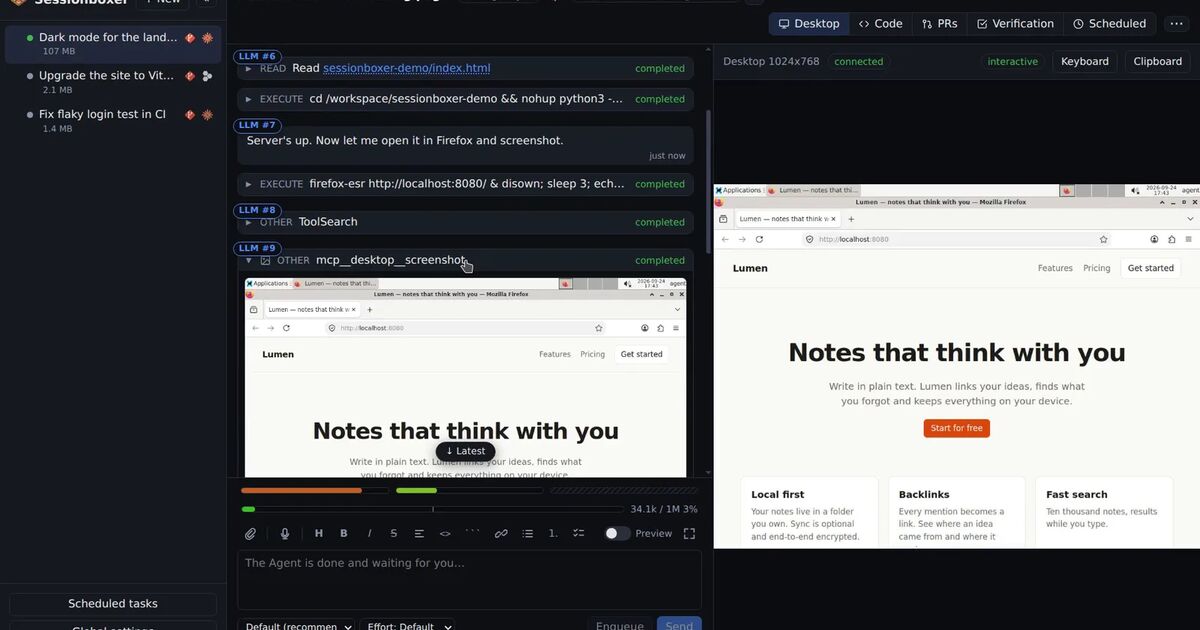
We build Sessionboxer, and pi is one of the agents it runs. Each session gets its own box, a Docker container with a desktop or a Windows or macOS VM, and pi runs there without prompts, which is what agents that don't ask means for every agent. There is no browser sign-in for pi in Sessionboxer. You paste or import the auth.json that pi's login wrote, or click "Use this machine's pi login" when the server runs where pi is logged in. You can also paste API keys as NAME=value lines, and they reach the pi process as its environment only. The login file sits on tmpfs in the box, so it is not in snapshots, and pi's sessions stay on the box's disk, so a session you stop and resume keeps its conversation. The Connect your agent chapter has the steps.
Two limits. Inside a Sessionboxer box, pi trusts every project (defaultProjectTrust: "always"), because the box is the boundary and RPC mode cannot answer the trust question. A repository's .pi extensions will load, and they run inside the box. And Sessionboxer cannot show usage bars for pi, because pi runs on whichever model account you give it and reports no quota, so check your provider's console.