
You turned on Claude Code's sandbox so you could stop clicking Allow. Until this week, that worked: a shell command that ran inside the sandbox ran without a prompt. You update to 2.1.325 and the prompts are back. A script that used to finish now reports refused commands, and a scheduled task sits waiting for you.
That is the release working as written. Claude Code 2.1.325, released on November 13, changed the default of one sandbox setting, and with it what the sandbox means for permissions. This post explains the change, which kinds of runs it stops, and how to choose between the new default and the old one.
What changed in 2.1.325
The Claude Code changelog lists it first under Changed:
Changed sandboxed Bash commands to follow the normal permission flow by default; set
sandbox.autoAllowBashIfSandboxed: trueto keep running them without prompts
The settings reference now gives the default of sandbox.autoAllowBashIfSandboxed as false, and says it was true before v2.1.324. The changelog does not say why it changed.
The sandboxing page calls the two values two modes. In both, the sandbox enforces the same limits on files and network. The difference is only who approves a sandboxed command:
| Mode | Setting | A sandboxed Bash command |
|---|---|---|
| Regular permissions (new default) | autoAllowBashIfSandboxed: false |
Goes through your allow rules and permission mode, like any other tool call |
| Auto-allow (old default) | autoAllowBashIfSandboxed: true |
Runs without a prompt, except in the cases the docs list |
Those exceptions apply even in auto-allow mode. A command a Bash deny rule matches is still blocked, an ask rule such as Bash(git push *) still prompts, and an rm aimed at a critical path still asks. Commands such as FOO=bar npm test, make CC=clang or eval "ls" also go through the normal flow, because the variable in front can change which program runs.
Two lines nearby in the same release belong to the same story. Managed settings that turn the sandbox on now need autoAllowBashIfSandboxed: true in the highest-ranking managed source to keep running commands without prompts. And read-only git commands in a repository that is not the project's, or one you trusted, now ask first. Name that repository with --add-dir, not the additionalDirectories setting, to let them run.
Which runs it stops
If you never turned the sandbox on, nothing changes for you. The sandbox is off by default, and this setting only matters when it is on.
With the sandbox on, the effect depends on how Claude Code runs.
In an interactive terminal session in Manual or acceptEdits mode, you see prompts again for shell commands that used to run quietly. At least you notice that one.
In claude -p and Agent SDK runs, there is nobody to see a prompt. The permission modes page says that since 2.1.302, runs with no permission mode set start in Manual mode, and "calls needing approval are denied unless you approve them with an allow rule, hook, canUseTool callback, or --permission-prompt-tool." A nightly script that leaned on the sandbox to approve its npm test now gets that command refused. The run may still end with exit code 0 and a polite summary of what it could not do. We covered that change in what 2.1.302 changed in claude -p.
In bypassPermissions mode, prompts are skipped anyway, so the new default has little to change there.
Scheduled work gets two more changes in this release. Scheduled tasks and /loop now ask before running a skill whose front matter declares allowed-tools or hooks; the changelog says to add Skill(name) to permissions.allow to run it unattended. And "Always allow" in Desktop, IDE and SDK hosts now offers a saved rule only when that rule would really allow the command again, "so a scheduled task that relied on one can now wait for you."
How to choose
Start by checking what you have:
claude --version
Then open /sandbox in a session. Its Mode tab shows which mode is in effect, and the Config tab shows the resolved settings.
If you want the old behaviour, say so in your settings file. In ~/.claude/settings.json it is two keys:
{
  "sandbox": {
    "enabled": true,
    "autoAllowBashIfSandboxed": true
  }
}
Before you do, read the warning on the same sandboxing page. It says not to rely on the sandbox's restrictions, protected paths and credential rules included, to stop a malicious command, because "in auto-allow mode, that command can run without a permission prompt." The page also lists what runs outside the sandbox no matter what: Read, Edit and Write, WebFetch, hooks, local MCP servers, your status line command and mods. Auto-allow trusts the boundary around shell commands, and only those.
If you would rather keep the new default, make the prompts rarer instead. Allow rules approve the commands your job really needs:
{
  "permissions": {
    "allow": ["Bash(npm test)", "Bash(npm run lint)", "Skill(nightly-report)"]
  }
}
For claude -p the same goes on the command line with --allowedTools. For a job that should do a few known things and nothing else, --permission-mode dontAsk with an allowlist refuses everything you did not list instead of waiting for someone.
For terminal sessions you leave running, permissions.denyInsteadOfPrompting from 2.1.319 refuses a call that would wait on a prompt and lets the turn go on. We wrote about it in denyInsteadOfPrompting: stop waiting on prompts. It pairs well with the new default: unknown commands are refused, and you read the refusals in the morning.
For a team, put the choice in managed settings. The sandboxing page notes that a repository's .claude/settings.json can set autoAllowBashIfSandboxed even while the sandbox is admin-required, so set the key in managed settings if you do not want a repository you clone to change it.
Where Sessionboxer fits
We build Sessionboxer, so read this part knowing that.
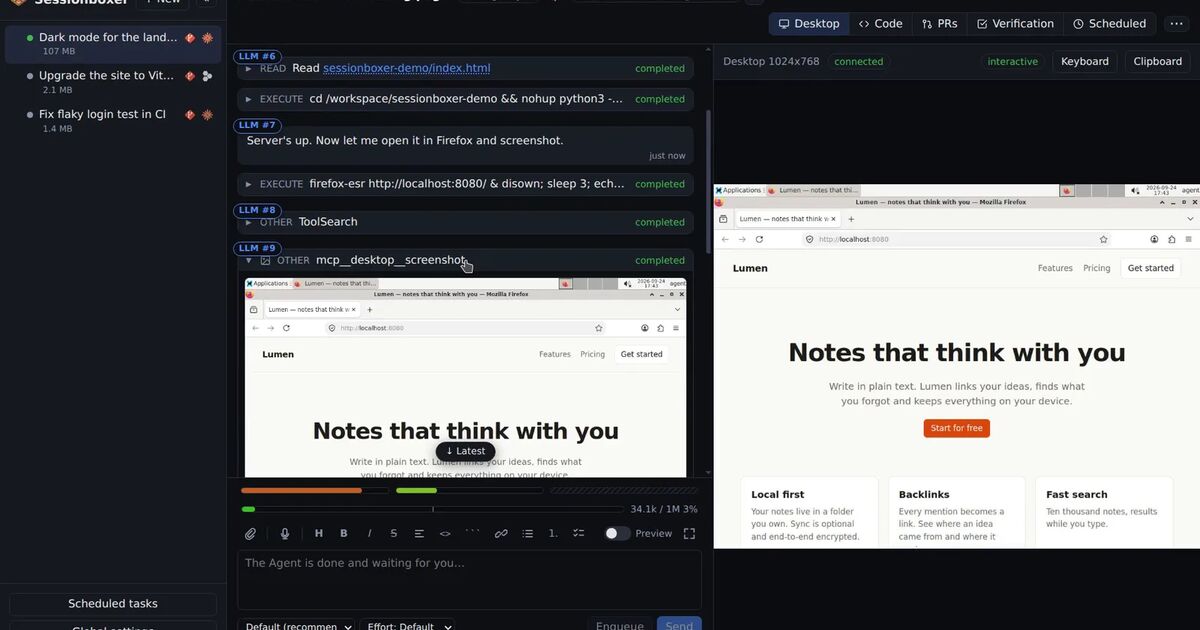
Sessionboxer runs each session's agent in its own Docker container, with its own copy of the code. Claude Code runs there through claude-agent-acp, and the image ships ~/.claude/settings.json with permissions.defaultMode set to bypassPermissions and no sandbox block. The container is the boundary, so Claude Code's own Bash sandbox is not turned on and its default does not change how commands run in a box. That is the design behind agents that run without permission prompts.
Automations in Sessionboxer are run by the Control Plane: it sends a prompt to a session on a schedule or when a pull request changes. They do not use Claude Code's /loop or its scheduled tasks, so the new skill check in those does not apply to them. The Automations chapter explains how a run starts, queues and stops.
Some limits. The Sandbox image pins its Claude Code version, and when we checked the repository today the pin was 2.1.272. A box gets 2.1.325, with its other fixes, only when a new image ships it. Sessionboxer does not offer a mode that refuses what you did not list, and its guide documents no list of allowed hosts for a box like the sandbox's network proxy. If you need either, use Claude Code's sandbox in regular permissions mode, or dontAsk with an allowlist, on a machine of your choice.
What to do today
- Run
claude --versionand/sandbox. If the sandbox is off, this change does not affect you. - If a
claude -pjob now reports refused Bash commands, add allow rules for the ones it needs, or setautoAllowBashIfSandboxed: trueknowing what the sandbox does not cover. - If a scheduled task or
/loopruns a skill withallowed-toolsor hooks, addSkill(name)topermissions.allow. - If a scheduled task depended on "Always allow" in Desktop or the IDE, check that it still runs on its own.
- If you manage settings for a team, put
autoAllowBashIfSandboxedin your highest-ranking managed source, set to the value you mean. - After the next unattended run, read what was refused. Each refusal is a command to allow once or to keep refused.