
You have three Claude Code sessions going in Claude Squad, one per branch, and you flip between them with j and k. It is quick and it lives in the terminal you already use. Then you want them to keep going without you, so you try cs -y, and you start to wonder what exactly is pressing Enter on your behalf, and where those commands run.
We build Sessionboxer, so this is a comparison from the maker of one of the two. Everything about Claude Squad below comes from its README and its source code on GitHub, read on November 14, 2026. The newest release then was v1.0.20, from August 20, 2026, and the main branch had commits from the day before. Check the repository before you rely on a detail.
What Claude Squad is
Claude Squad is a terminal app, installed as cs, that manages several coding agents at once. It needs tmux and the GitHub CLI gh. The default program is claude; cs -p "codex", cs -p "gemini" or cs -p "aider ..." start other agents, and profiles in ~/.claude-squad/config.json let you pick one per session. It is open source under the AGPL-3.0.
The README's "How It Works" section is three lines: tmux for a terminal session per agent, git worktrees so each session works on its own branch, and a small TUI on top. In the code, worktrees go under ~/.claude-squad/worktrees/, and the branch is named after your username plus the session title (alice/fix-login), set by branch_prefix in the config.
From the list you attach to a session with Enter, detach with Ctrl-Q, and switch between a preview tab and a diff tab. s commits and pushes the branch to GitHub. c commits and pauses the session. r resumes it.
Where the agent runs
On your machine, as your user. The tmux session is an ordinary process with your home directory, your SSH keys, your cloud credentials and your network. The README calls each workspace "isolated", and it is for files: two agents do not edit the same checkout. Processes, ports, installed packages and everything outside the repository stay shared. Our post on running several coding agents in parallel goes through what that means when two agents both start a dev server or change a dependency.
A worktree also starts from what git tracks. Your .env file and an untracked fixture are not in it unless you copy them in.
What autoyes presses
The README lists -y, --autoyes as experimental: "all instances will automatically accept prompts for claude code & aider." The code does that by reading the screen. Every poll it captures the tmux pane, and if the text contains Claude Code's permission dialog ("No, and tell Claude what to do differently"), Aider's (Y)es/(N)o/(D)on't ask again or Gemini CLI's "Yes, allow once", it sends Enter. Enter accepts the highlighted option, which is the first one, "Yes", unless someone moved it. When you quit the TUI with -y on, a daemon takes over and keeps doing this for every session.
So with -y, every command the agent asks to run is approved, on your machine, as you. That is the same trust as starting Claude Code with --dangerously-skip-permissions, reached by a different path. Claude Code's permission modes page lists that mode for "isolated containers and VMs only". If you want unattended runs, our guide to running Claude Code without permission prompts covers where it is safe.
What pause and push commit
Pausing with c commits whatever is in the worktree with a message like [claudesquad] update from 'fix-login' on 14 Nov 26 15:20 UTC (paused), removes the worktree directory, keeps the branch and copies its name to your clipboard. Resume adds the worktree back from the branch and starts the agent in a new tmux session if the old one is gone.
Both that commit and the one s makes before pushing run git commit --no-verify (source). Your pre-commit hooks do not run on them. If a hook is what keeps secrets or formatting out of your history, run it yourself before you push.
Sessionboxer: a container per session
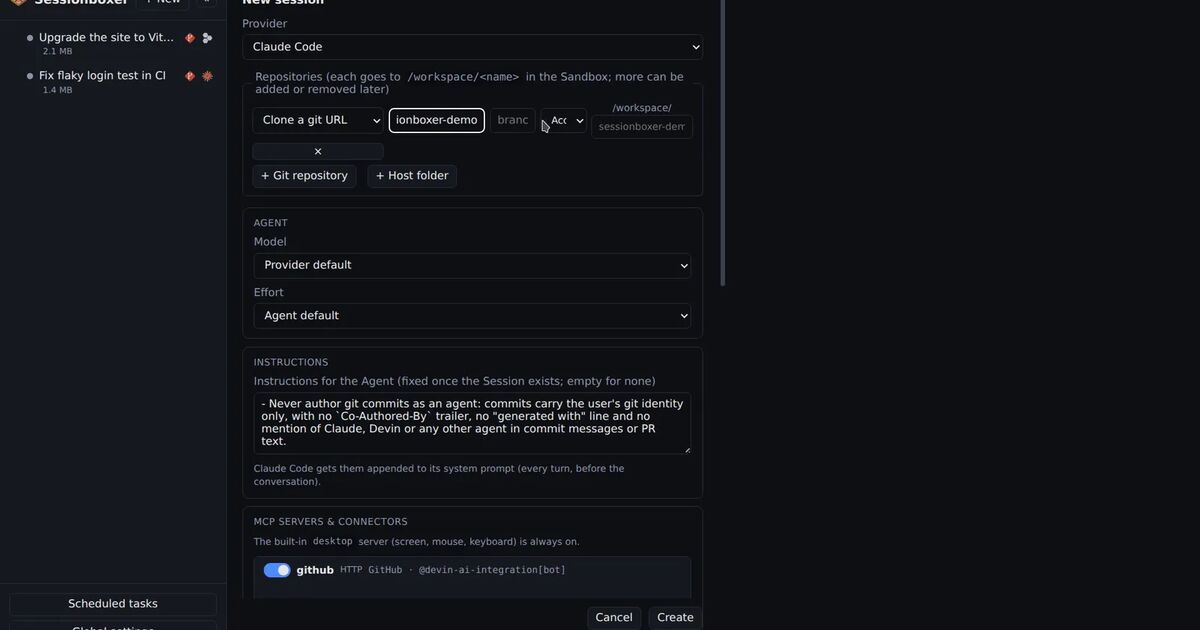
Sessionboxer gives each session its own Docker container on your laptop or a server. The repositories are cloned into the box (or a folder on your machine is copied in), and the agent runs inside it. Your home directory, your keys and your other projects are not there. Because the box is the boundary, the agent runs with all permissions granted and nothing reads the screen to click Yes for it.
Sessionboxer drives the agent through the Agent Client Protocol and shows its own web chat. You do not get the agent's terminal UI as Claude Squad shows it, though each box has terminals and VS Code if you want a shell there. It works with Claude Code, Codex, Cursor, Gemini CLI, GitHub Copilot, OpenCode and the other supported agents, on the logins you already have. Aider is not on that list.
A few things work differently because the session is a whole machine:
- Stop and resume pauses the container. A stopped box uses no CPU or memory, and on Resume the files, installed packages and conversation are where they were. Nothing is committed for you.
- A copied folder comes back with Pull to folder…, which shows new, changed and deleted files before it writes, and leaves alone what you changed on your side. Cloned repositories go back the usual way, through a push.
- Pull requests attached to a session show comments and checks, with buttons to have the agent address them, and can merge once the checks pass.
- CPU and memory limits are set per box in the session settings.
| Claude Squad | Sessionboxer | |
|---|---|---|
| Interface | Terminal UI over tmux | Web UI, also on a phone |
| Where the agent runs | Your machine, as your user | A Docker container per session |
| What separates sessions | A git worktree and branch each | A container each, with its own clone |
| Approvals | The agent's own; -y presses Enter on prompts |
None inside the box |
| Pause | Commits, removes the worktree, keeps the branch | Stops the container, keeps everything |
| Agents | Claude Code, Codex, Gemini CLI, Aider, any command | 13 agents over ACP, no Aider |
| Licence | AGPL-3.0 | MIT |
What Sessionboxer costs you
You need Docker: Docker Engine on Linux, or OrbStack or Docker Desktop on a Mac, plus Node.js 22. The first session of each agent downloads its sandbox image, 1.2 to 1.4 GB compressed. Every session is a container with a Linux desktop, so it takes far more memory and disk than a worktree, and it takes longer to start than git worktree add. The Install chapter has the details.
The tools on your laptop are not in the box. A toolchain you installed by hand, a local database, a simulator: the agent installs what it needs in the container, and with Docker inside the box it can start a database or a compose stack there. If the work depends on things that only exist on your own machine, a worktree next to them is simpler.
Which one to pick
Pick Claude Squad if you live in tmux, the agents work on your own code with approvals on, and you want something you install in one line, with no image to pull and no container for each session. It is also the one that runs Aider or any other terminal program you name.
Pick Sessionboxer if the agents should run without prompts, if they open repositories you did not write, or if you want to stop a session for a week and come back to the same machine. Start a session walks through the first one.
If you are weighing other tools in the same space, our Conductor comparison covers a Mac app built on worktrees, and the container-use comparison covers putting only the agent's commands in a container.