
You use Cursor, you have the Claude Code extension installed, and extensions update themselves. On October 29 that was enough to get a backdoor. For about eleven hours, Cursor's extension marketplace served a modified copy of Anthropic's extension, versions 2.1.312 and 2.1.313, with code that tried to give a stranger SSH access to your computer.
Cursor published a security notice the same day and updated it on October 30. Microsoft's threat intelligence team followed with a technical analysis of the injected code. This post sums up both, gives you the check to run, and then looks at the wider question: where should code from an editor marketplace run when an agent works on your machine? We make Sessionboxer, which runs VS Code inside a container per session; that part comes near the end.
What happened on October 29
Between about 2:27 am and 1:35 pm Pacific time, the Cursor VS Code Extension Marketplace offered a tampered Anthropic.claude-code for macOS and Windows. Anthropic did not build it. Microsoft says it confirmed that the bad packages were never published on the Visual Studio Marketplace or on npm, and that Anthropic told Microsoft its own systems were not compromised. Cursor says it found no other tampered extensions after auditing access.
The extension kept working normally, so nothing looked wrong. When it loaded, extra JavaScript ran first. According to Cursor and Microsoft, it:
- collected the hostname, username, OS, home folder, working directories, your global Git email, your public IP and the names of environment variables that contain words like KEY, TOKEN, SECRET or AWS (names only, up to forty of them, according to Microsoft);
- appended an attacker's public key, labelled
svc-telemetry, to~/.ssh/authorized_keys; - tried to turn on the local SSH server and open a reverse tunnel to the attacker's server, so that the attacker could reach your SSH port from outside;
- installed persistence to retry that tunnel about every 60 seconds: a LaunchAgent on macOS, a scheduled task called
SysMonor a Startup script on Windows.
Turning on the SSH server needs admin rights, and Cursor says that on most Macs and Windows machines that step failed. Without a running SSH server, the tunnel had nothing to forward to. Cursor and the hosting provider also took the attacker's server offline. Even so, on affected machines the key was added, the persistence scripts were installed and the host details were sent. EveryDev's weekly digest puts the number of affected Cursor users at 5,000 at most, citing Cursor.
Check your machine
The marker is the key's label. Cursor gives this check for macOS:
grep -qs svc-telemetry ~/.ssh/authorized_keys && echo "svc-telemetry key found" || echo "No key found; machine not impacted"
And this one for Windows, in PowerShell:
$files = "$HOME\.ssh\authorized_keys", "C:\ProgramData\ssh\administrators_authorized_keys" | Where-Object { Test-Path $_ }
if ($files -and (Select-String svc-telemetry $files)) { "svc-telemetry key found" } else { "No key found; machine not impacted" }
If the key is there, do not just uninstall the extension. Cursor warns that the payload drops standalone scripts that keep running after the extension is gone. Its notice links a remediation script for each platform (remediate-macos.sh, run as your user, and remediate-windows.ps1, run as Administrator) that removes the extension, the persistence, the tunnel processes and the key. The files to look for by hand, from the notice:
| Platform | What the payload leaves |
|---|---|
| macOS | ~/Library/LaunchAgents/com.apple.sysmond.plist, ~/.config/.smt, ~/.config/.smtk, $TMPDIR/.stk_* |
| Windows | scheduled task SysMon, %USERPROFILE%\.config\smt.cmd, %USERPROFILE%\.config\smtk, Startup\sysmon.cmd |
| Linux | @reboot cron entry for ~/.config/.smt, /tmp/.stk_* |
Cursor lists Linux file paths among the indicators, though the affected packages it names are for macOS and Windows.
Then rotate what that machine could reach, and do it from another machine you trust. Cursor's wording is precise here: the payload only sent variable names, but "the limited env-var collection does not rule out later credential access over the backdoor." If you keep an Anthropic key, a GitHub token or cloud credentials in your shell profile, treat them as exposed. Our post on what to do with leaked provider API keys walks through revoking the common ones.
Why an extension is worth this much to an attacker
A VS Code extension is a Node.js program that runs as you. It can read every file your user can read, start processes and write to your startup folders. The marketplace page gives you a name, a publisher and an install count, and an update replaces the code without asking. Cursor's marketplace is a separate store from Microsoft's, and the tampered package was served under Anthropic's name in that store.
A coding agent's extension is a good target for a second reason. People who run agents tend to have tokens lying around: model API keys, GitHub logins with push rights, cloud credentials for the deploy the agent helps with. The payload's list of variable names, filtered for KEY, TOKEN and SECRET, suggests the attacker knew this.
There is not much you can do to make a marketplace trustworthy. You can choose what the extension can reach when it does go bad. In practice that means fewer credentials in the environment of the editor, and an editor that runs somewhere other than your own account. We wrote about the first half in keep secrets away from your coding agent; the same advice applies to the editor the agent lives in.
Running the editor in a box
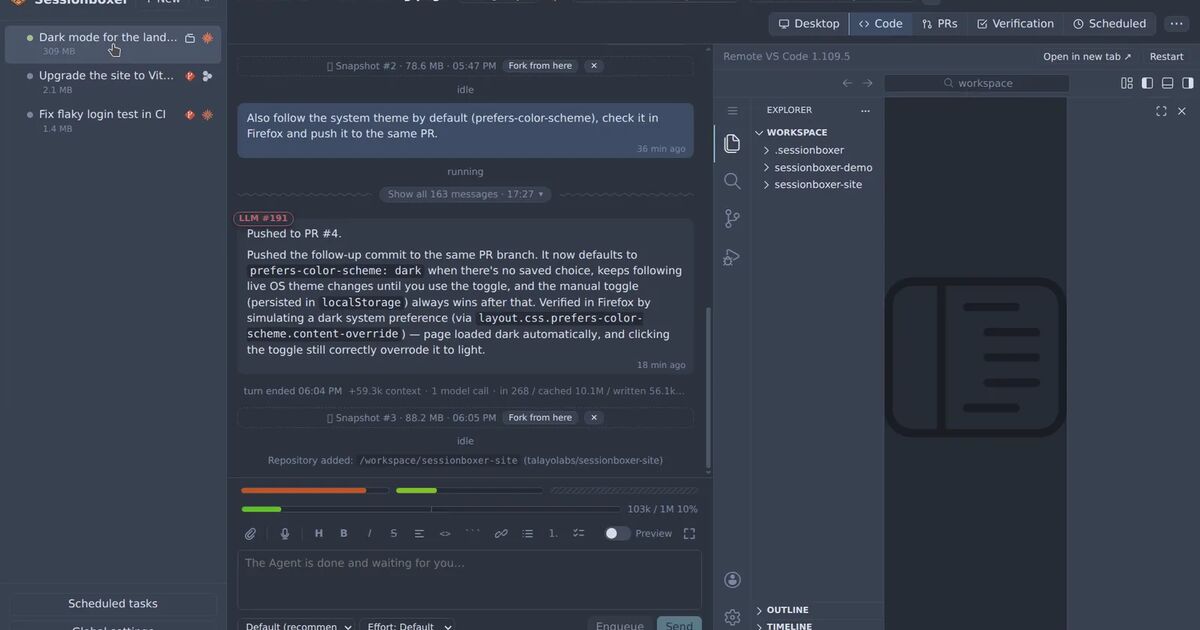
In Sessionboxer, the Code pane is VS Code running inside the session's container (openvscode-server). Extensions you install there come from Open VSX, and they are installed in the box, so they run as the box's user, on the box's files. Each session has its own Docker container on a private network that publishes no ports on your host. VS Code's own AI features are switched off in the box, since the agent in the chat is the one doing the work.
Here is what that would change for a payload like this one. The authorized_keys it writes would be the box's, and the Sandbox image ships the SSH client but no SSH server and no cron, so there is nothing for a reverse tunnel to reach and no @reboot to hook. The LaunchAgent and the Windows scheduled task do not apply to a Linux container. The hostname, username and home folder it reports are the container's. Deleting the session removes the container and everything written in it.
What it would not change matters as much. The box has outbound internet access, because the agent needs it, so a payload can still phone home. It can read the code you cloned into that session and whatever logins the session holds: the agent's provider login, and the GitHub login on tmpfs while a GitHub entry is enabled for the session. If you installed a bad extension in a box, you would still rotate those. The agent also has sudo in the box, so code running there could install an SSH server itself, and then a reverse tunnel into the box would work. And Sessionboxer does not check extensions. Open VSX is another public registry, and we know of nothing that makes it safer than Cursor's against this kind of attack.
Two habits help with the rest. Install extensions in a session only when you need them, since they travel with that box's snapshots, and a fork you start from a clean snapshot does not carry what was added after it. And keep the box's logins to the ones the task needs; the VS Code and terminals chapter of the guide says where settings and extensions are kept.
What to do this week
If you use Cursor with the Claude Code extension, run the check above on every machine where it is installed, including the ones that only auto-updated. If the key is there, run Cursor's remediation script, consider rebuilding the machine, and rotate credentials from a different one.
If the key is not there, use the incident to count how many extensions in your editor run as you, next to your SSH keys and shell profile, and which of them you could live without. The ones you keep can run where your credentials are not.