
You asked your coding agent to "add a GitHub MCP". It wrote a config entry, the server started, and the agent could read your issues. Nothing looked wrong. But the package it picked may be one its maintainers archived in May 2025 and will never patch again.
On November 2, 2026, Glow Labs published research on this pattern, which it calls MCPhantom. Help Net Security covered it the next day. This post explains what they found, how to check your machines, what to install instead, and how to keep an agent from adding the old servers back. We build Sessionboxer, which runs coding agents in containers. The last part says what that changes, what it does not, and where our own product got this wrong.
What Glow Labs found
When Anthropic introduced MCP in 2024, it published 20 reference servers to show how an integration works. Most services later shipped servers of their own, and 13 of the reference servers moved to an archived repository. Its README is blunt: "No security updates or bug fixes will be provided."
Agents still know the old names. Glow Labs reviewed real session transcripts and found agents setting up these archived servers when a developer asked for a capability, such as access to GitHub. In 98% of those sessions the agent appears to have taken the name from its training data. In the other 2%, the user asked for the old package by name. It happened in Claude Code, Cursor, Codex CLI, Claude Cowork and Claude chat, with models from Anthropic, OpenAI and xAI. The study looked only at sessions where a deprecated server was installed or suggested, so it does not tell you how often this happens overall.
Glow Labs also found four high-severity vulnerabilities in the archived servers. The worst is in the Puppeteer server, which lets an agent drive a browser. With a prompt injection, an attacker can make the agent start any process instead of the browser and run any command. You approved web browsing, and that approval ends up covering the command too. Glow reported it. The maintainers answered that the server was archived in May 2025 and "is unmaintained, so no fix or release will come from this repository." Glow has not seen anyone exploit these bugs yet.
Usage has not followed the archive. Glow counted more than 17.3 million npm downloads of the archived packages since July 2025, and five of them are in npm's top 100 MCP packages.
One detail from the Help Net article is worth knowing before you write "check that it is not deprecated" into your agent's instructions. In one session the agent looked the package up on npm, got back "This package is deprecated", installed it anyway and never told the user.
Why your usual tools miss it
A server started with npx -y @modelcontextprotocol/server-github is in no package.json. A dependency scanner has no manifest to read, and the bugs have no CVE numbers. To endpoint security it looks like Node downloading a public package, and software inventory sees a Node process, not an installed application. As Help Net puts it, the developer's machine is the only place the server shows up. On that machine, the config file the agent wrote is the thing you can search.
npm deprecation helps a little. When we checked on November 8, npm marked server-github, server-puppeteer and server-postgres as deprecated with the message "Archived and unmaintained; no security guarantees." But npx still installs a deprecated package. It prints a warning, and nobody reads warnings in a command an agent ran.
How to check your machines
The archived npm packages are server-github, server-gitlab, server-postgres, server-slack, server-puppeteer, server-brave-search, server-google-maps, server-gdrive, server-redis, server-aws-kb-retrieval and server-everart, all under @modelcontextprotocol/. The Sentry and SQLite servers were archived too. They are Python packages, so look for mcp-server-sentry and mcp-server-sqlite. Do not flag the whole scope: Filesystem, Memory, Fetch, Time and a few others are still maintained in the main servers repository.
Each agent keeps its MCP config in its own place. Claude Code uses ~/.claude.json and a project's .mcp.json (docs). Cursor uses ~/.cursor/mcp.json and .cursor/mcp.json (docs). Codex uses ~/.codex/config.toml and .codex/config.toml (docs). This checks all of them, in your home folder and in every project under ~/code:
PATTERN='@modelcontextprotocol/server-(github|gitlab|postgres|slack|puppeteer|brave-search|google-maps|gdrive|redis|aws-kb-retrieval|everart)|mcp-server-(sentry|sqlite)'

grep -EHn "$PATTERN" ~/.claude.json ~/.cursor/mcp.json ~/.codex/config.toml 2>/dev/null

find ~/code \( -name .mcp.json -o -path '*/.cursor/mcp.json' -o -path '*/.codex/config.toml' \) \
  -not -path '*/node_modules/*' -exec grep -EHn "$PATTERN" {} +
Change ~/code to wherever your repositories live. A project file counts even if you never ran it, because the next person who opens the repository might. On GitHub, a code search such as org:your-org path:.mcp.json server-puppeteer finds the committed ones.
What to use instead
| Archived server | What to use now |
|---|---|
| GitHub | GitHub's own github-mcp-server, local or hosted by GitHub at https://api.githubcopilot.com/mcp/ |
| Brave Search | @brave/brave-search-mcp-server, which the main servers README names as the replacement |
| Slack | The main README says it is "Now maintained by Zencoder" |
| Puppeteer | No replacement is named. Microsoft's Playwright MCP is a maintained browser server |
| The rest | The service's own documentation, or the MCP Registry |
Glow's advice for teams is to approve one server per service, make it the standard, and add npm deprecation status to the approval criteria. A standard only helps if the agent cannot quietly pick something else, which is the next part.
Blocking the old servers in Claude Code
Claude Code reads two lists, allowedMcpServers and deniedMcpServers, described on its managed MCP page. A denylist for the two worst offenders looks like this:
{
  "deniedMcpServers": [
    { "serverCommand": ["npx", "-y", "@modelcontextprotocol/server-puppeteer"] },
    { "serverCommand": ["npx", "-y", "@modelcontextprotocol/server-github"] }
  ]
}
Read the matching rules before you trust it. A serverCommand entry must match every argument, in order, so the entry above does not block npx @modelcontextprotocol/server-github without -y, or the same package with an extra flag. A serverName entry matches only the label someone typed, and the docs warn that it "is not a security control". A denylist of exact commands will miss variants.
The stronger setup is an allowlist. Put the servers you approved in allowedMcpServers and set allowManagedMcpServersOnly: true in managed settings, and anything else is blocked. The docs call this pattern an approved catalog. Claude Code also asks you to approve the servers in a project's .mcp.json before it starts them, and a cloned repository cannot approve its own. Read that list when it appears instead of clicking through.
Where Sessionboxer fits
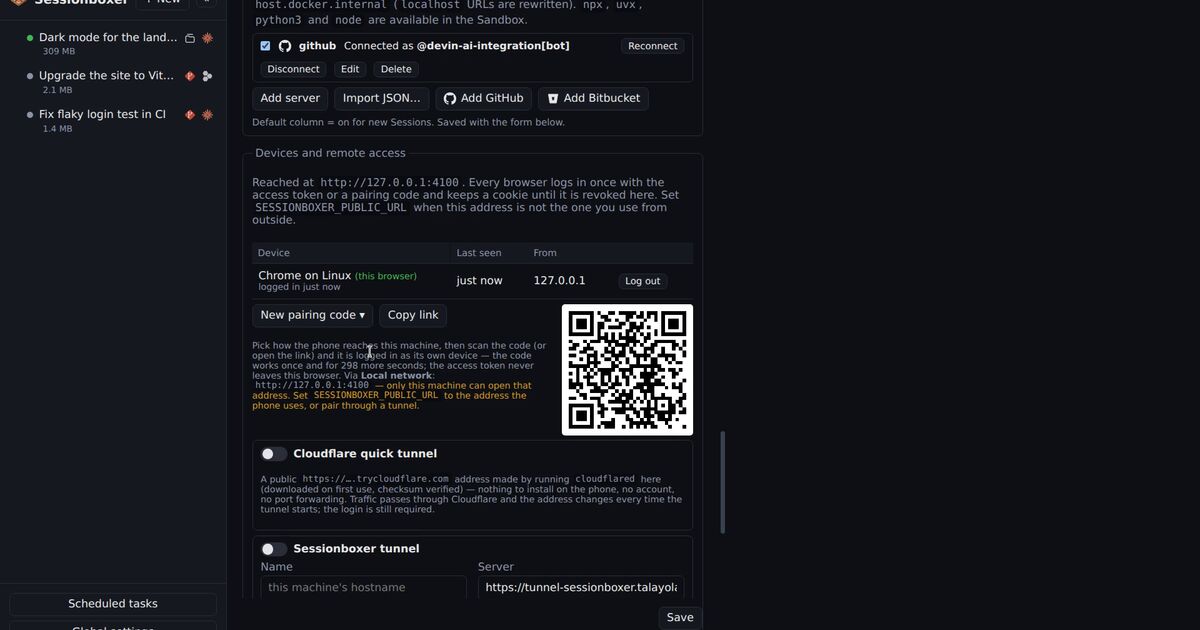
In Sessionboxer you register MCP servers once in Global settings and switch them on per session. Command-based servers run inside the session's box, a Docker container of its own, not on your machine. If someone triggered the Puppeteer bug there, the command would run in that container. It could still read what the box holds: the cloned repository, the agent's login, and the GitHub login if the session has one. The box limits where the command runs. It does not make a stolen token harmless.
For GitHub, Connect GitHub registers GitHub's own remote server at https://api.githubcopilot.com/mcp/ and logs it in through the GitHub CLI, as the GitHub login chapter explains. That is the entry to use.
Now the part we got wrong. The Add server form shows -y @modelcontextprotocol/server-github as its placeholder, the Import JSON… example uses the same package, and so does the example command in the MCP servers chapter of our guide. That is the archived server. If you copied it from us, delete that entry and use Connect GitHub.
Sessionboxer also does not check whether a server you register is deprecated, and it has no allowlist of MCP servers. The agent in the box runs with all permissions granted, so nothing in Sessionboxer stops it from running npx with an old package name it remembers. The search above works inside a box too.
Repositories can carry MCP configs and hooks you did not write. Our post on the testmetest worm covers that side, and connecting an MCP server on localhost to an agent in Docker covers the setup once you have picked the right server.
What to do this week
- Run the search above on every machine where an agent runs, and in your repositories.
- Replace each archived server with the service's own server, starting with Puppeteer and GitHub.
- In Claude Code, move from a denylist to
allowedMcpServerswithallowManagedMcpServersOnlyonce you know which servers you use. - When an agent offers to "add an MCP server", read the package name before you approve it. The agent may have checked npm and installed it anyway.