
You have tried Mistral Vibe on your laptop and you like it. Now you want it to work on a repository on its own, maybe from a script, and you would rather it did not run shell commands on the machine that holds your SSH keys and browser sessions. A Docker container is the obvious place. Then the first run stops to ask for an API key, or to ask whether it may run a command, and nobody is there to answer.
This post covers how to install Vibe in an image, how to give it a key without a prompt, which approval profile fits a container, and the flags that stop a headless run before it goes too far. Everything about Vibe below comes from its README and changelog, read on November 8, 2026. The latest release then was 3.1.0, dated November 3 in the changelog. Vibe changes often, so check vibe --help in your own image before you rely on a flag.
A small image
Vibe is Mistral's open-source coding agent for the terminal, written in Python. The README lists three ways to install it: an install script, uv tool install mistral-vibe and pip install mistral-vibe. It needs a GIL-enabled build of Python 3.12 or later. The official Python image is one, so the Dockerfile stays short:
FROM python:3.12-slim-bookworm
RUN apt-get update \
 && apt-get install -y --no-install-recommends git ripgrep ca-certificates \
 && rm -rf /var/lib/apt/lists/*
RUN pip install --no-cache-dir mistral-vibe
RUN useradd -m agent
USER agent
WORKDIR /workspace
Git is there because the agent will read history and make commits. Ripgrep is optional, a fast search tool the agent can call from the shell. The non-root user keeps a bad command from changing system files in the image. It gets UID 1000, so the folders you mount should be writable by that UID.
We built this image with docker build -t vibe-box . and vibe --version printed vibe 3.1.0. Write mistral-vibe==3.1.0 in the pip install line if you want the same version next month.
The key goes in an environment variable
On a first run without a key, Vibe asks for one and saves it to ~/.vibe/.env. In a container nobody is there to type it. The README gives two other ways: a MISTRAL_API_KEY environment variable, or a .env file in ~/.vibe/. If both are set, the environment variable wins.
You create the key in the Mistral console under API Keys. Pass it when the container starts, never in the Dockerfile, where it would stay in an image layer:
docker run --rm -it \
  -e MISTRAL_API_KEY \
  -v "$PWD":/workspace \
  vibe-box vibe
-e MISTRAL_API_KEY with no value copies the variable from your shell, so the key never appears in the command line. When we ran the image without it, Vibe first said it was reading API keys from the system keyring, then stopped with Error: Missing MISTRAL_API_KEY environment variable for mistral provider. A slim container has no keyring, so the variable is the way in.
Remember that the agent can read its own environment, and so can every command it runs. Use a separate key for agent work, so you can revoke it without touching the one you use elsewhere. There is more on this in keeping secrets away from your coding agent.
Pick an approval profile
Vibe ships with built-in agent profiles. ask asks before tool calls. accept-edits is the default: it approves file edits by itself and asks before anything else, such as a shell command. auto-approve approves every tool call, and the README adds "use with caution". You choose one with --agent, or with default_agent in ~/.vibe/config.toml. There is also a flag, --auto-approve (alias --yolo), that approves every call whatever the profile, in headless and interactive sessions alike.
On your laptop, accept-edits is a sensible default. In a container that only holds a copy of the repository, the prompts mostly slow you down, and in a headless run nobody can answer them at all. That is the case for --auto-approve: the container is the boundary, so the agent does not need to ask. We made the same argument for Claude Code in running --dangerously-skip-permissions safely. It only holds if the container really is separate. Do not mount the Docker socket or your home directory, and mount only the folder you are happy for it to change.
The vibe --help of 3.1.0 also lists --smart-approve, which sorts each call into safe and risky and only asks about the risky ones. The README we read does not describe it yet, so try it on something unimportant first.
Headless runs with limits
vibe --prompt "...", or -p, sends one prompt, prints the answer and exits. That is the mode for a script or a cron job:
docker run --rm \
  -e MISTRAL_API_KEY \
  -v "$PWD":/workspace \
  -v "$PWD/out":/out \
  vibe-box vibe -p "Fix the failing test in tests/test_dates.py" \
    --auto-approve --max-turns 30 --max-price 2.0 \
    --time-limit 1800 --output-dir /out
When nobody is watching, the limits matter most. --max-turns caps the number of assistant turns. --max-price stops the run once its cost passes a number of dollars. --max-tokens caps prompt and completion tokens together. --time-limit stops the run after that many seconds, and the README says the session can then be picked up with --resume. --output-dir writes an export.json with the Vibe version, token usage, cost and how the run ended, plus a copy of the session journal, however the run ends. For a script that reads the result, --output json or --output streaming replaces the plain text.
Project files need one more decision. Vibe has a trust system: it only loads a project's AGENTS.md, skills and hooks from folders you trust, and it may ask about a folder that has a .vibe subfolder. In headless mode, --trust trusts the working directory for that one run. Pass it only for repositories you know, because a project's .vibe folder can define hooks that run commands.
Vibe keeps its config, the .env and its session logs under ~/.vibe, or wherever VIBE_HOME points. With --rm, all of that goes away when the container exits. That is fine for one-off runs. If you want vibe --continue or --resume to work from one run to the next, mount a volume at /home/agent/.vibe.
Where Sessionboxer fits
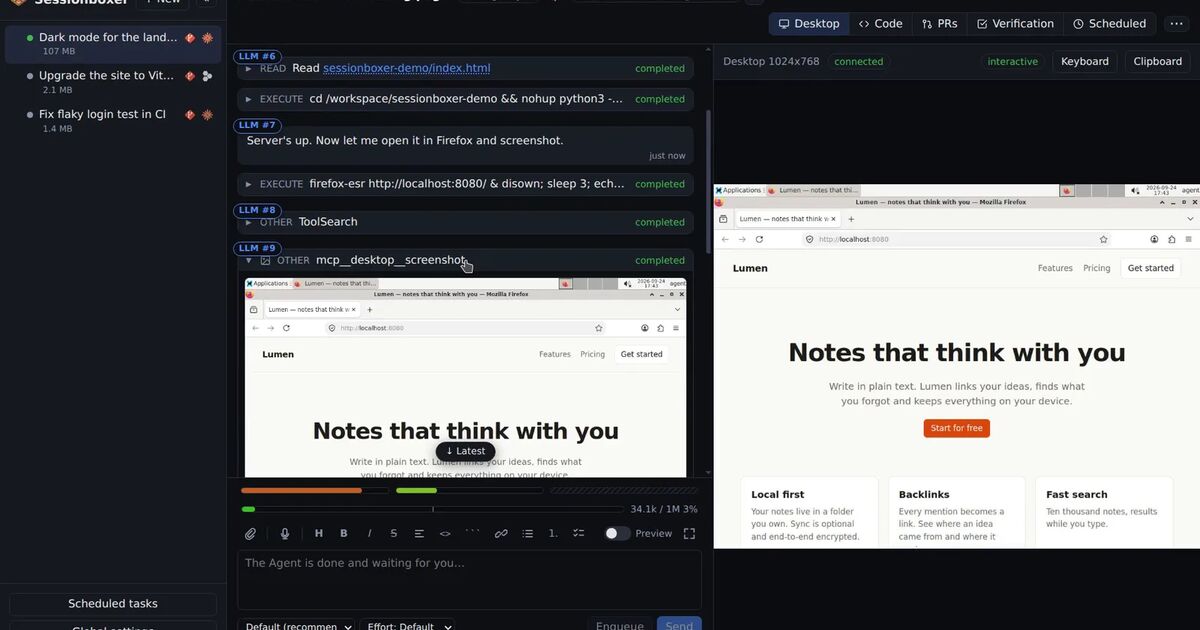
We build Sessionboxer, and Mistral Vibe is one of the agents it runs. It is this same pattern with the setup done for you. Each session gets its own box, a Docker container or a Windows or macOS VM. Vibe runs there in its auto-approve mode, which is the idea behind agents that don't ask: the box is the isolation, so the prompts go.
You connect Vibe once, under Connect a Provider. You can sign in through the browser at console.mistral.ai, paste an API key, or import the ~/.vibe/.env that Vibe wrote on your own machine. The Connect your agent chapter has the steps. Inside the box the key is kept in memory, as Vibe's .env on tmpfs, so it is not written to the container's disk. Vibe's session logs do stay on that disk, so a session you stop and resume carries on from where it was.
There are limits. The usage bars that show subscription windows for Claude Code and Codex are hatched for Vibe, because the Mistral API reports no such windows; they point you to the usage page in the Mistral console instead. Sessionboxer also pins its own build of vibe-acp, the editor-protocol version of Vibe that it talks to, and that build trails the latest release: 2.25.8 in the image today, against 3.1.0 on PyPI. If all you need is one scripted run from CI, the docker run line above is less to set up.
If you run more than one agent this way, the same approach for another CLI is in running Qwen Code in Docker.