
You open GitHub and find a pull request you did not write. It is called docs: dependency audit notes, it comes from a branch named wfx-docs, and the author is you, or a colleague, or a bot your team set up. If you see that, someone else has a token that can write to the repository, and they may already have used it to run code in your CI.
This is the wfx-loot campaign. Aikido Security reported it on November 12, SafeDep published its own analysis, and The Hacker News has a summary. Below is what happened, how to check your repositories and machines, and what it means for anyone who gives a coding agent a GitHub token. We make Sessionboxer, which runs each agent session in its own container. That part comes near the end, along with what it does not help with.
What happened
Starting around 12:45 UTC on November 10, an attacker used stolen credentials for 4,837 GitHub accounts. For each repository a token could write to, the attacker first opened the docs: dependency audit notes pull request. It adds a small notes file and only proves that the token can push. Aikido counts these probes in 61,764 repositories, and 10,431 of them went into repositories the account does not own, through collaborator or organization access.
Then came the payload, in one of three forms. SafeDep counted 8,093 repositories with malicious commits up to November 12:
| Commit message | What it adds | Repositories (SafeDep) |
|---|---|---|
ci: refresh build cache |
About 1,500 lines in an existing workflow | 7,309 |
chore: add ci helper |
A .ci-xxxxxx.sh script and a postinstall hook in package.json |
771 |
chore: add dependency audit workflow |
A new workflow file, in repositories that had none | 16 |
All three run in GitHub Actions. The postinstall variant also runs wherever someone types npm install on that commit, which includes a laptop. Within a minute the attacker pushes ci: restore and ci: cleanup to revert the change, and in most cases deletes the workflow run and its logs. Aikido says a missing run number in the workflow's history is often the only trace left.
The script is the same in all three forms. It sends the repository's Actions secrets and variables, GITHUB_TOKEN and the runner's tokens to the attacker. It also reads cloud credential files, SSH and GPG keys, shell histories and every .env and .pem file under $HOME. Aikido's list also names the credentials of AI tools: OpenAI, Anthropic and Claude, Gemini, Cursor, Copilot, Codex, Aider and others. With GitHub's OIDC tokens it tries to get into AWS, GCP and Azure, and it leaves backdoors meant to survive a rotation: new AWS access keys, an AWS role trust policy opened to any account, and Azure federated credentials named wfx-ci-….
Aikido's analysis does not say how the attacker got the tokens. One source is known. On November 12 Fly.io wrote that its dashboard deploys from GitHub had left a GitHub access token in .git/config inside the build directory. Some apps served that directory over HTTP, so anyone could fetch the file from the app's public URL. Fly.io is revoking every user token of its GitHub App and no longer writes the token there. Separately, The Hacker News reports that the accounts used this week overlap with those hit in GhostAction's October wave, so some of the tokens may have been stolen earlier.
Check your repositories
Look at every repository you can write to, not only your own. With the GitHub CLI you can search an organization or a user for the probe:
gh search prs --owner your-org "docs: dependency audit notes"
The reverted commits stay in history, so a fresh clone or a fetch still shows them:
git fetch --all
git log --all --oneline -E \
  --grep='ci: refresh build cache|chore: add ci helper|chore: add dependency audit workflow|ci: restore|ci: cleanup'
Also look for branches named wfx-docs, chore/ plus eight characters, or ci-check- plus four digits, and for workflow runs you did not start, including deleted ones in your security log. The Hacker News article lists the script's SHA-256 and the IP addresses it sends data to.
If you find the probe, the account that opened it is compromised, even if no payload followed. SafeDep's advice is to revoke that account's tokens, OAuth app grants, SSH keys and sessions, turn on 2FA, and rotate every secret and variable the repository's workflows can read. If you use OIDC to reach a cloud, look for the backdoors above. Aikido and The Hacker News list what to search for in CloudTrail, Entra ID, GCP and Vault.
Check where your agents ran npm install
This is the part that is easy to miss if you run coding agents. An agent asked to fix a test often pulls the branch and runs npm install first, and an agent that runs without permission prompts does not stop to ask first. If that happened on a commit from the postinstall variant, the stealer ran where the agent runs, with the agent's files and tokens around it.
SafeDep says anyone who ran npm install on an affected commit should treat that machine as compromised and rotate its keys. On a machine where an agent runs, those keys include the model provider login, the GitHub token, and whatever else the agent was given. Look at your agents' transcripts or shell history since November 10 for installs in repositories where you found the commits above.
For future runs, npm install --ignore-scripts skips postinstall hooks. It is not a complete fix. Some projects need their install scripts, and our post on the testmetest worm describes an npm payload that starts when an application imports the package, so skipping install scripts did not stop it.
The token your agent holds is the thing being stolen
Every account in this campaign was used for one reason: it had a token that could push. A coding agent that opens pull requests needs the same kind of token, so it is worth checking three things about it.
First, where the token is written down. Fly.io's tokens leaked from .git/config. A common way to give a script push access is a remote URL with the token in it, https://x-access-token:<token>@github.com/…, and git stores that URL in .git/config. This finds such remotes in your clones:
find ~/code -path '*/.git/config' -exec grep -l '://[^/]*@github.com' {} +
Second, what it can reach. A classic token with repo scope can push to every repository you can. Wfx-loot's probes reached 10,431 repositories the accounts did not own, through collaborator and organization access. A fine-grained token limited to the repositories the agent works on gives an attacker much less. Short-lived tokens help too; our post on gh auth login --expiring covers what they change for agents.
Third, what else sits next to it. The stealer reads home directories for credential files. An agent that runs under your own user, on your laptop, shares a home directory with your SSH keys, cloud logins and every other clone.
Where Sessionboxer fits, and where it does not
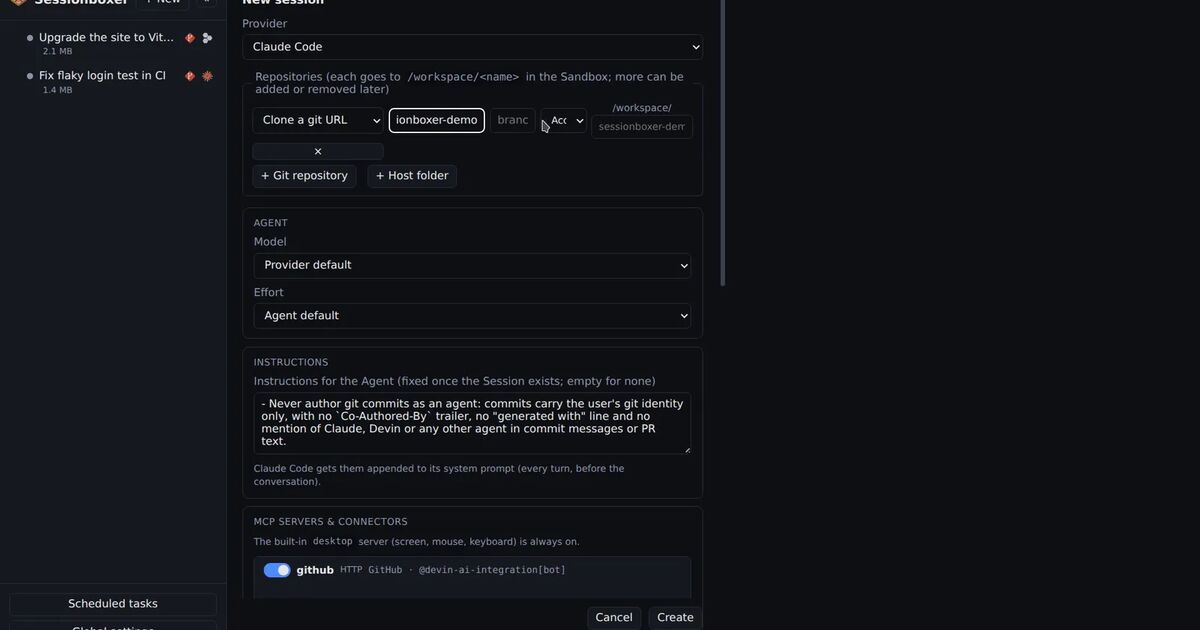
In Sessionboxer, each session clones its repositories into its own Docker container. The agent's npm install runs there, with the container's own home directory. Your laptop's SSH keys, cloud credentials and other clones are not in it, and deleting the session removes the container, its files and its snapshots.
The GitHub login a session uses lives on tmpfs inside the box. The repository's .git/config names the account (sessionboxer.githubAccount) and never holds a token, so a copied or served working tree does not carry one. Snapshots and stopped boxes do not carry it either. You can connect a fine-grained personal access token limited to the repositories you choose, and switch the GitHub entry off in a session's MCP popover when the agent does not need to push. Sessionboxer's pull request pane uses the same login.
The gaps matter here:
- The box has outbound internet access, because the agent needs it. A
postinstallstealer running in a session can send what it finds. - What it finds is the session's agent login and, while a GitHub entry is enabled, that GitHub token. If an agent ran
npm installon an affected commit inside a session, rotate both and delete the session. - Sessionboxer does not scan packages, commits or workflows, and does not know this campaign exists.
- The main attack runs in GitHub Actions, on GitHub's runners or yours. Sessionboxer has nothing to do with those, and its container does not protect your Actions secrets.
If you start a session to look at an affected repository, read its package.json before the agent runs npm install, and leave the GitHub entry off unless the session needs it.