
You assign an issue to Copilot, close the laptop, and later a draft pull request is waiting. For a lot of work, GitHub Copilot cloud agent does exactly that. Then the questions start. Why did the session stop at 59 minutes? Why can the agent not reach your internal package registry? Who pays for the sandbox time? And what if the repository is not on GitHub at all?
This post compares Copilot cloud agent with Sessionboxer, a program you install on your own machine that runs coding agents, Copilot CLI among them, in a container per session. We build Sessionboxer, so this is a comparison from the maker of one of them. Everything about Copilot below comes from GitHub's documentation, read on November 18, 2026. Check the linked page before you rely on a detail.
What Copilot cloud agent is now
GitHub's docs now call it Copilot cloud agent; some pages and URLs still say "coding agent". The overview page, GitHub Copilot on GitHub.com and GitHub Mobile, says that from October 28, 2026 users with a paid Copilot plan get a new experience called Copilot in the cloud. You start a session from github.com, GitHub Mobile, VS Code, the Copilot app, Slack or Teams, and can continue it on another client.
Each session runs in one of three environments:
- Cloud: a cloud sandbox, an isolated Linux environment GitHub creates for the session. It is the default where there is a choice. A session can span several repositories, as long as they have the same owner.
- Actions: a GitHub Actions job, on a GitHub-hosted runner or one you configure. This is the older setup, limited to one repository per session.
- Remote: a custom environment, a Linux machine or codespace of yours running the Copilot host,
copilotd. You start it withcopilot --environment-host "HOST-NAME"from the prerelease Copilot CLI, and you keep the machine running and up to date.
You pick the environment when the session starts and cannot change it afterwards.
GitHub also lists third-party coding agents, Claude and Codex, in public preview on your Copilot subscription.
Where each environment draws its lines
The Actions environment is the one you can customize. A .github/workflows/copilot-setup-steps.yml file installs tools before the agent starts, and it is also how you get larger runners, self-hosted runners or a Windows environment. It has a hard limit: "Each Copilot session that runs on GitHub Actions has a maximum execution time of 59 minutes. This limit cannot be extended or bypassed."
GitHub says cloud sandbox sessions finished faster on average in its testing, but none of those Actions customizations apply there. You can bring instructions, skills and MCP servers through a dotfiles repository. A stopped sandbox keeps a snapshot, so you resume with your files and work in progress.
The cloud sandbox is also metered. The billing page lists $0.000024 per vCPU second, $0.000003 per GiB second of allocated memory, and $0.005 per GiB month of snapshot storage for stopped sessions. That usage draws on the same monthly included compute as your Actions minutes, and it is separate from AI credits. GitHub's own example: ten minutes with 4 GiB costs about two cents.
The network has a firewall in both environments. The firewall docs say a recommended allowlist (package registries, container registries, certificate authorities) is on by default, and owners can add hosts. They are also honest about its reach: it covers processes the agent starts through its Bash tool and, in cloud sandboxes, the built-in Playwright browser, but not other MCP servers, and it "should not be considered a comprehensive security solution."
Finally, pushes. The risks and mitigations page explains that the agent pushes only to a single branch, usually a new copilot/ one. It cannot run git push itself, cannot mark its draft ready for review, and cannot approve or merge. By default, workflows do not run on its pushes until someone with write access clicks Approve and run workflows. And Copilot "only works with repositories hosted on GitHub."
How Sessionboxer runs the same kind of task
Sessionboxer runs on a laptop, a home server or a VPS with Docker. It starts the vendors' own CLIs: Claude Code, Codex, Cursor, GitHub Copilot and nine others. For Copilot, the Connect your agent chapter shows the one-time code login, or a fine-grained token with the Copilot Requests permission. It needs a Copilot plan with the CLI enabled. There is no Sessionboxer account; the agent uses the subscription you already have.
Each session gets its own container with the repositories cloned in, from GitHub, Bitbucket Data Center, Bitbucket Cloud or any URL git clone accepts. The agent runs with all permissions inside, because the box is the limit of what it can touch. The guide sets no time limit on a session you drive yourself, and a stopped box keeps its files and installed tools until you resume it.
The box has a Linux desktop with Firefox. With Verify each turn switched on, the agent plans two to five end-to-end cases after each turn, runs them on that desktop, fixes what fails and hands you a video. It is off by default: each verified turn costs a second turn of model time.
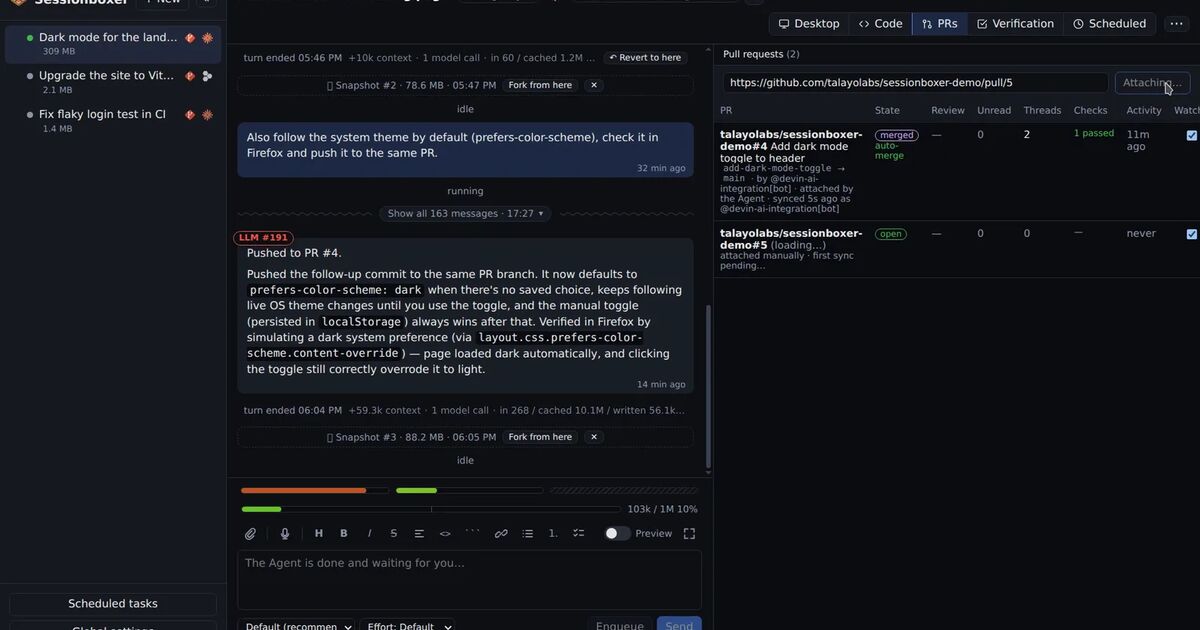
Pull requests work the other way round from Copilot's. The agent pushes with the GitHub login you gave the session, and attached pull requests show comments, reviews and checks in a pane. Address & reply has the agent fix, push and answer each thread. Auto-merge when checks pass merges through the normal GitHub merge, so branch protection still applies, but nobody has to click. The pull requests chapter has the details. Automations cover the scheduled and event-driven side: a cron schedule, or a change on a pull request you follow, with limits on runs per day and sessions at once.
What each one does not do
Copilot cloud agent needs nothing of yours to run. Its limits come with that: your code runs on GitHub's machines. Only GitHub repositories work. An Actions session ends at 59 minutes. A cloud sandbox cannot run your setup steps or a self-hosted runner, and the agent cannot merge, which is a policy you may well want. The pages we read describe a Playwright browser, not a desktop you watch and take over. If you want a box on your own hardware, the custom environment exists, but you run and maintain copilotd yourself.
GitHub has features Sessionboxer lacks. Copilot checks its own code with CodeQL, secret scanning and the GitHub Advisory Database before it finishes. Its commits are signed and link to the session log. Organization owners get one policy, audit log events and shared Agents secrets. With Agent Merge, Copilot watches a PR and fixes failed workflows or merge conflicts.
Sessionboxer's gaps, in plain words:
- It does not filter the box's outbound traffic. There is no allowlist like Copilot's firewall.
- There is one access token per installation and a list of paired devices. No roles, no organization policy, no audit log.
- No built-in security scan of the agent's code before the PR. Your CI does that, or a review automation.
- You keep the machine on, and it sets the limit: ten busy sessions need ten sessions' worth of CPU and memory.
Side by side
| Copilot cloud agent | Sessionboxer | |
|---|---|---|
| Where the work runs | GitHub's cloud sandbox or Actions runner; or your own host with copilotd |
Docker containers (or a Windows or macOS VM) on your machine |
| Agents | Copilot; Claude and Codex in preview | Copilot CLI, Claude Code, Codex and ten others |
| Repositories | GitHub only | GitHub, Bitbucket, any git URL |
| Time limit | 59 minutes on Actions | Automation runs only (6 hours by default) |
| Compute cost | Metered sandbox time, or Actions minutes | Your own machine |
| Network | Firewall with an allowlist | Not filtered |
| Pushing and merging | Pushes to one branch; a human merges | Pushes with your login; optional auto-merge when checks pass |
| Desktop the agent drives | Playwright browser | Linux desktop with Firefox, watched live |
| Team controls | Org policies, audit log, shared secrets | One access token, paired devices |
Which one to pick
If your code is on GitHub, your team pays for Copilot Business or Enterprise, and the tasks fit in a draft PR that a person reviews, Copilot cloud agent is the shorter path, with the admin controls already there.
If you want long runs, repositories outside GitHub, the Claude, ChatGPT or Cursor subscription you already pay for, or tests on a real desktop, a machine of your own fits better. You can still run Copilot in it. If you only want Copilot CLI in a container, without Sessionboxer, running Copilot CLI in Docker covers the token, the login and when --yolo is fine. For the same comparison with OpenAI's hosted agent, see Codex Cloud or Sessionboxer.