
"Which coding agent is best" is the wrong question, in the same way "which car is best" is. A courier and a family of five want different cars. Here is the question by person instead.
One note on where this comes from: Sessionboxer runs thirteen agents in isolated boxes on your own machine, so we see a lot of people trying several. The advice below is what we would tell a friend. Where a hosted product is the better answer, it says so.
The solo developer with a side project
You have one subscription, a laptop, and evenings. You want the agent to do the boring half while you do the fun half.
Pick the agent that comes with the plan you already pay for. A Claude plan means Claude Code; a ChatGPT plan means Codex; a Cursor plan means Cursor. Do not buy a second subscription to find out which is "better". They are all good, and the difference is smaller than the difference between a good prompt and a bad one.
Run it in a box so you can switch the permission prompts off. The dangerously-skip-permissions post explains why that is safe in a container and not on your laptop. Turn on snapshots so a bad turn costs you one click. Keep the usage bars in view, because a side project is where you hit the weekly limit on a Sunday; Auto-continue picks the turn up when it resets.
The tech lead with a team and a backlog
Your problem is not writing code. It is review, and the twelve small tickets nobody wants.
Run several agents in parallel, one box each, on the independent tickets. Attach each pull request to its session so comments and checks are next to the chat, and have the agent address review comments with a button. Turn on verification for UI work, so each turn ends with a video you can watch in two minutes instead of a branch you have to check out.
If your team has more than one subscription, handoffs let Claude Code plan and Codex implement, using whichever quota is left. If your company's code cannot leave the building, the box has to be on your hardware; if it can, Devin or Cursor Cloud Agents are a fine managed answer and we compared them here.
The QA engineer
You want the agent to click, not to code. Good news: the agents are getting good at clicking.
Give the agent a real desktop and a brief. "Open the staging app, log in as the test user, go through the checkout with a discount code, record it." The agent runs it in Firefox and hands back a captioned video. Put the staging URL and the test credentials in a Utility so the agent uses the password without reading it. For an Android app, plug the phone into the machine and connect it to the session; the agent can adb install its own build and tap through it.
Then automate it. An automation can run the smoke test every morning, or run an Auto QA video when a followed PR gets new commits, and list the outcomes.
The on-call engineer
At 3 a.m. you want the agent to look at dashboards, logs and traces, and tell you what changed. You do not want it to have the production database password.
This is what Utilities are for. Register Grafana, Graylog, New Relic, Argo CD, the RabbitMQ admin UI once, each with an environment. Production utilities are off for new sessions by default, and when you turn one on the agent is told to look, not touch. sb-util curl grafana /api/... calls the API with the headers filled in; ${util:graylog.password} typed on the desktop becomes the real password on the way to the screen and never appears in the transcript. Write the runbook once as a Procedure ("find why an endpoint returns 5xx: deploys, errors, logs, traces") and every session that has those utilities gets it as a skill.
Access from your phone matters here too. Pair the phone, get push notifications, and read the agent's findings from bed.
The student or the person learning a codebase
You want to understand, not to ship. Use the agent as a guide with a screen.
Start a session on the repository and ask it to explain the architecture, then to draw it. Diagrams render in the chat. Ask it to run the app and show you the request flow on the desktop. Then look at what the agent sent to the model: the LLM #n label on each reply opens the exact request, which is the best way I know to learn how these agents actually work. Fork the session when you want to try something without losing the explanation.
Any agent works for this. Use the cheapest plan you have, and watch the context gauge so you know when a conversation has grown too long to be useful.
The engineering manager
You want to know whether this is worth paying for, and you do not want to set anything up.
Try a hosted product first: Codex cloud or Claude Code on the web from a plan someone on the team already has, on a small real ticket. If the team likes it and the code can live in a vendor's cloud, Devin or Cursor Cloud Agents are the managed step up. If the code cannot leave your network, or you want to use the subscriptions the team already pays for, someone sets up Sessionboxer on a shared server (sessionboxer service, or Docker Compose) and the team reaches it from their browsers and phones. Either way, insist on one thing: the agent's work is reviewed from a video or a diff, never from its own summary.
The one rule for everyone
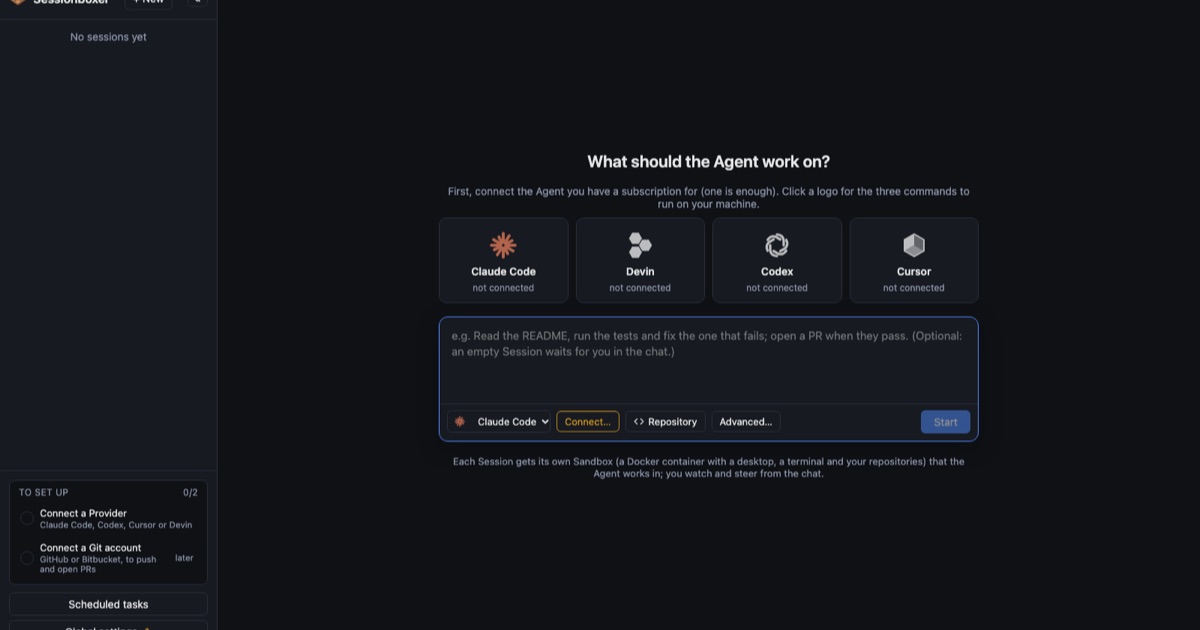
Whatever agent you pick, do not run it with full permissions on the machine that holds your keys. Give it a box. The first screen in Sessionboxer sets that up with your agent's logo and three commands; the connect your agent chapter covers every CLI. Everything else in this post is a matter of taste. That part is not.